
How-to guides / Set up
How to sign up and make your first card
Make your free account and your first loyalty card in about five minutes.
Takes about 5 minutes
Before you start
- An email address you can open right now.
- Your business name.
- A computer. (You can use a phone, but a computer is easier the first time.)
The steps
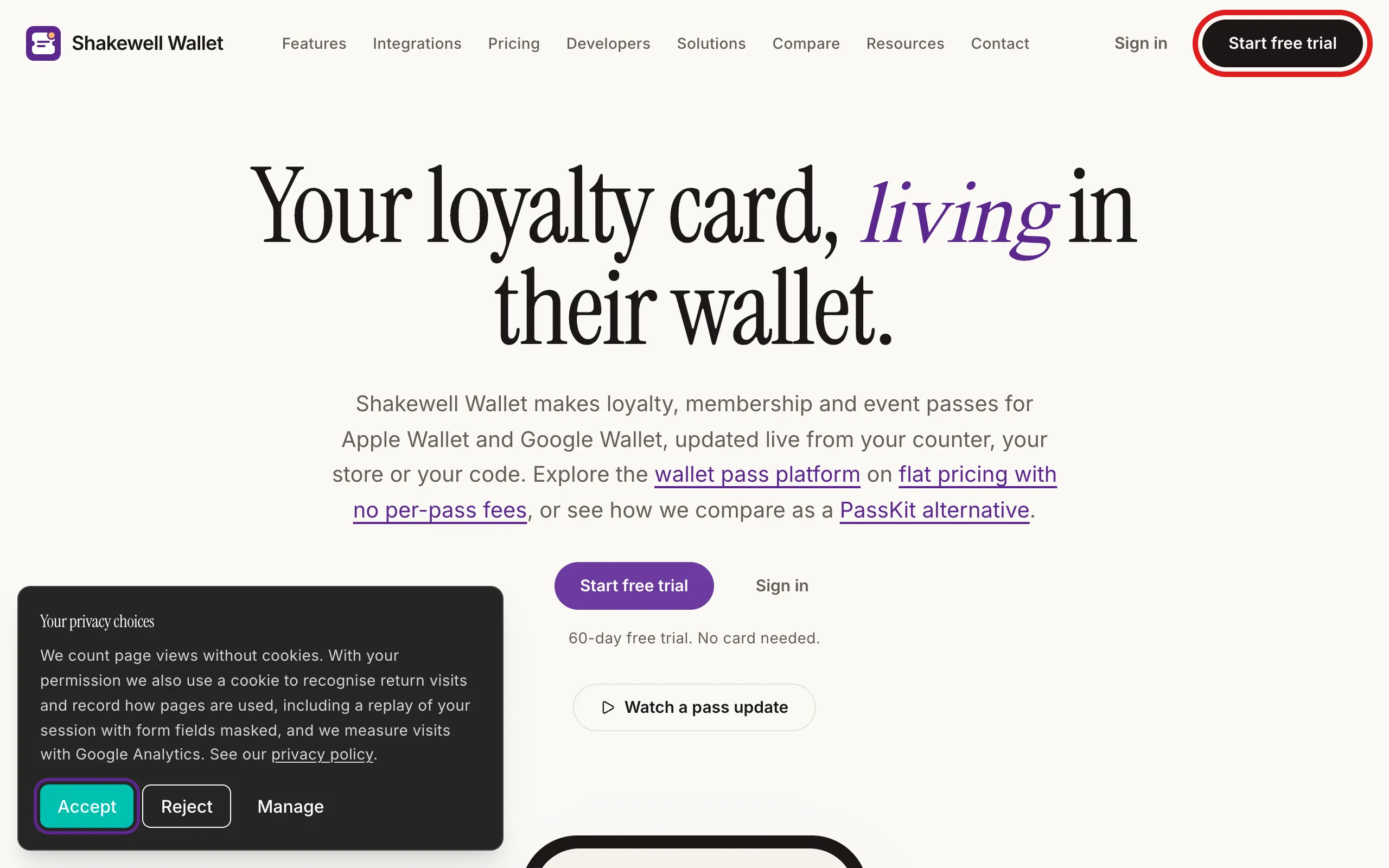
Step 1. Open shakewellwallet.com in your web browser (the app you use to look at websites). Press the dark Start free trial button at the top right.
A page opens that asks for your business name and email.
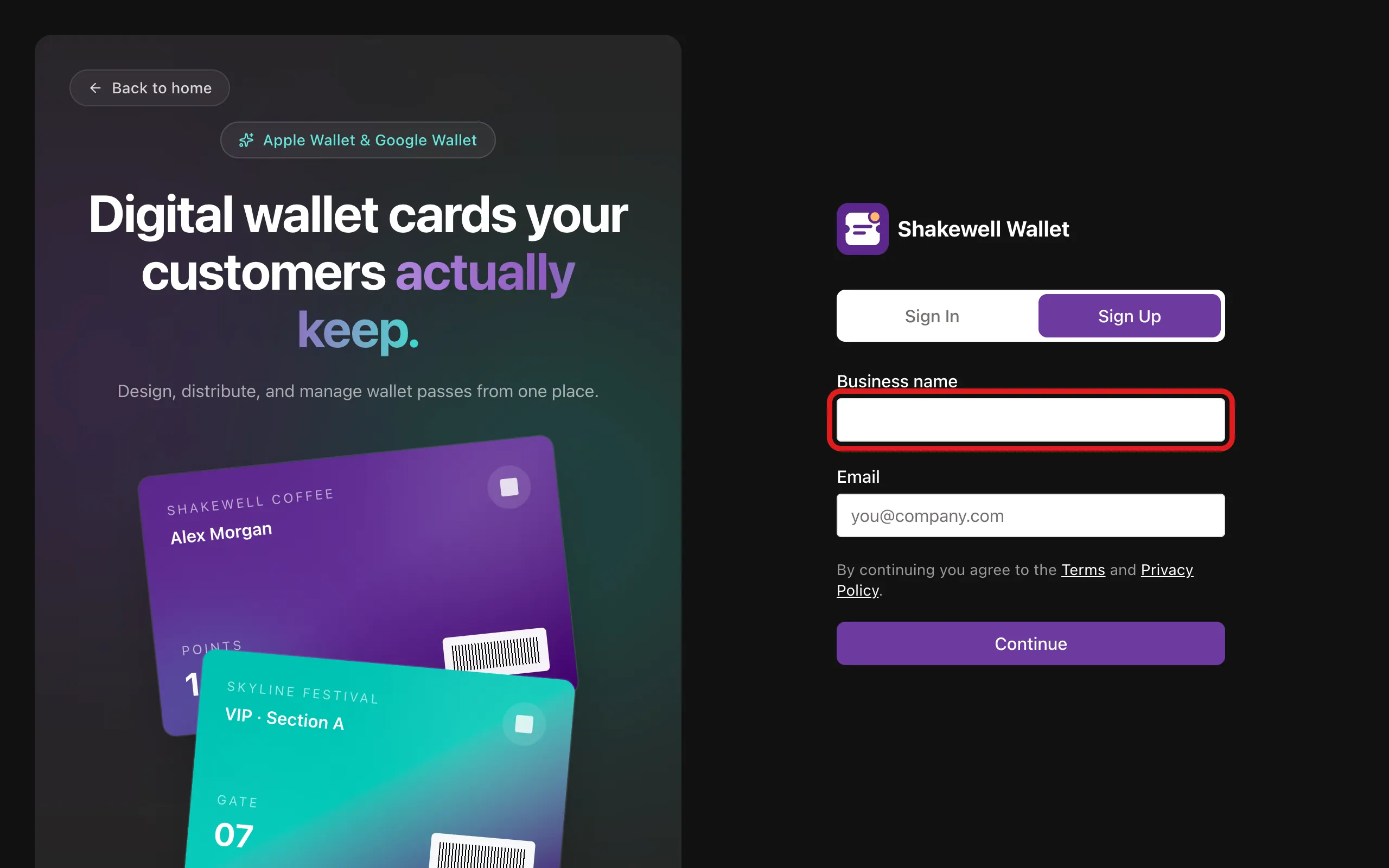
Step 2. Click the Business name box and type the name of your café or shop.
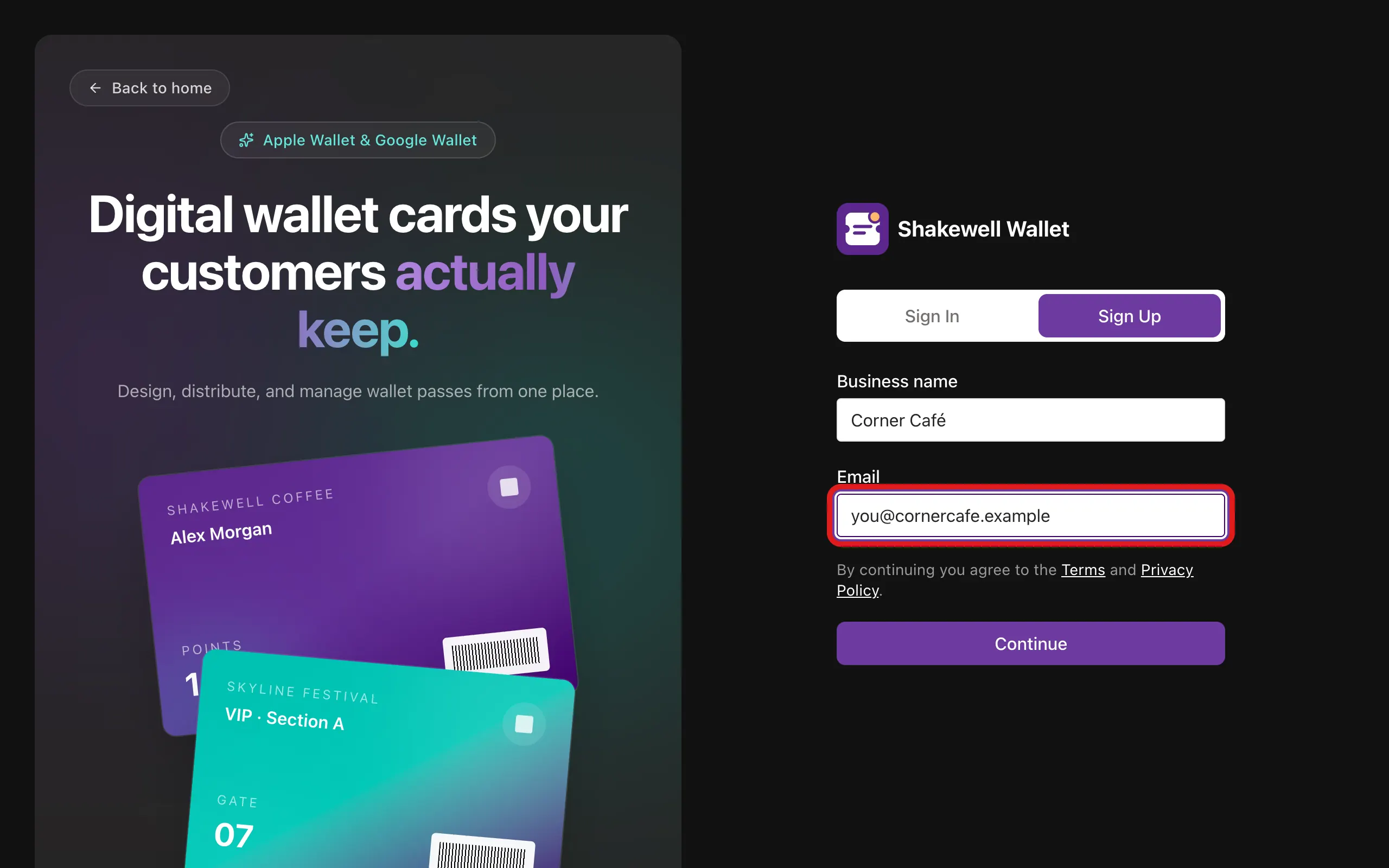
Step 3. Click the Email box and type your email address. Use one you can open right now.
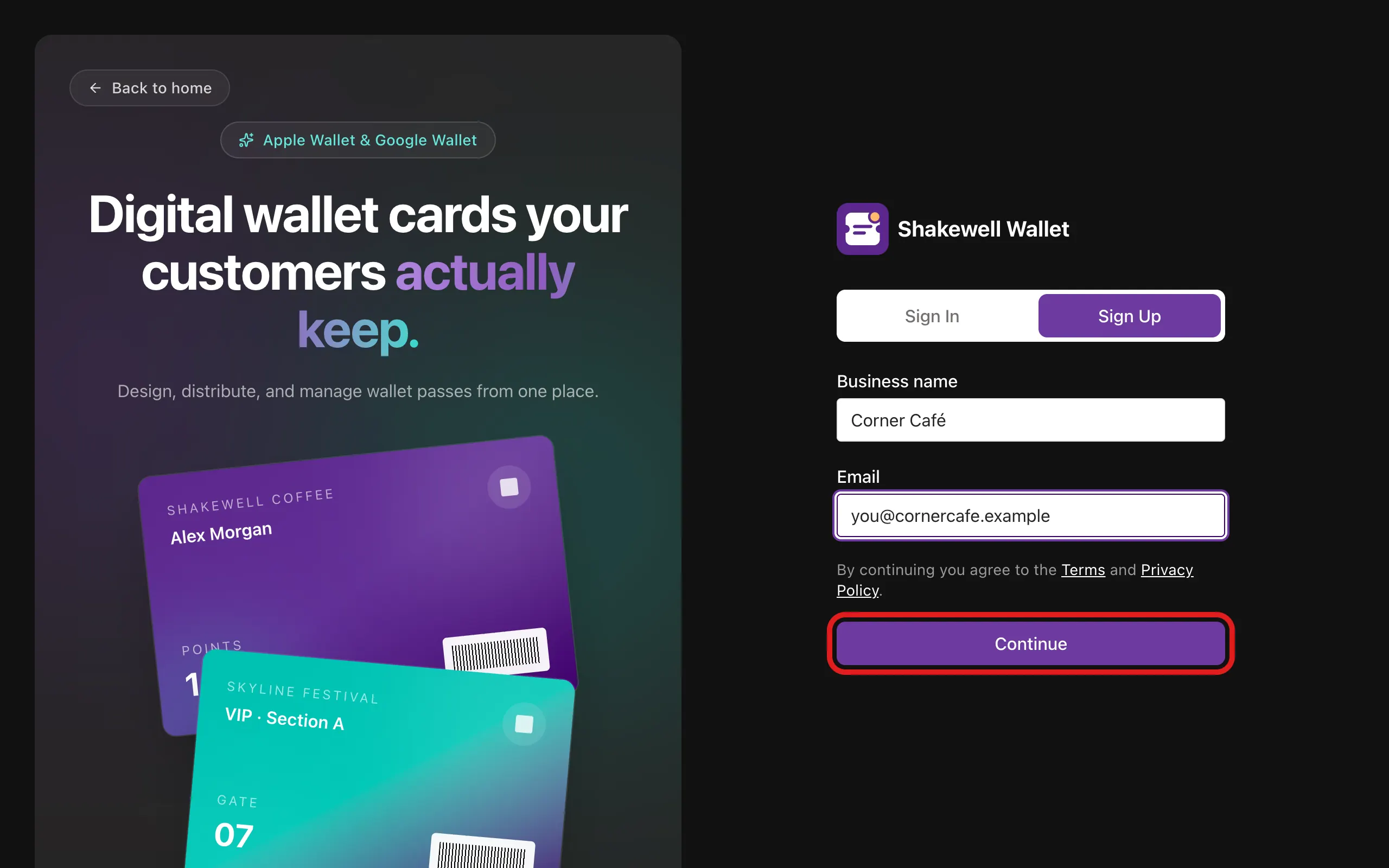
Step 4. Press the Continue button.
The page now says Check your email. We have sent you a code.
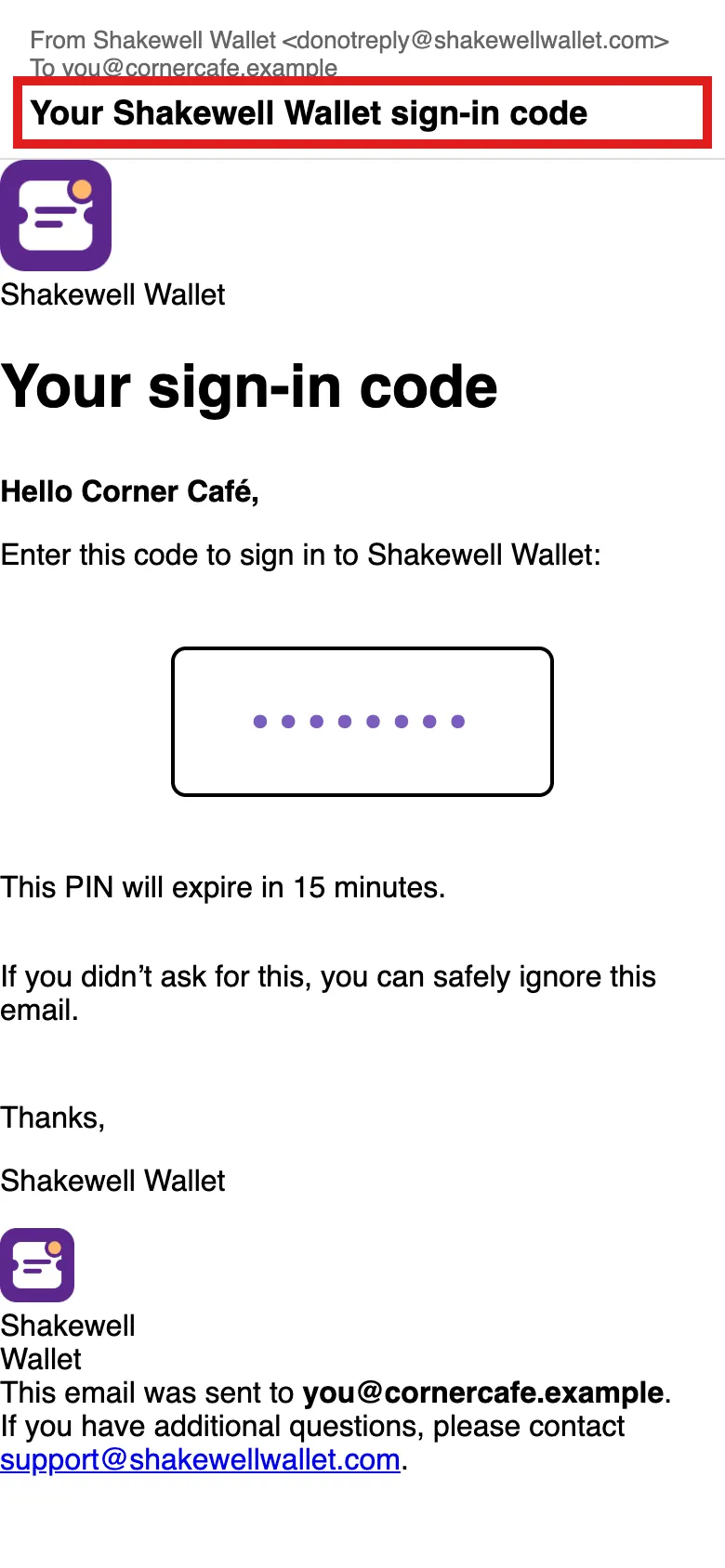
Step 5. Open your email in a new tab. Find the message called Your Shakewell Wallet sign-in code. It has 8 numbers in it. Keep this tab open so you can come back.
You do not make a password. The code is how you sign in.
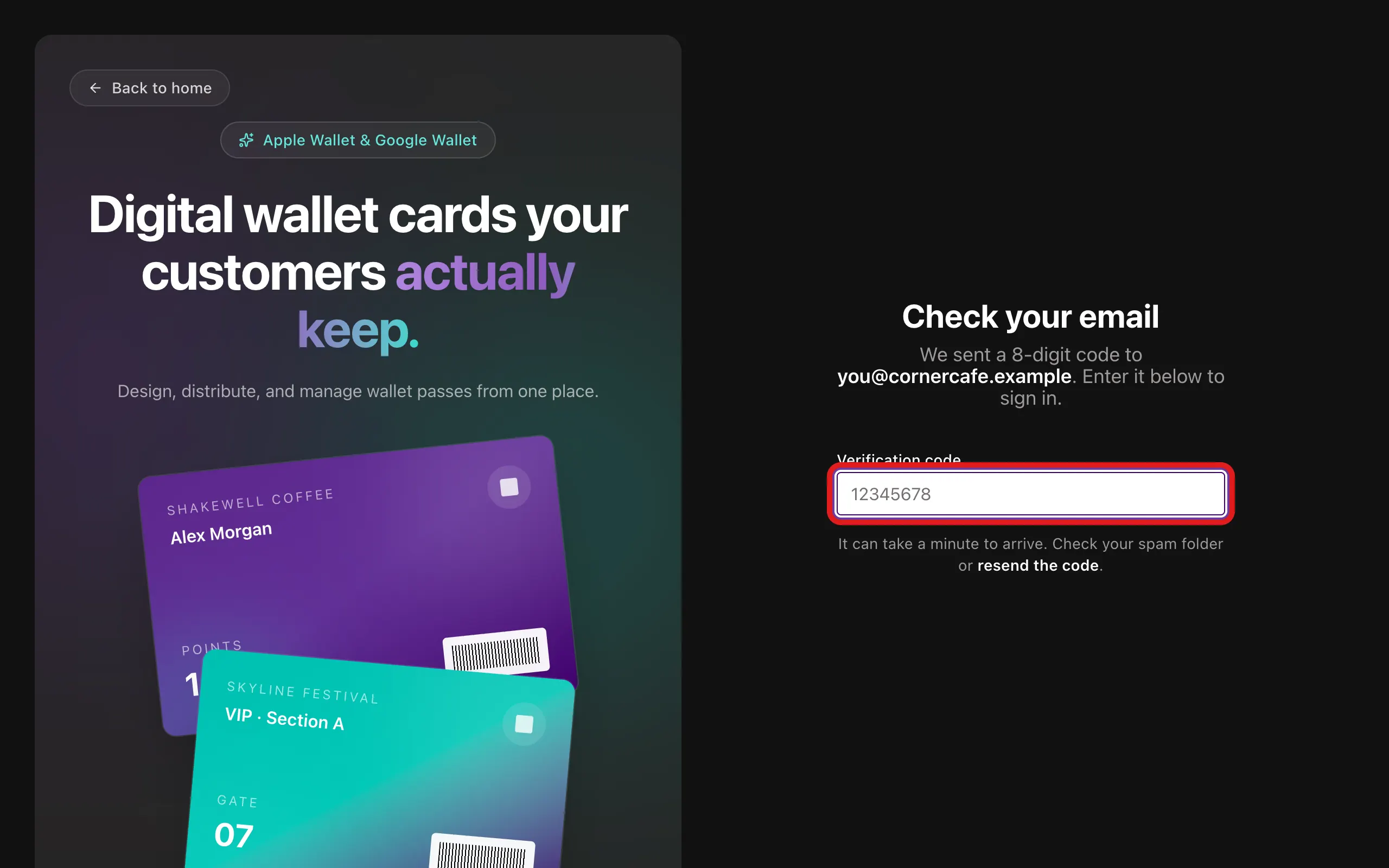
Step 6. Go back to the Check your email page. Type the 8 numbers into the Verification code box.
You do not need to press anything else. The page opens by itself in a few seconds.
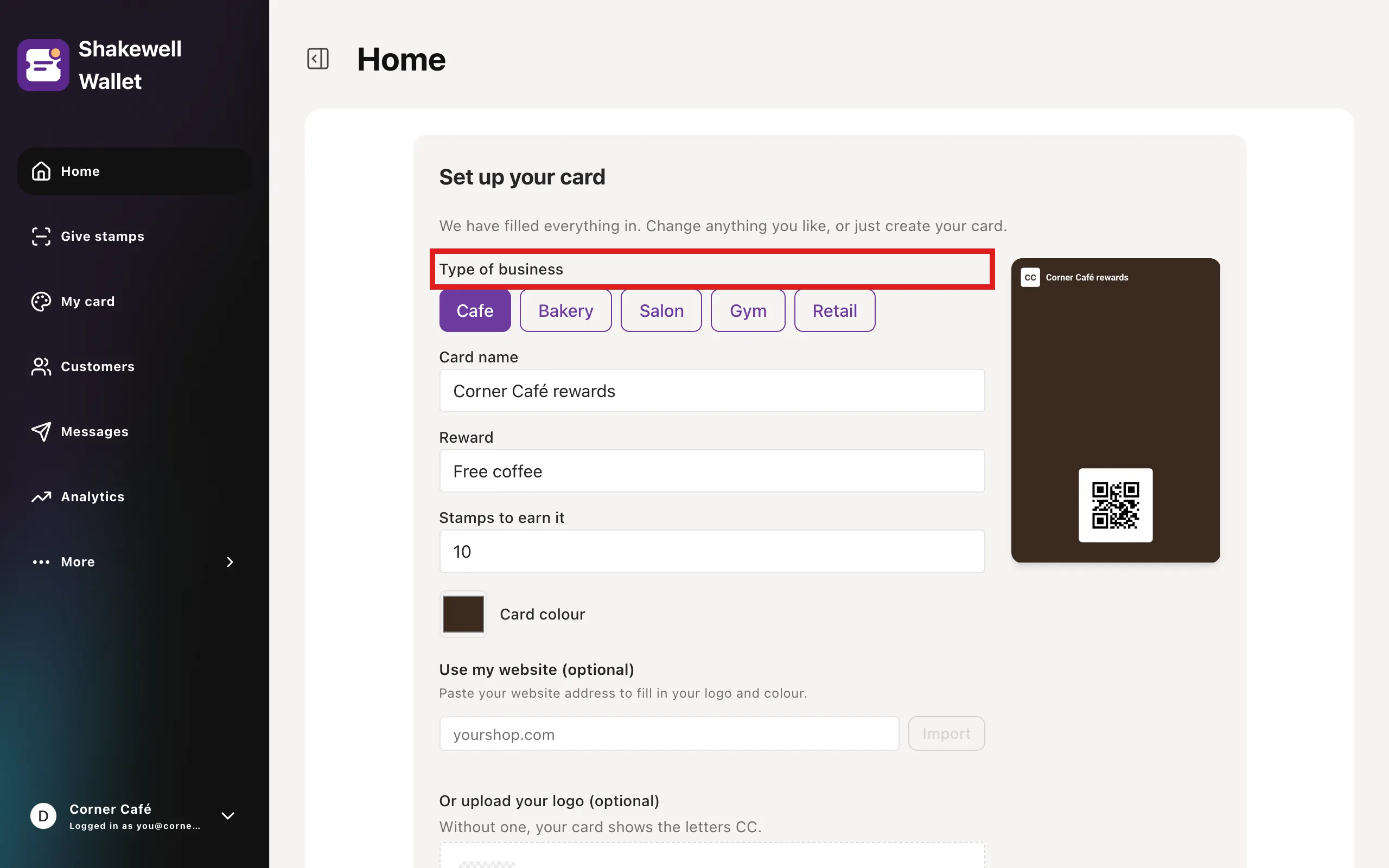
Step 7. You are now on a page called Set up your card. Press the type of business that fits you, for example Cafe.
We fill in a card name, a reward and a number of stamps for you.
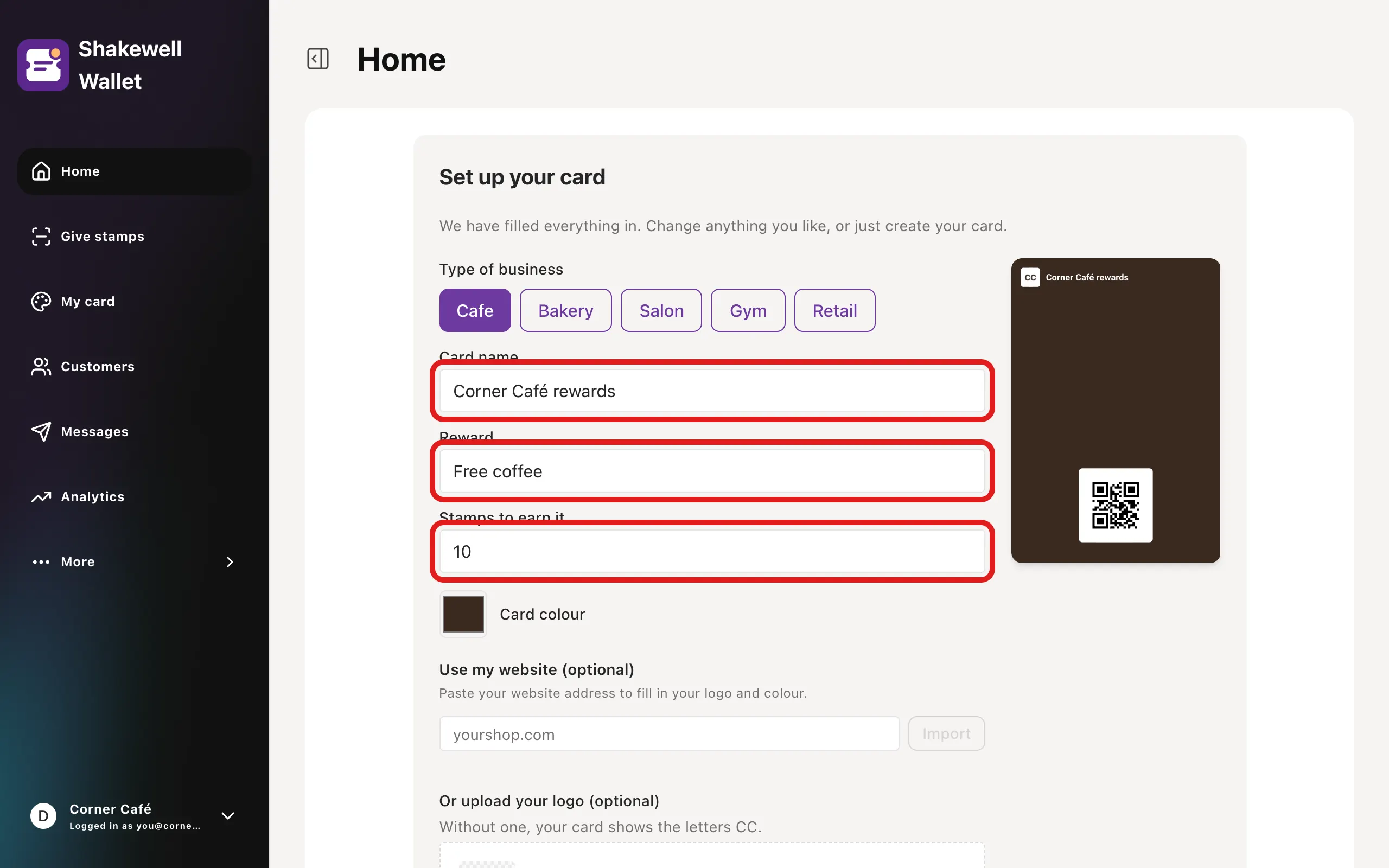
Step 8. Look at the Card name, Reward and Stamps to earn it boxes. Change any you like. For example, the reward could be Free coffee after 10 stamps.
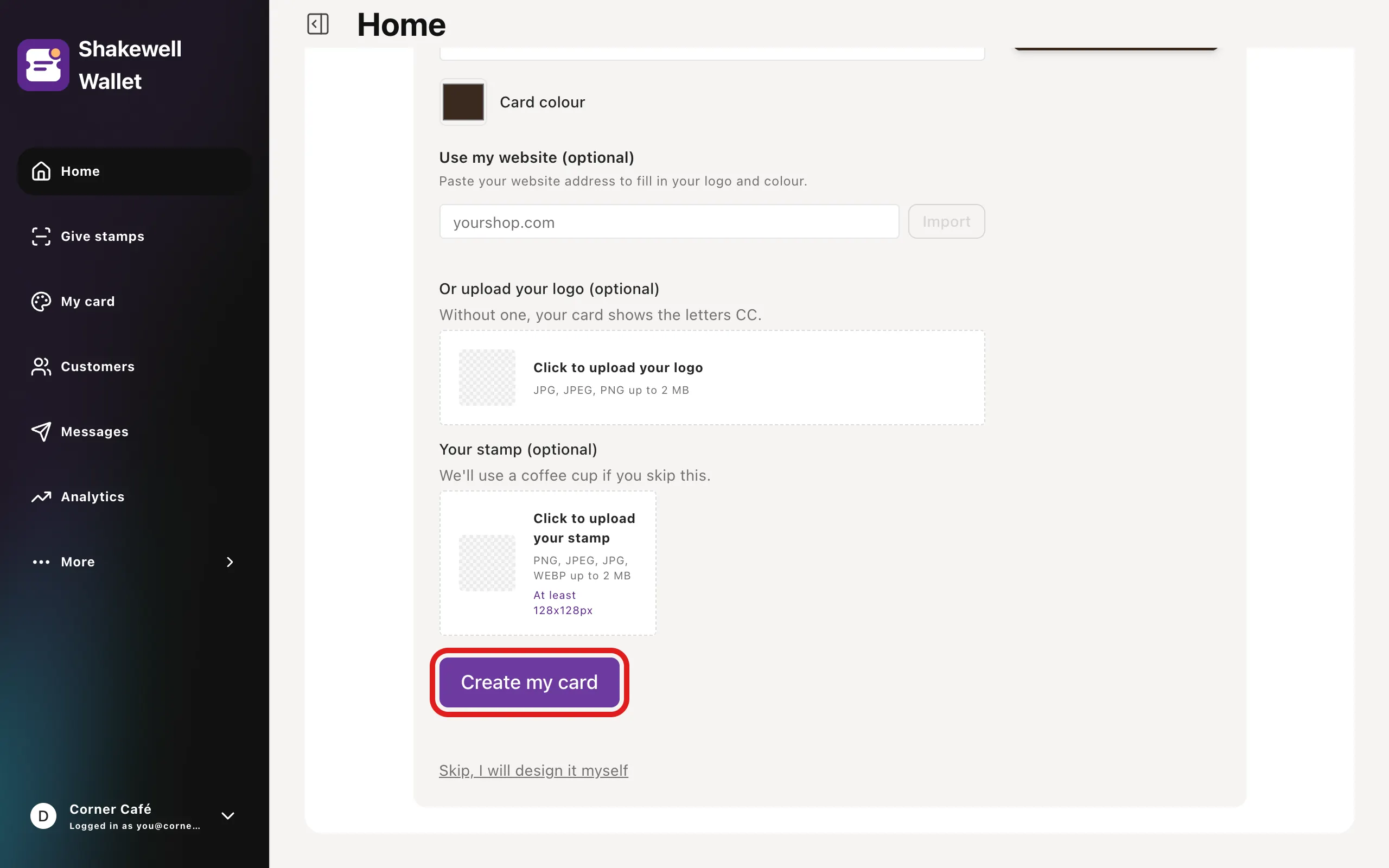
Step 9. Press the purple Create my card button. It is further down the page, so scroll down.
Wait a few seconds. Your card is made and put live.
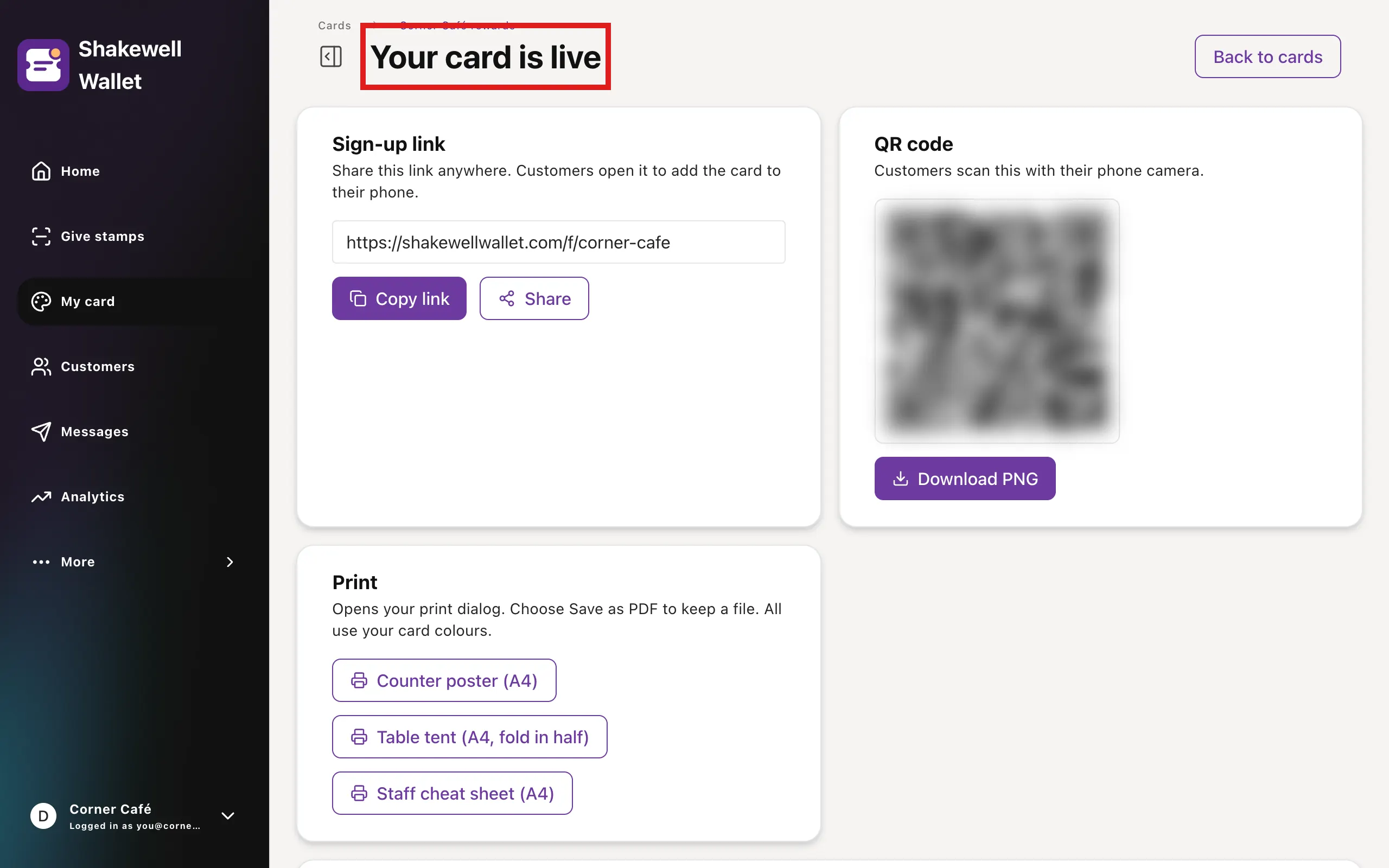
Step 10. Look at the top of the page. It says Your card is live.
Below it you see your sign-up link and a QR code (a square pattern of black and white dots that a phone camera can read).
You'll know it worked when
You see the page that says Your card is live, with your sign-up link and QR code. You also have a free 60-day trial. You do not need a payment card to start.
Good to know
- You can change the name, reward, colours and picture later. Nothing here is final.
- You can skip the filled-in card and design it yourself. Press Skip, I will design it myself instead of Create my card.
Stuck?
That is fine. Contact us and we will help you. We reply within one business day.
These guides may help: