
How-to guides / Grow
How to see how many points each club earned
Read the Points by card report, so you can pay each club its sponsorship from the numbers.
Takes about 3 minutes
Before you start
- Your account is on the Growth plan or a higher plan. Points are not on the Starter or Free plans.
- One points card for each club, with its own sign-up link. (See How to make a points card instead of a stamp card.)
- Each member joined their club's card on their own. At the till, staff add the member to the sale. With Square, the sale is matched by the member's email or mobile number.
The steps
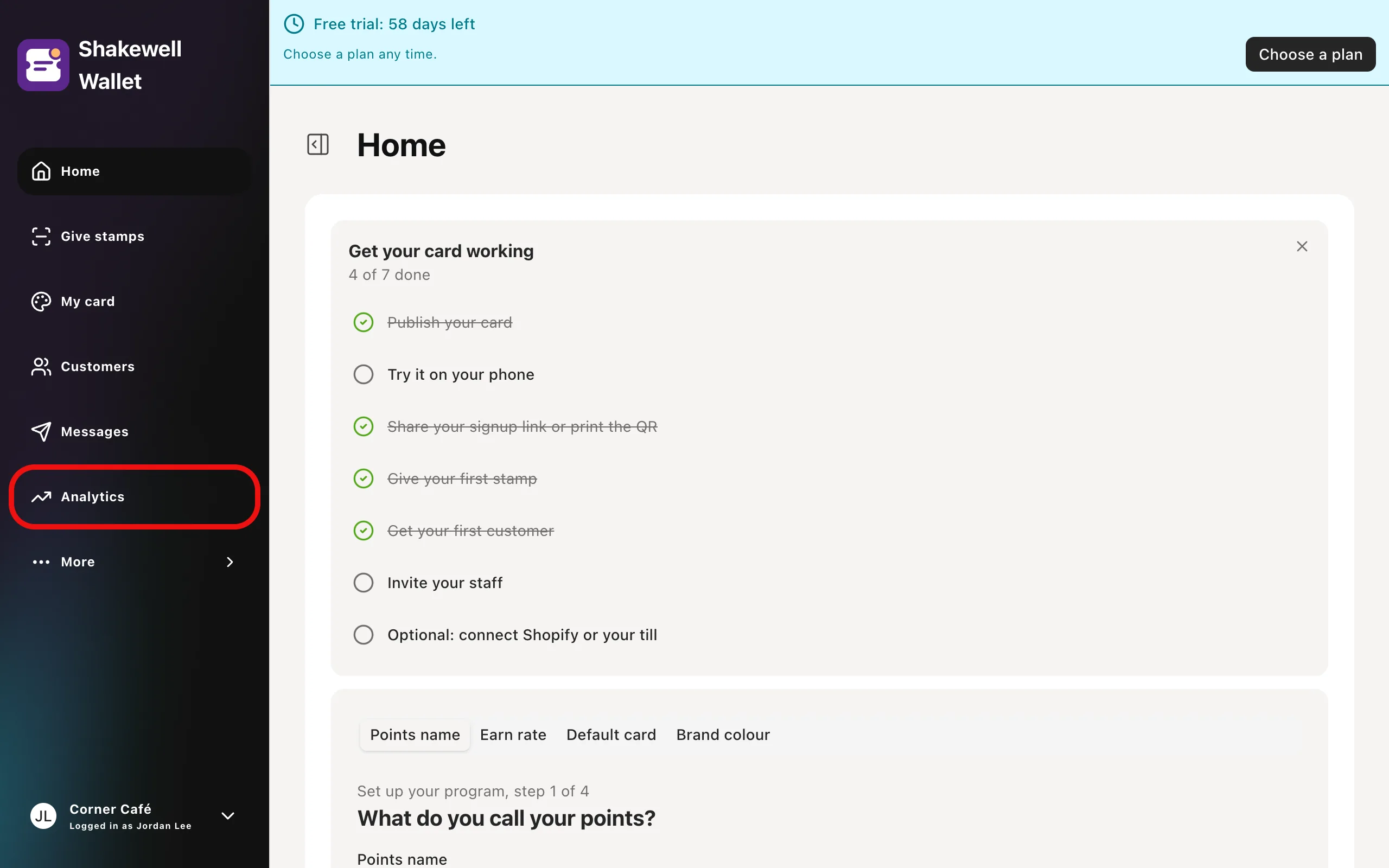
Step 1. In the left menu, click Analytics.
A page called Analytics opens.
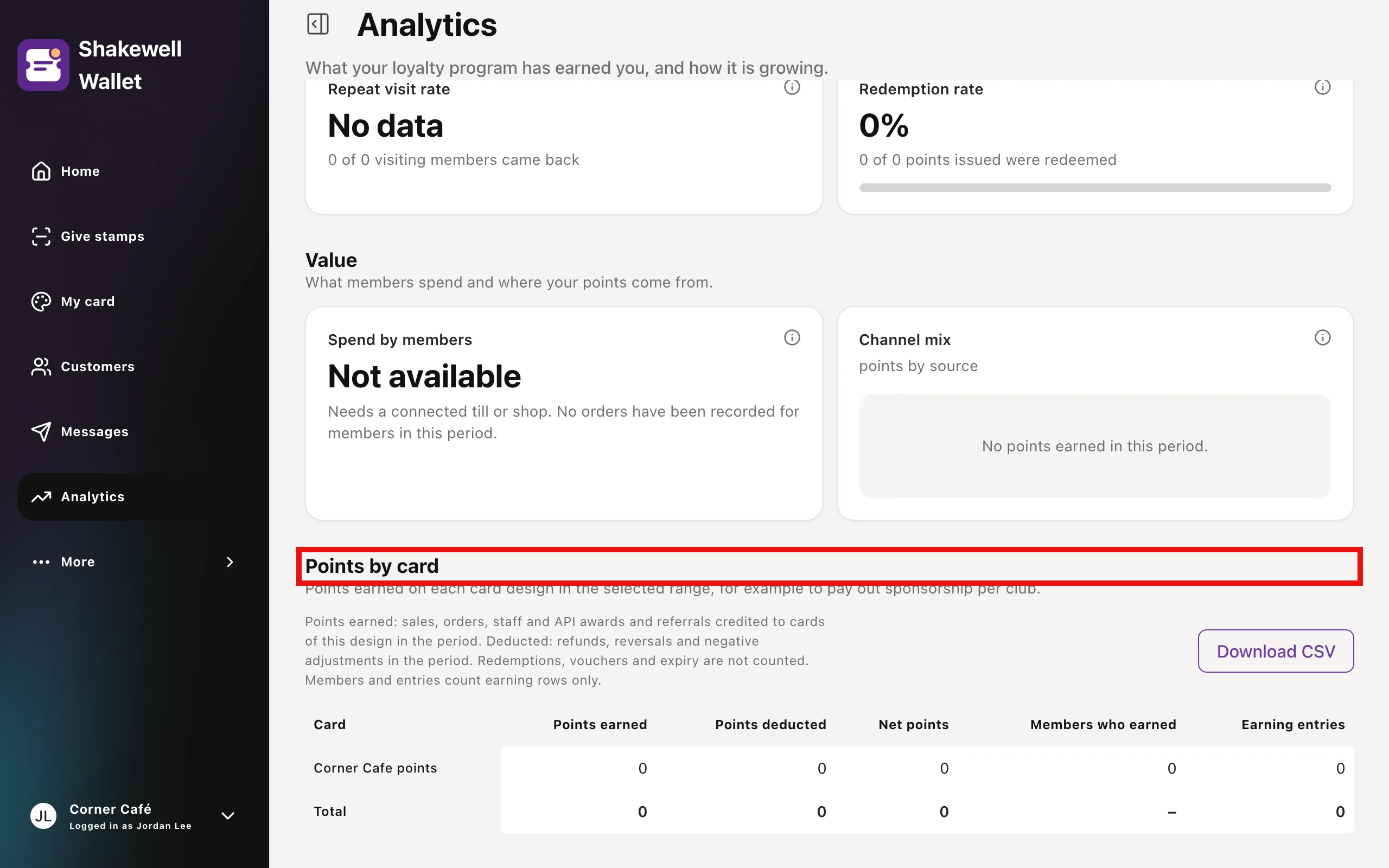
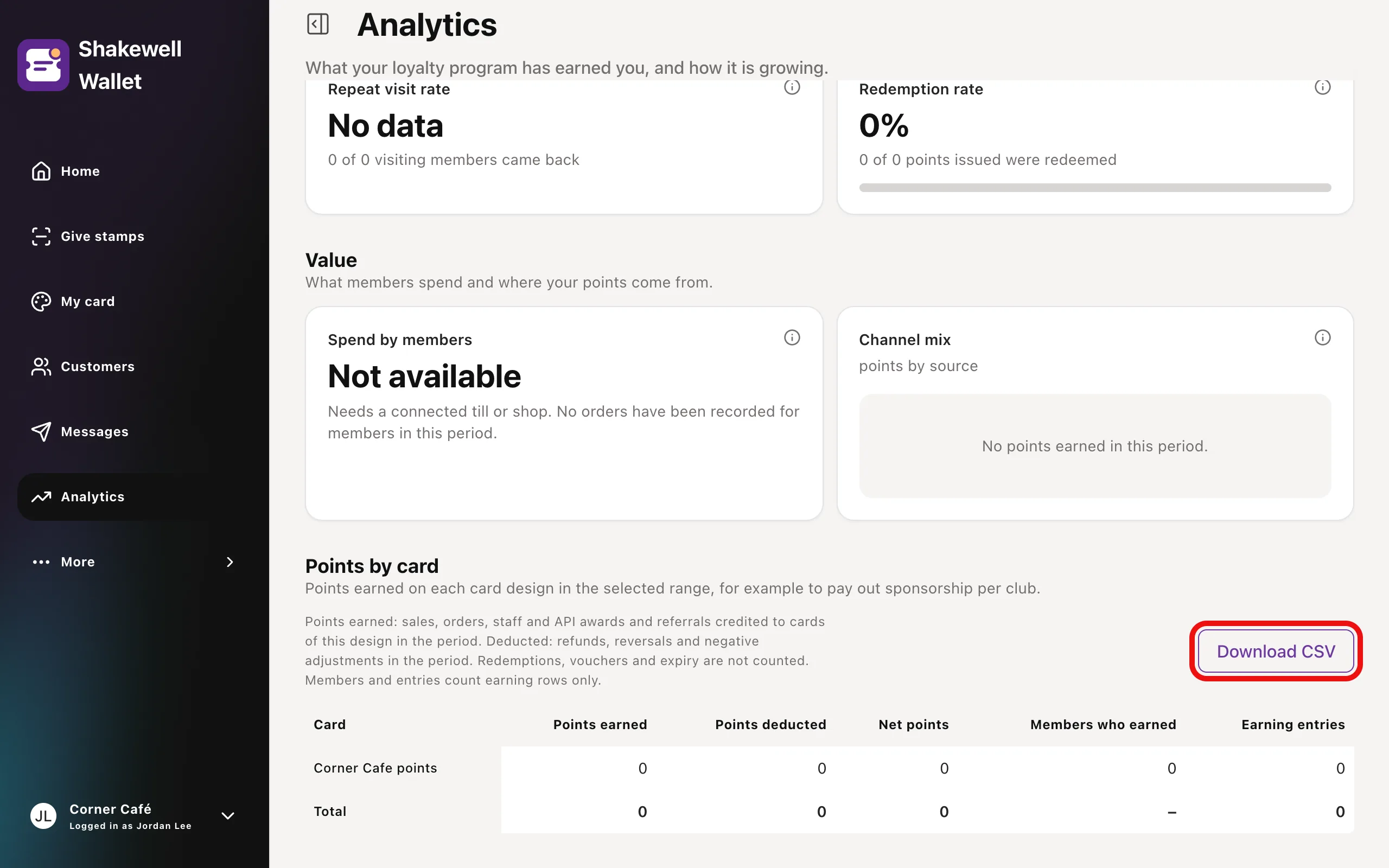
Step 2. Scroll down to the box called Points by card.
It says it shows the points earned on each card design, for example to pay out sponsorship per club.
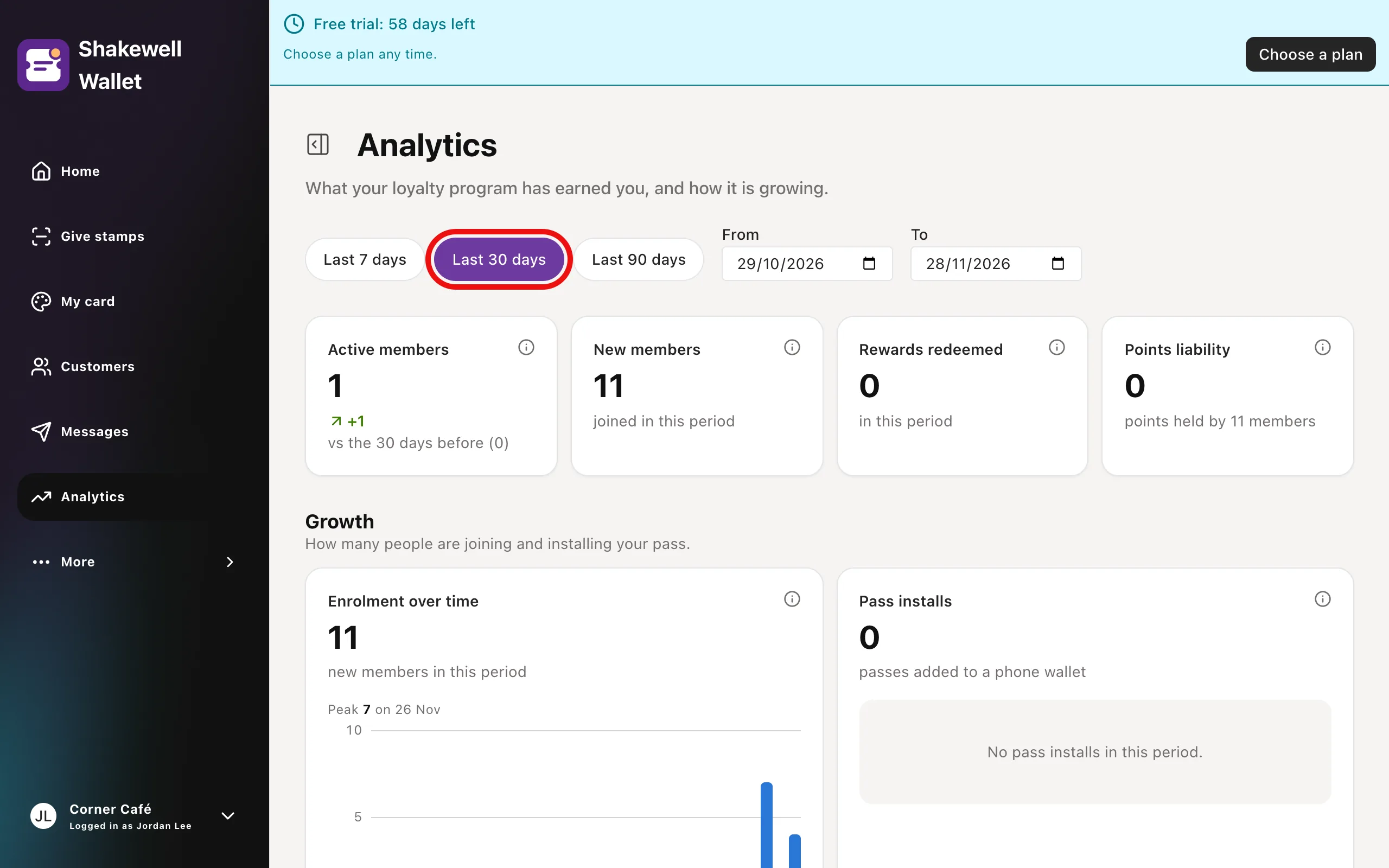
Step 3. Scroll back to the top. Pick the dates you want. Click Last 30 days, or choose your own dates in the From and To boxes.
The whole page changes to the dates you picked, including Points by card.
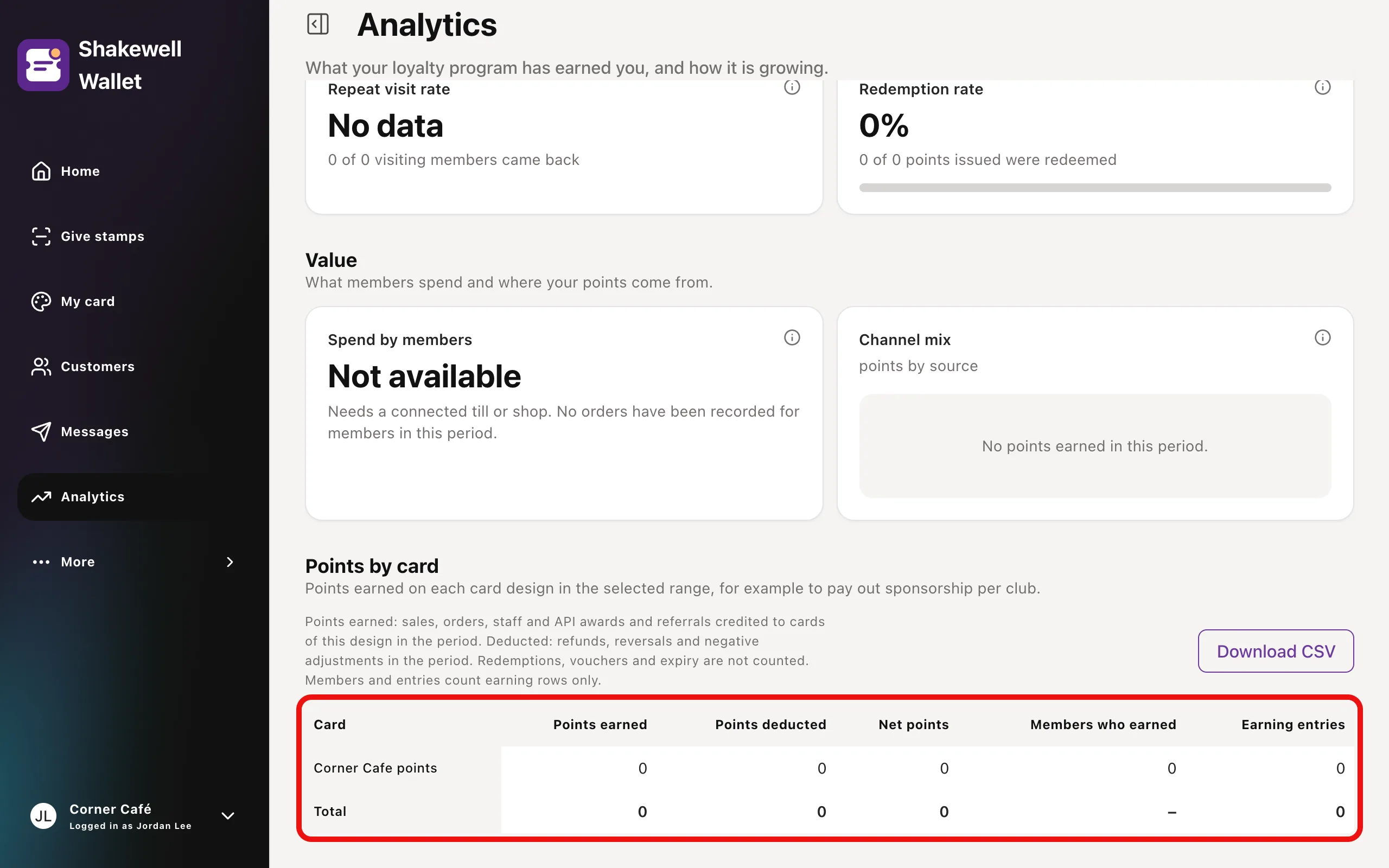
Step 4. Scroll down to the table under Points by card. Read the row for each club.
Each row shows the points earned, the points deducted, the net points, and how many members earned points.
Step 5. To keep a copy, click the Download CSV button.
A file is saved on your computer. You can open it in a spreadsheet and pay each club from it.
You'll know it worked when
The Points by card table shows a row for each club's card with its net points for the dates you picked.
Good to know
- Net points are the points earned, less the points deducted for refunds and the like.
- A member who holds two club cards counts once on each card. The Total row does not add up members.
- The dates use your venue's time zone.
- You do not need to give a reward. Leave rewards off and nothing is given at the till. You pay the club from the report.
- Prefer one pot for a whole club? See How to give a club one shared card.
Stuck?
That is fine. Contact us and we will help you. We reply within one business day.
These guides may help: