
Square
How do shared club cards work with Square?
Last updated 2026-11-26
Switch on Shared card for a points card, add the club as one customer in Square and attach it to each sale. Rewards apply at the till after a manager approves.
A shared card is one card that a whole group, such as a sports club, adds to their own phones. All purchases pool on one balance. Because anyone with the card can stand at the till, a reward only applies after a manager approves it. For the full story with a worked example, read shared loyalty cards for sports clubs.
Before you start
- Square is connected. See how to connect Square.
- You have a points card. Shared cards work with points cards only, not stamp cards.
- Points and rewards are on the Growth plan and above, and the free trial includes them.
Steps
- Create a points card (Loyalty Card). Shared cards work with points cards only.
- In the left menu choose My card. On the card, open the Share menu and choose Share, QR & poster. Find Shared card, turn on This is a shared card and confirm with Make it shared.
- Add the club as one customer in Shakewell, using a contact email, and send its card to that contact so members can add it to their phones.
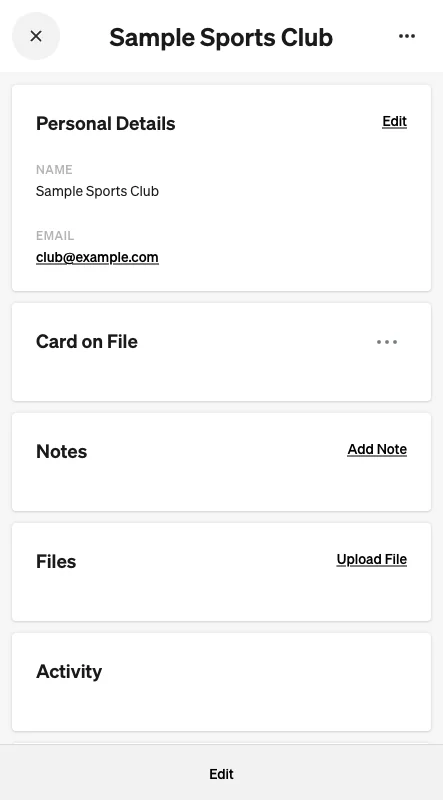
- In Square, make one customer for the club with the same email address.
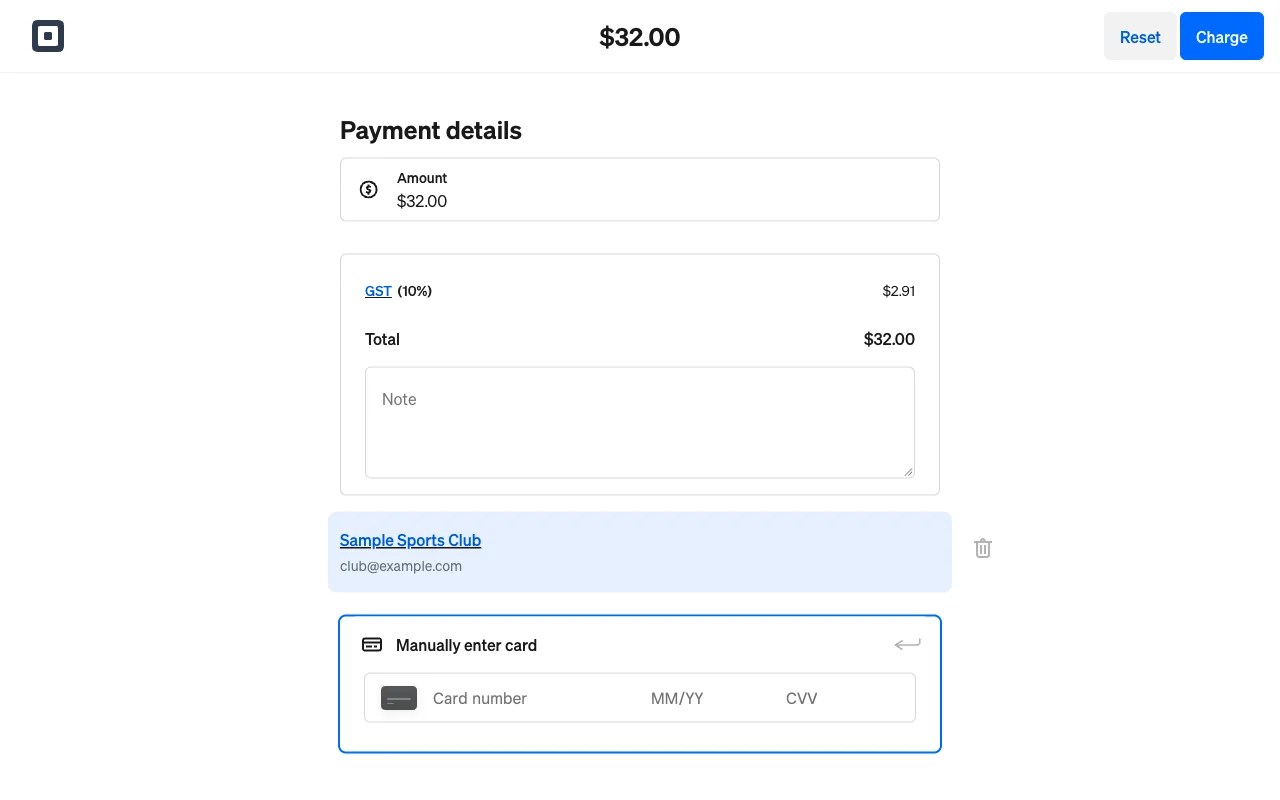
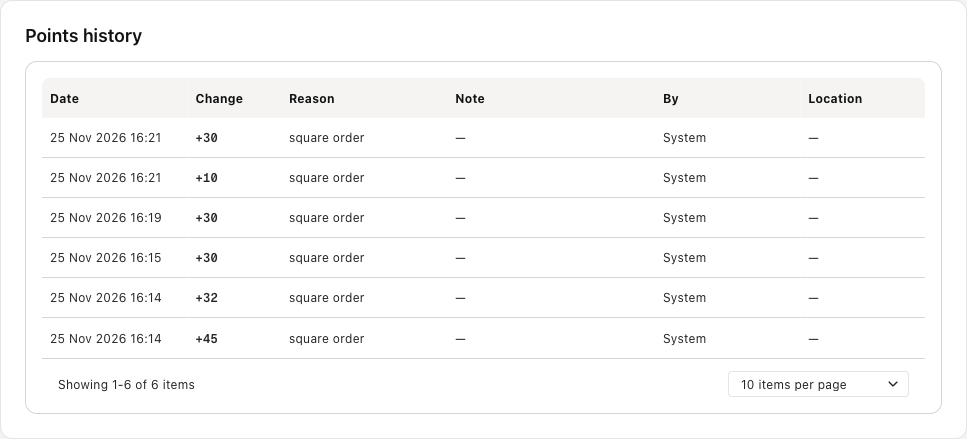
- At the till, add the club's Square customer to the sale. The points go to the club's one balance.
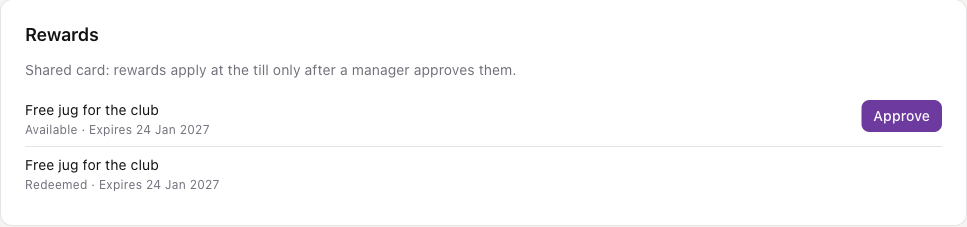
- When the club earns a reward, open the club's page under Customers, find Rewards and choose Approve. The reward then applies on the next sale with the club attached.

Approving a reward
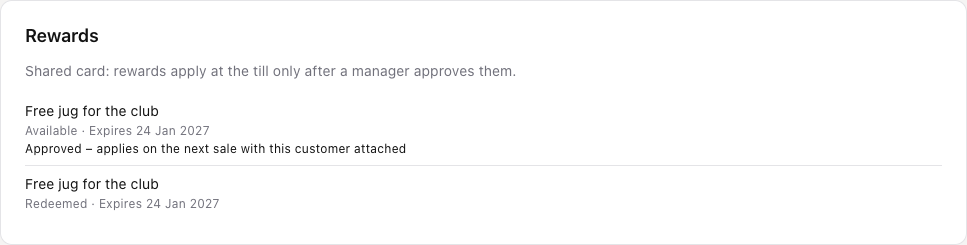
When the club earns a reward it appears in the Rewards box on the club's page with an Approve button. Until you approve it, it does nothing at the till.
After you approve it, the page says Approved and that it applies on the next sale with this customer attached. Square then takes the discount off by itself, and the reward is marked used. A second sale does not get it again.
Good to know
- Turning Shared card on takes any reward that was waiting at the till off it until a manager approves. Turning it off puts them back without approval. Shakewell asks you to confirm either way.
- The club counts as one card on your plan, however many members add it.
- Rewards at the Square till need to be switched on first. See rewards at the Square till.
- Refunds work as normal. See refunds and reversals.
Back to the complete Square guide, or start your free trial.