
Lightspeed
How do I earn points from Lightspeed sales?
Last updated 2026-11-26
Publish a points card, set Points per unit spent, then add the customer to the sale in Lightspeed. When the sale is closed Shakewell adds the points.
Before you start
- Lightspeed is connected. See how to connect Lightspeed.
- You have a published points card. Points, earning rules and rewards are on the Growth plan and above, and the free trial includes them.
Steps
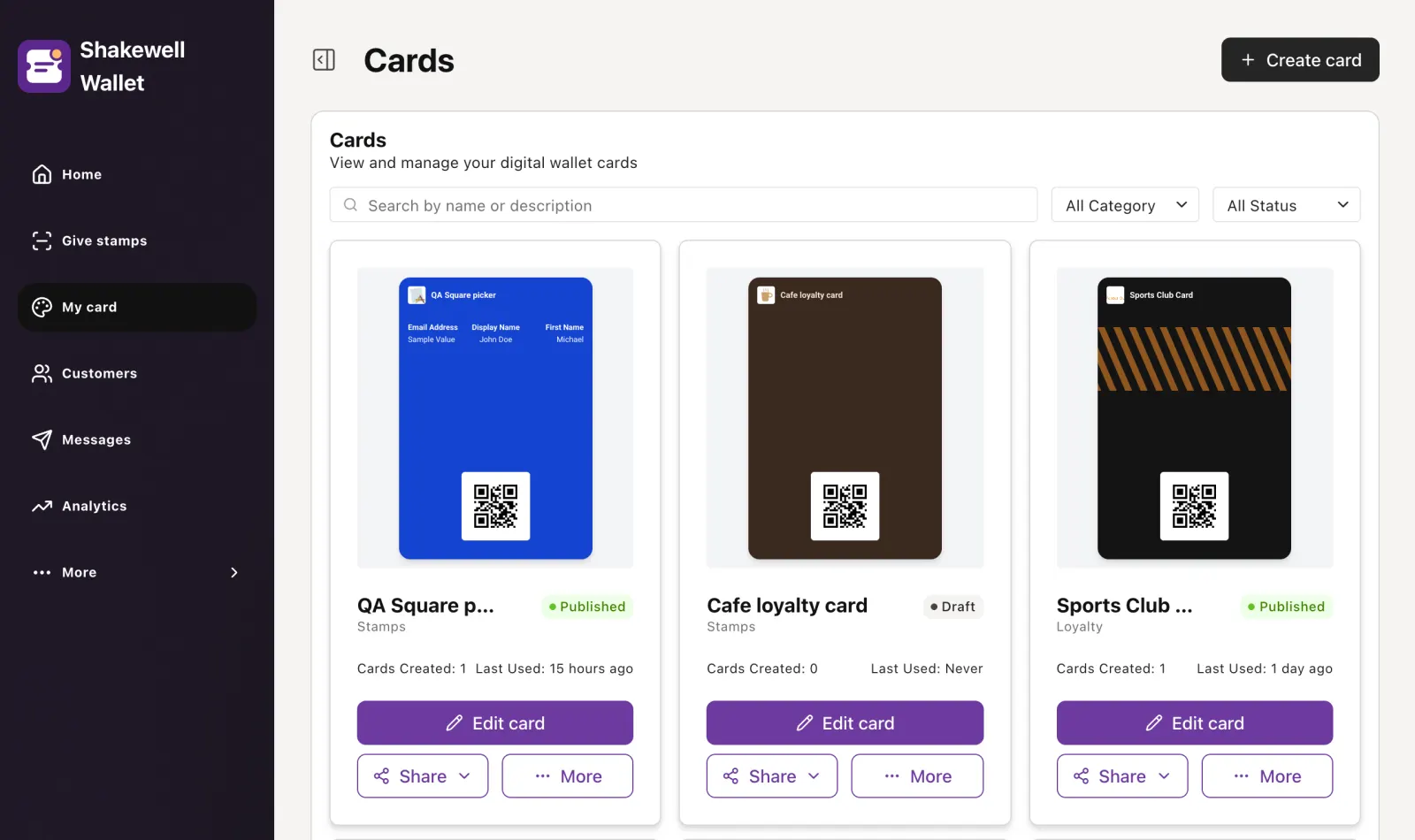
Step 1. Publish a points card. In the left menu choose My card and check you have a published card of the type Loyalty Card.
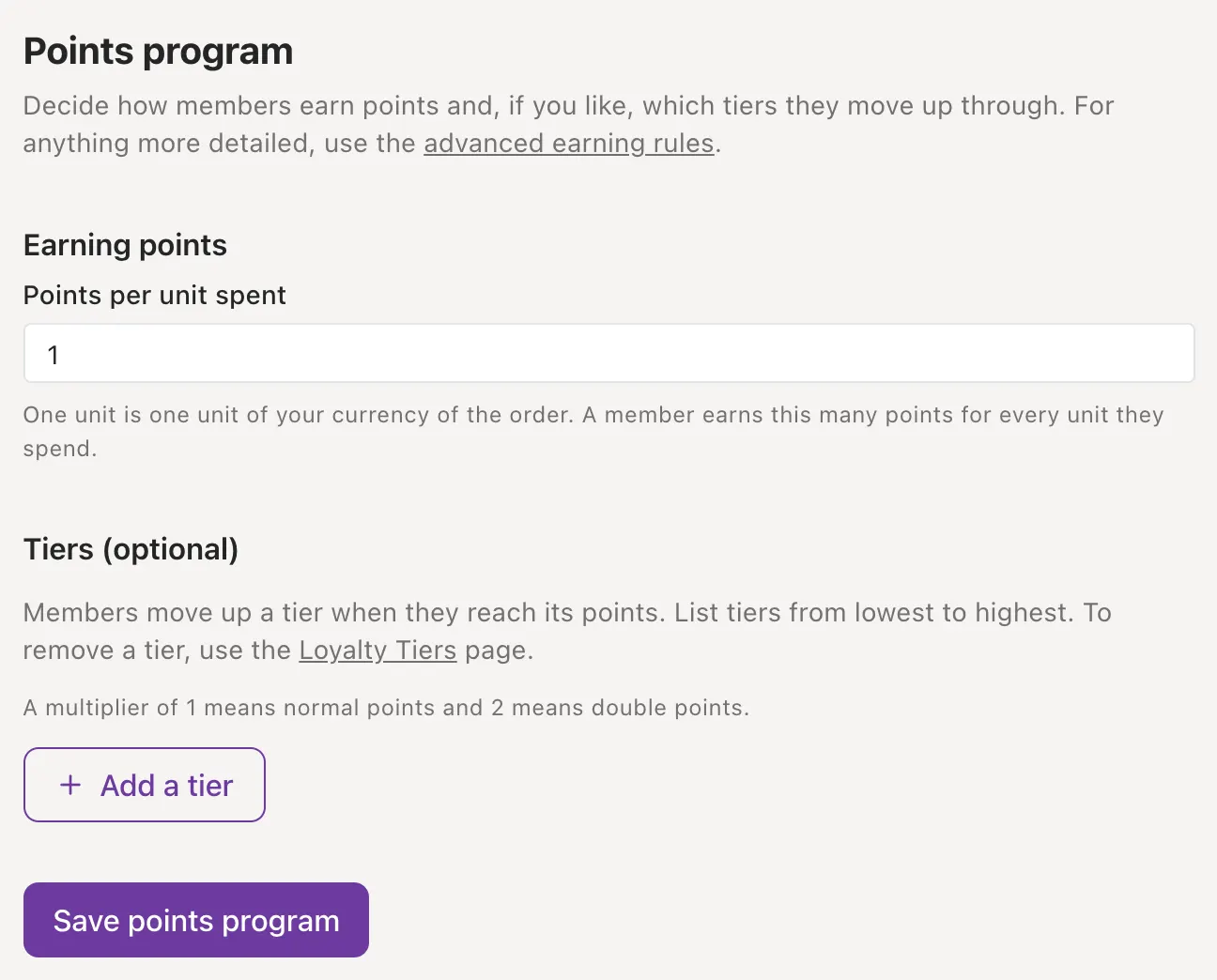
Step 2. Open More, then Rewards, then Points program. Under Earning points, enter Points per unit spent and choose Save points program.
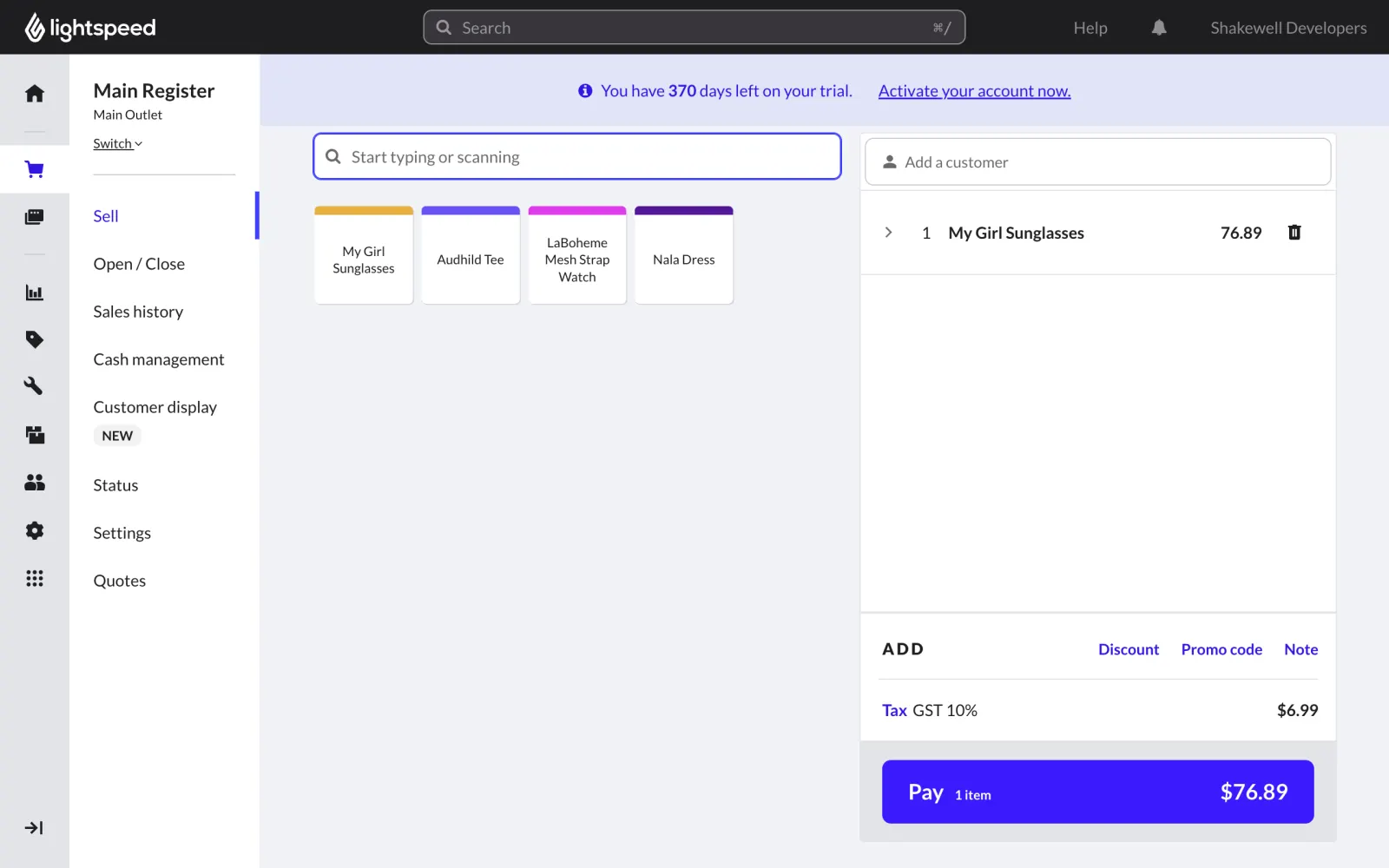
Step 3. At the Lightspeed till, add what the customer is buying to the sale.
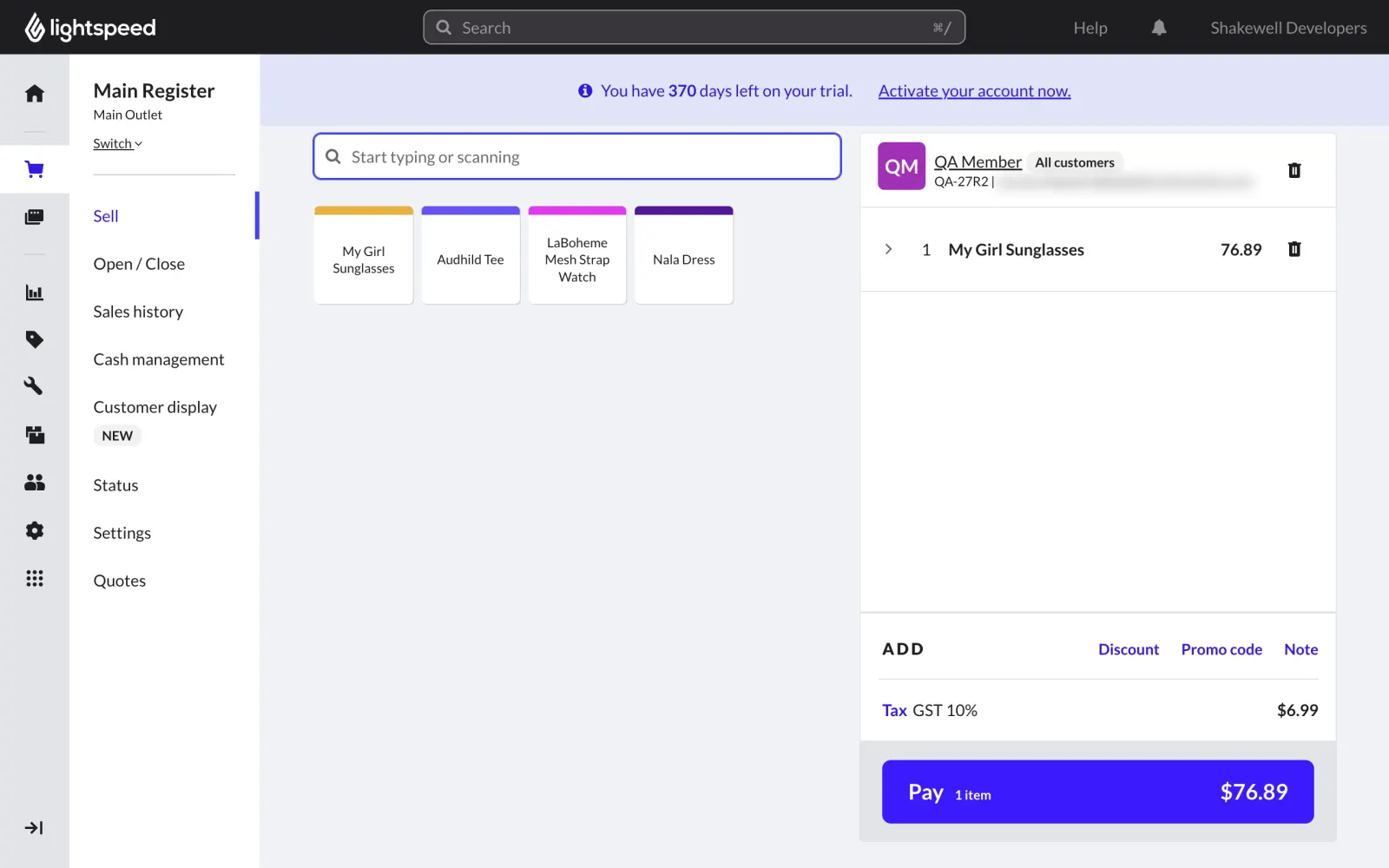
Step 4. Add the customer to the sale. Type their name in Add a customer and choose them from the list.
Step 5. Choose Pay.
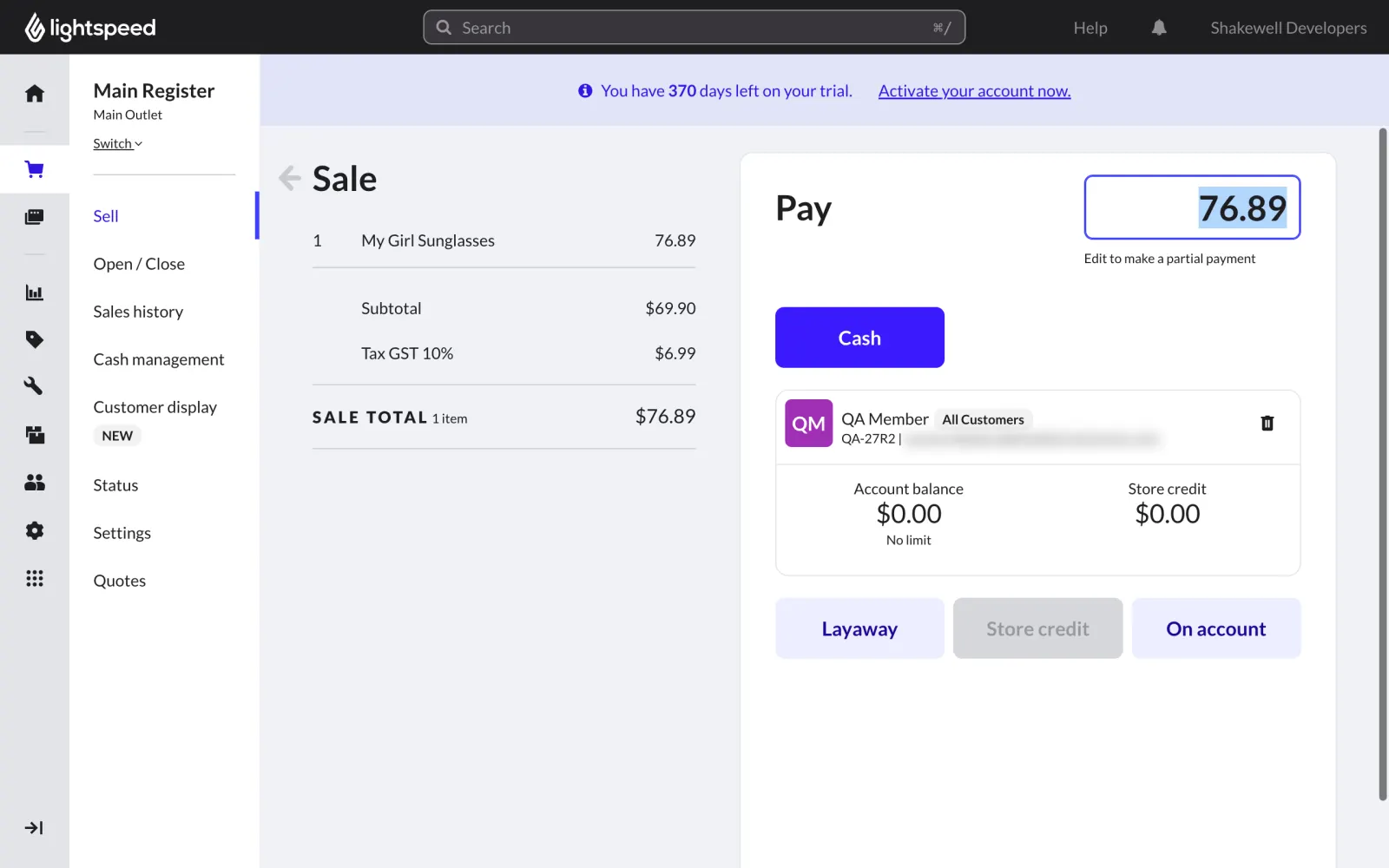
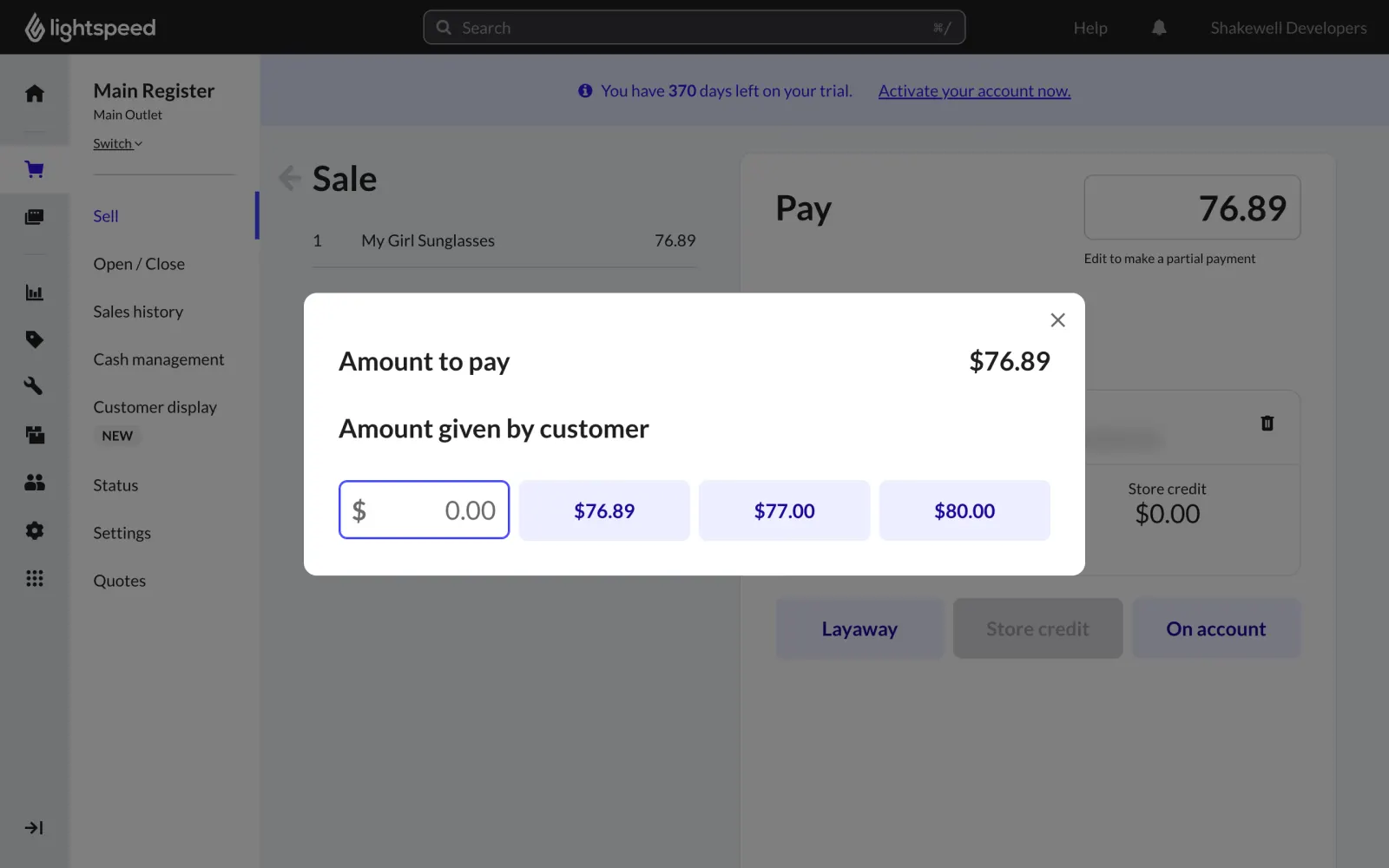
Step 6. Choose the payment type, such as Cash, and enter the amount the customer gives you.
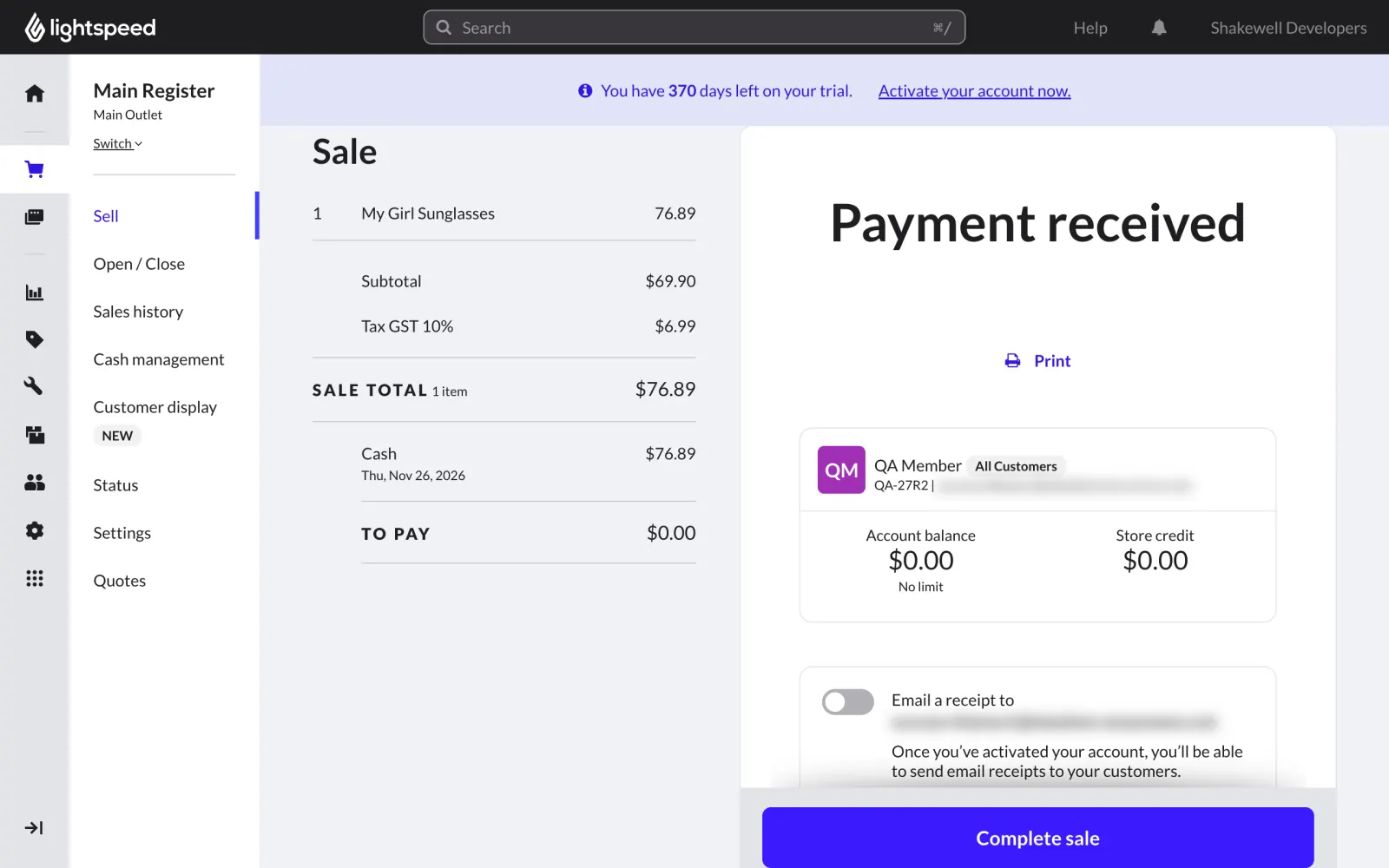
Step 7. Choose Complete sale when Lightspeed says Payment received.
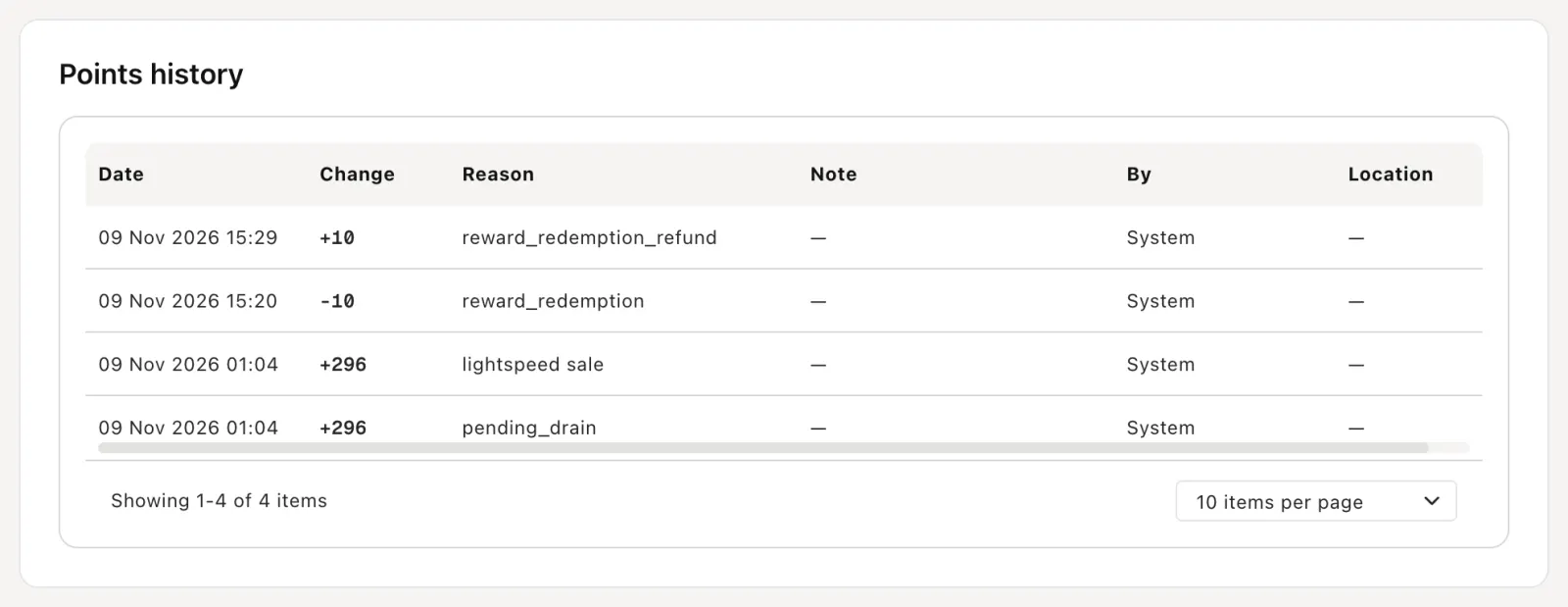
Step 8. In Shakewell open Customers and choose the customer. Their Points history shows a new line called lightspeed sale.
How the points are worked out
- Shakewell counts a sale when Lightspeed closes it. A sale that is saved, parked or still open earns nothing yet.
- If you set Points per unit spent, a customer earns that many points for every unit they spend.
- If you have not set up a points program or earning rules yet, a customer earns one point for each whole dollar of the sale total, rounded down. The sale total includes tax, because it is the total Lightspeed shows. A sale of 296.89 earned 296 points.
- Earning rules can add bonuses, such as double points. They apply to Lightspeed sales too.
- A sale that totals nothing earns nothing.
Good to know
- Sales with no customer attached earn nothing. This includes Lightspeed's walk-in customer.
- Shakewell finds the customer by the Lightspeed customer it has already linked, then by email address, then by phone number. See enrol customers from Lightspeed.
- A customer who is in Shakewell but has not added their card yet still earns. The points wait for about 90 days and are added when they add the card.
- A customer who is not in Shakewell at all earns nothing, unless Shakewell enrols customers from Lightspeed for you.
- If you void a sale in Lightspeed, Shakewell takes the points back. For a return, see refunds and returns.
If the points do not show up
- Check the sale was completed in Lightspeed and had a customer added.
- Check the customer's email address in Lightspeed matches the one in Shakewell.
- On the Lightspeed X-Series page, look at Recent webhook events. A Skipped row with no_matching_member means Shakewell found no customer. customer_without_email means the Lightspeed customer has no email address.
- Check Last error says None.
Next: enrol customers from Lightspeed.
Back to the complete Lightspeed guide, or start your free trial. No card is needed.