
Lightspeed
What happens to points and stamps when I process a Lightspeed return?
Last updated 2026-11-26
Start the return from the sale in Sales history. When it is complete Shakewell takes back the points in proportion, and the stamps for returned products.
Always start a return from the original sale. In Lightspeed that means Sales history, then the sale, then Return items. Shakewell can only match a return that names the sale it returns.
Steps
Step 1. In Lightspeed open Sell, then Sales history. Find the sale and open it.
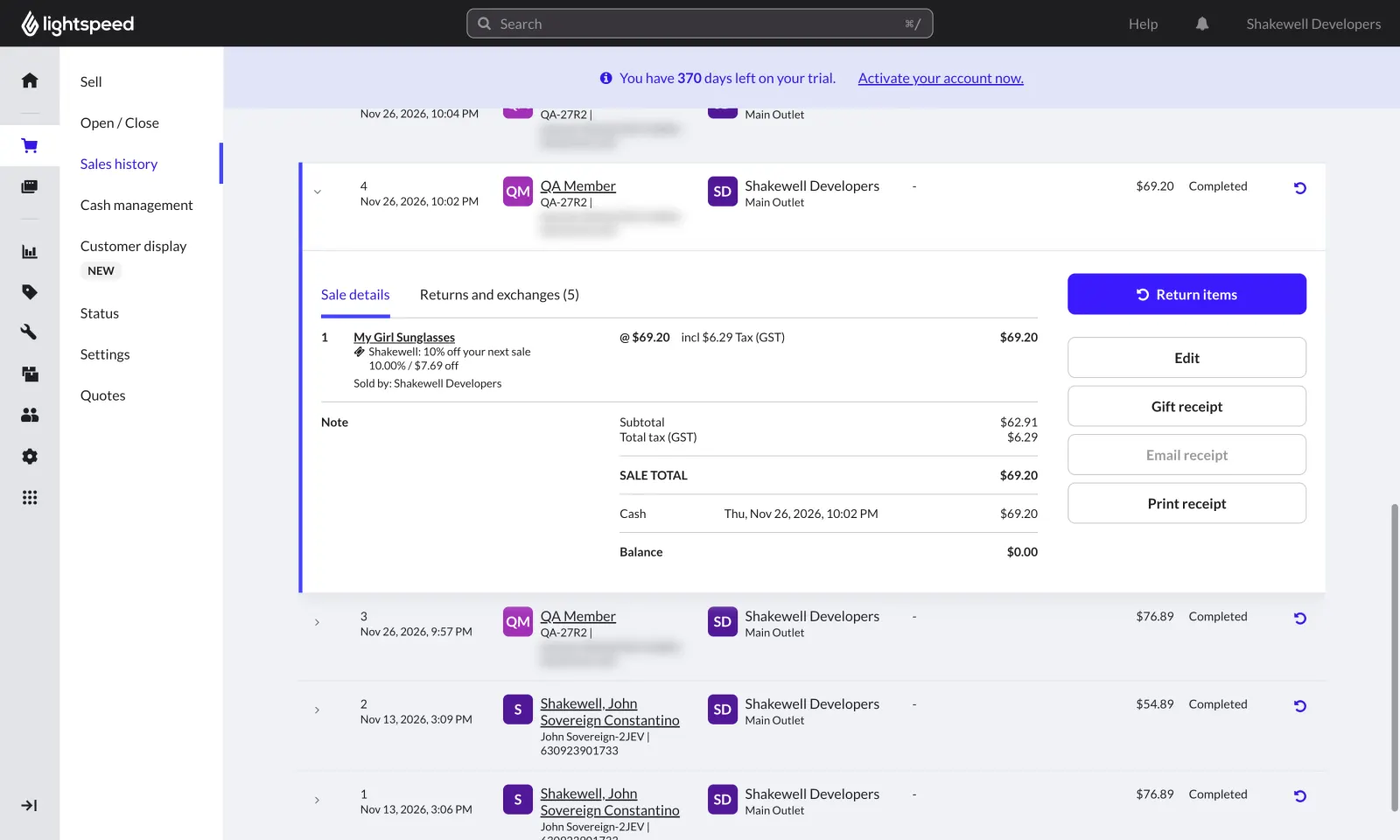
Step 2. Choose Return items. The return opens on the Sell screen.
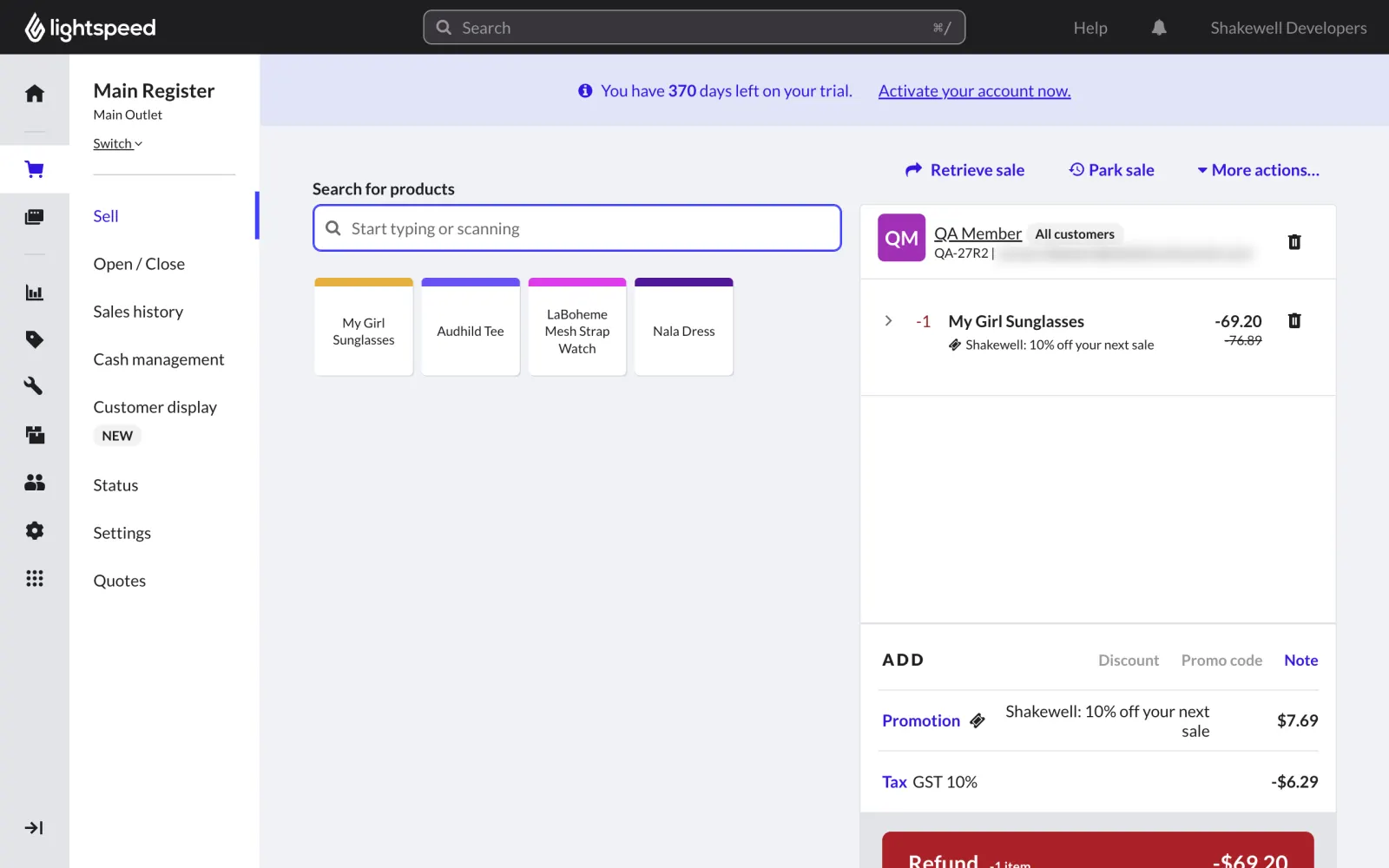
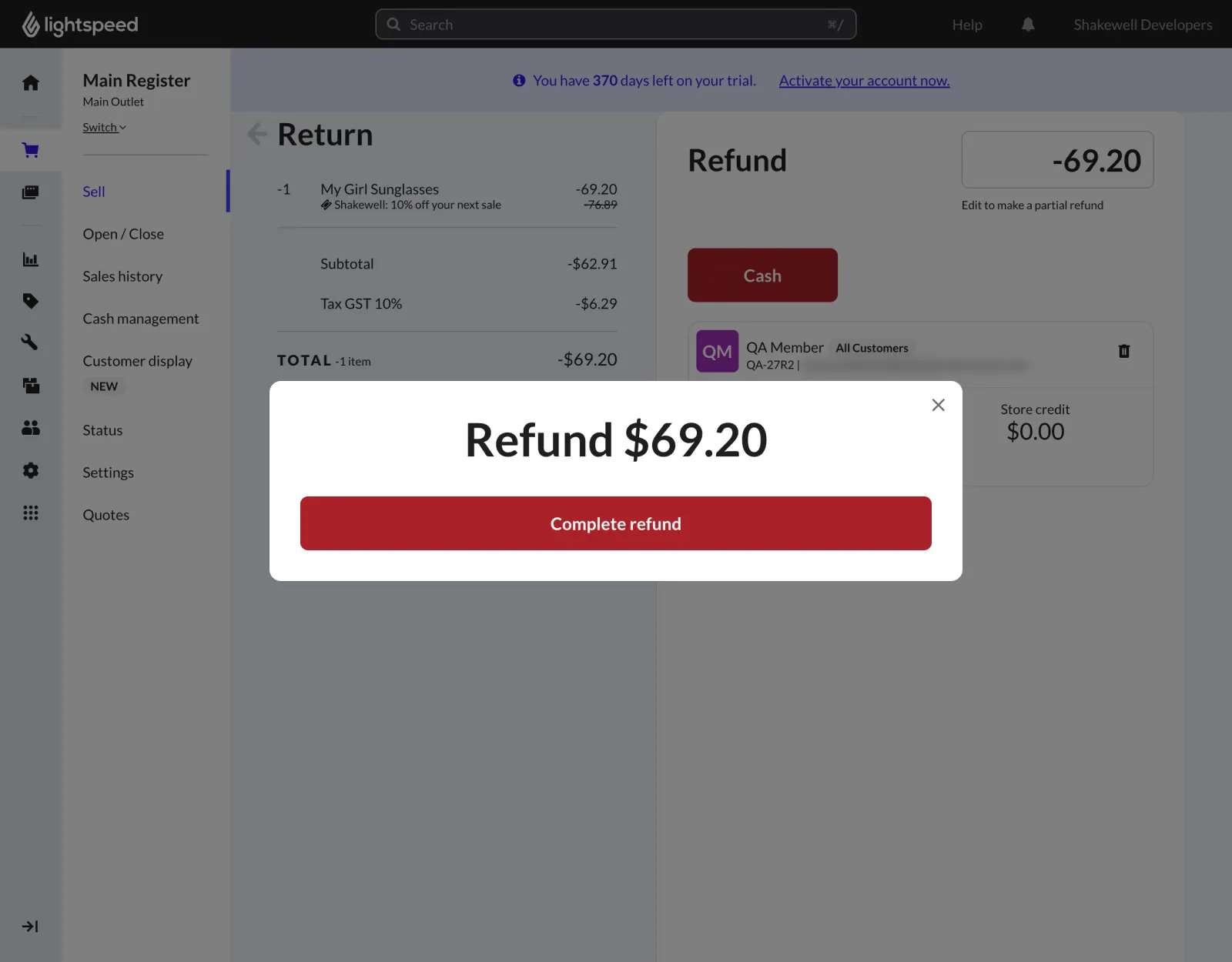
Step 3. Choose Refund. Pick how to pay the money back, then choose Complete refund.
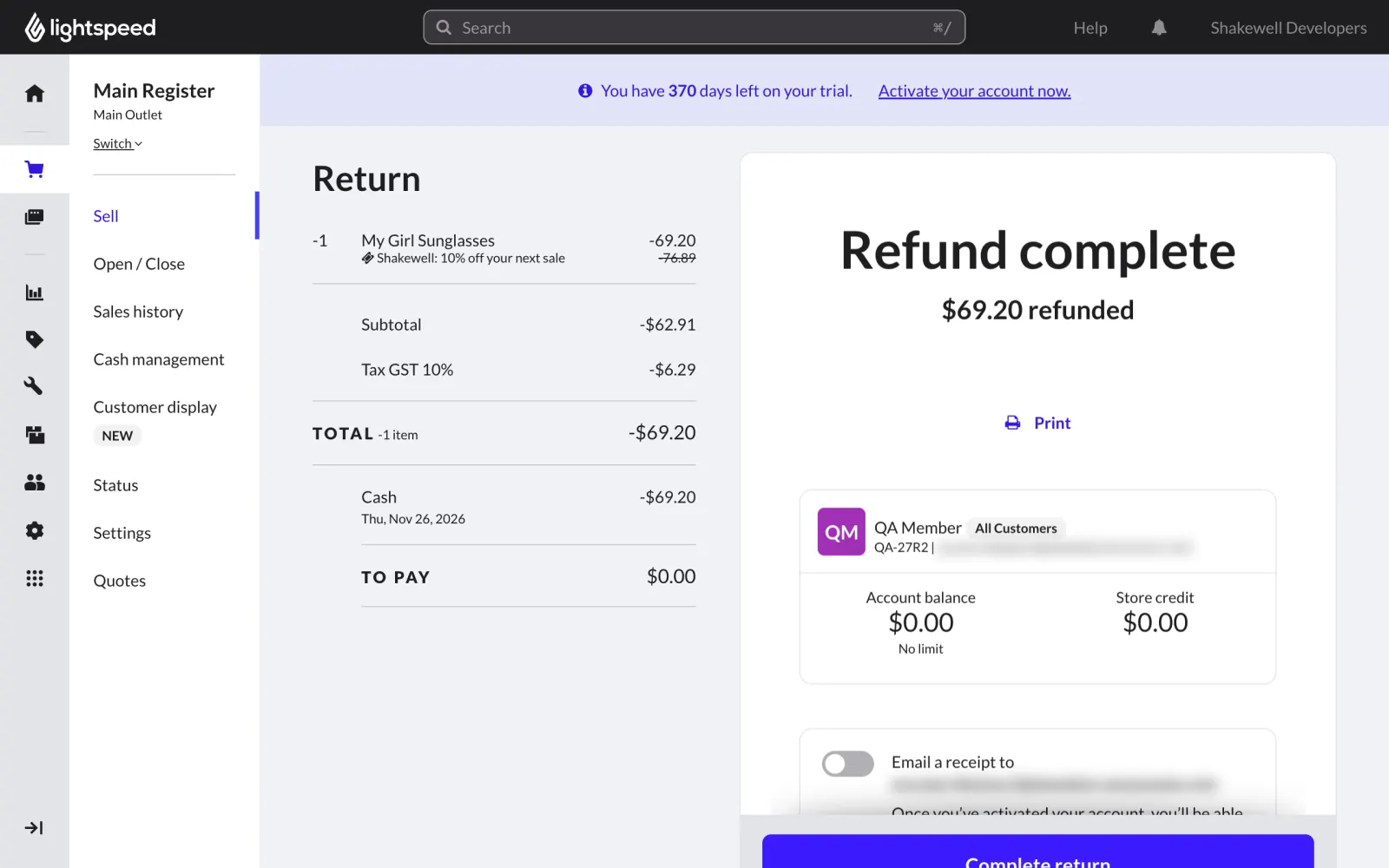
Step 4. Choose Complete return when Lightspeed says Refund complete.
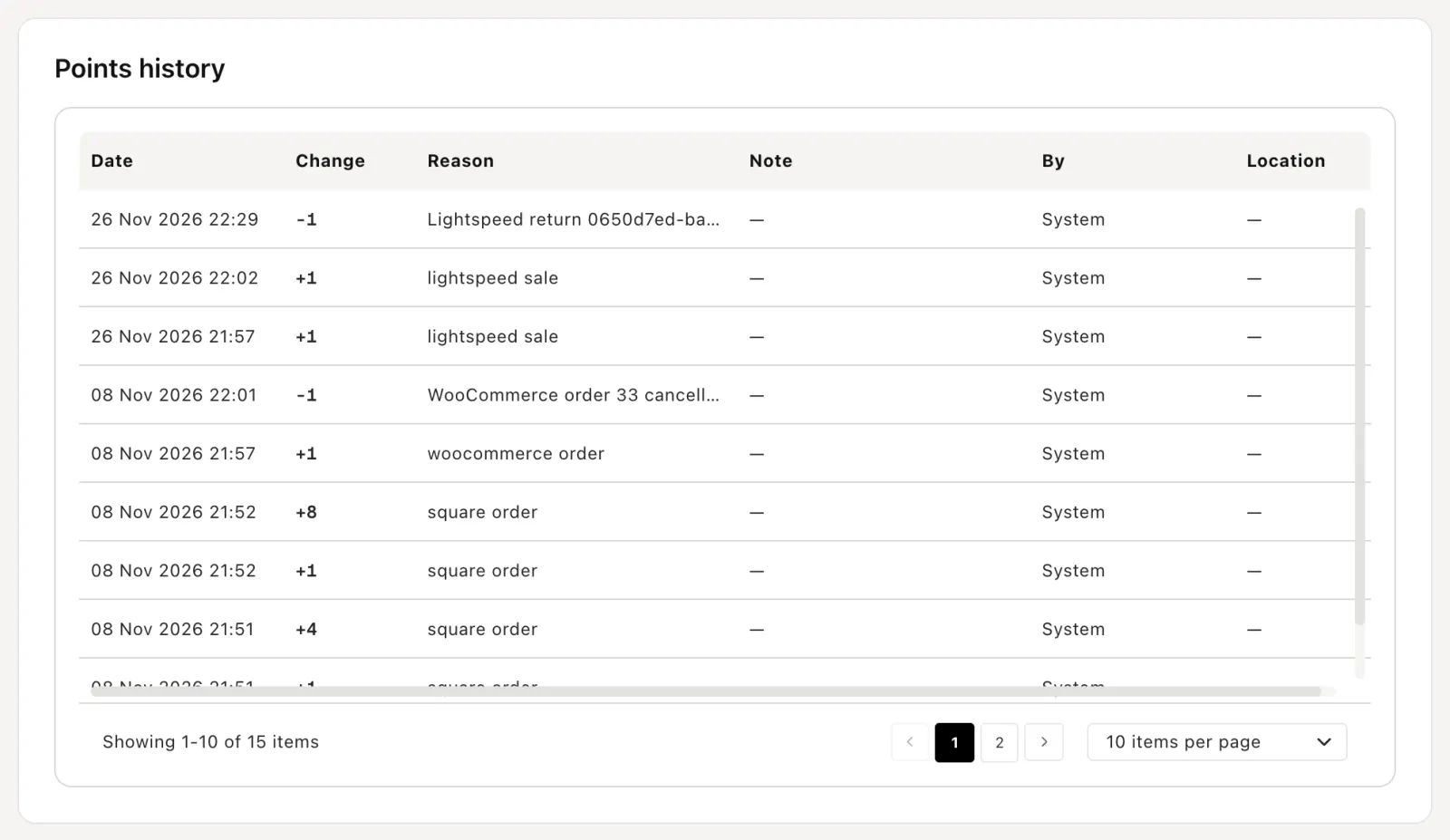
Step 5. In Shakewell open Customers and choose the customer. Their Points history shows a new line that starts with Lightspeed return and has a minus number.
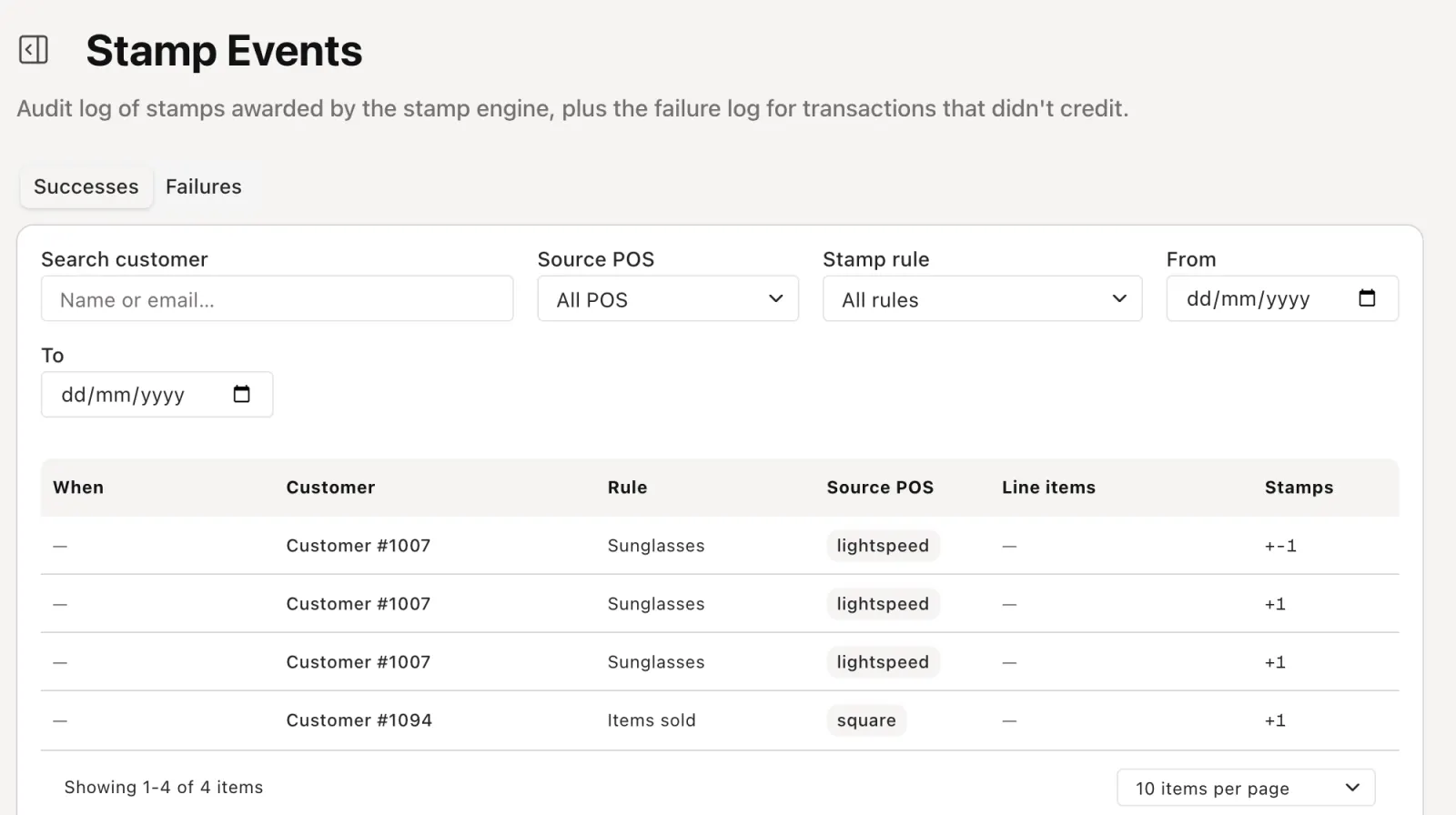
Step 6. Open More, then Rewards, then Stamp Events. The stamp the sale gave is taken back with a minus.
What Shakewell takes back
- Points: a share of the points, worked out from the amount returned compared with the sale total. Half the sale returned takes back half the points, in whole points rounded down. A full return takes back all of them.
- Stamps: the stamp comes back when you return the product that earned it. Shakewell uses the product's SKU for this.
- A customer's points never go below zero.
- A sale that is returned twice never takes back more than it earned.
Voids and parked returns
- A sale you void in Lightspeed takes back all its points and stamps.
- Shakewell only acts when Lightspeed closes the return. A return that is saved, parked or still open does nothing yet.
- If a closed return is later voided in Lightspeed, Shakewell gives the points back. It does not give the stamps back.
- If a return is made before the customer added their card, Shakewell cancels the points that were waiting.
Good to know
- Shakewell hears about the return as soon as it is complete in Lightspeed, so you do not need to do anything in Shakewell.
- A reward that a sale used is not given back when you return the sale.
- In Stamp Events a stamp that is taken back shows with a minus.
- A return that was not started from the original sale shows as Skipped with return_without_original_sale on the Lightspeed X-Series page, and nothing is taken back.
Next: when the connection pauses.
Back to the complete Lightspeed guide, or start your free trial. No card is needed.