
Lightspeed
How does a Lightspeed customer become a Shakewell customer?
Last updated 2026-11-26
Shakewell matches a Lightspeed customer to a Shakewell customer by email, then phone. It can also enrol new ones when Lightspeed has their email address.
Steps
Step 1. In Lightspeed open Customers. Your Lightspeed customers are listed there.
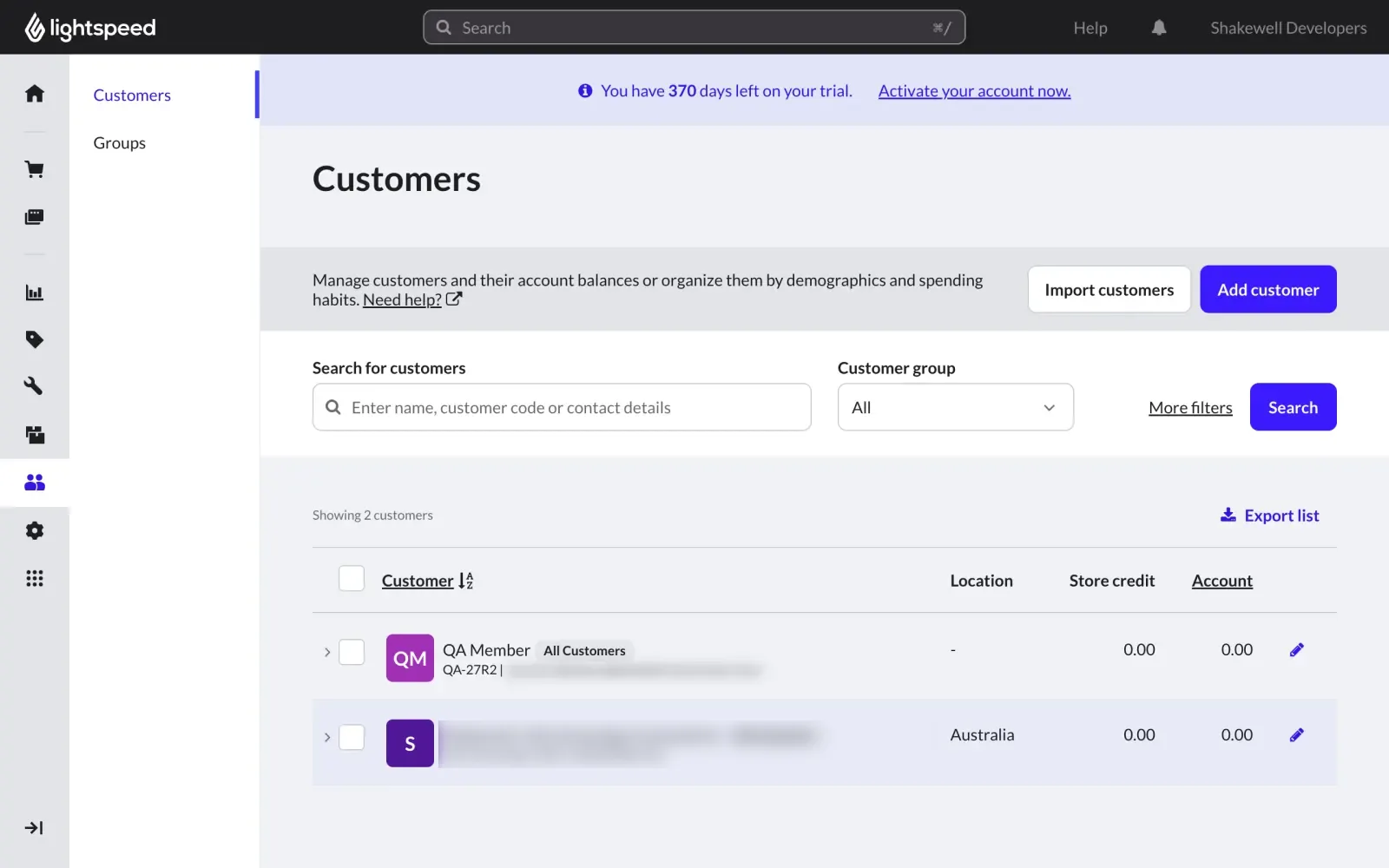
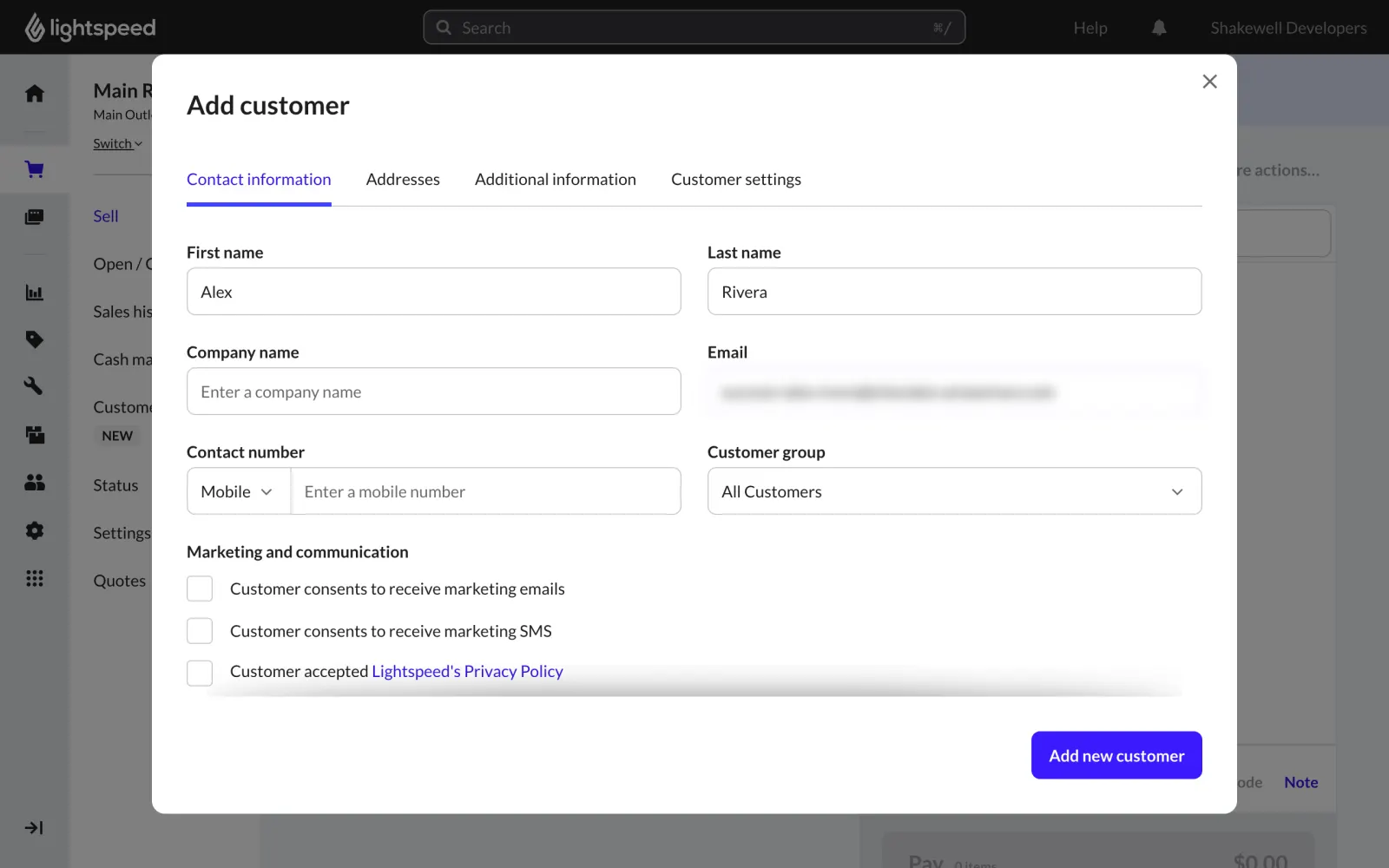
Step 2. To add a customer, choose Add customer. Type a first name, a last name and an email address, then choose Add new customer.
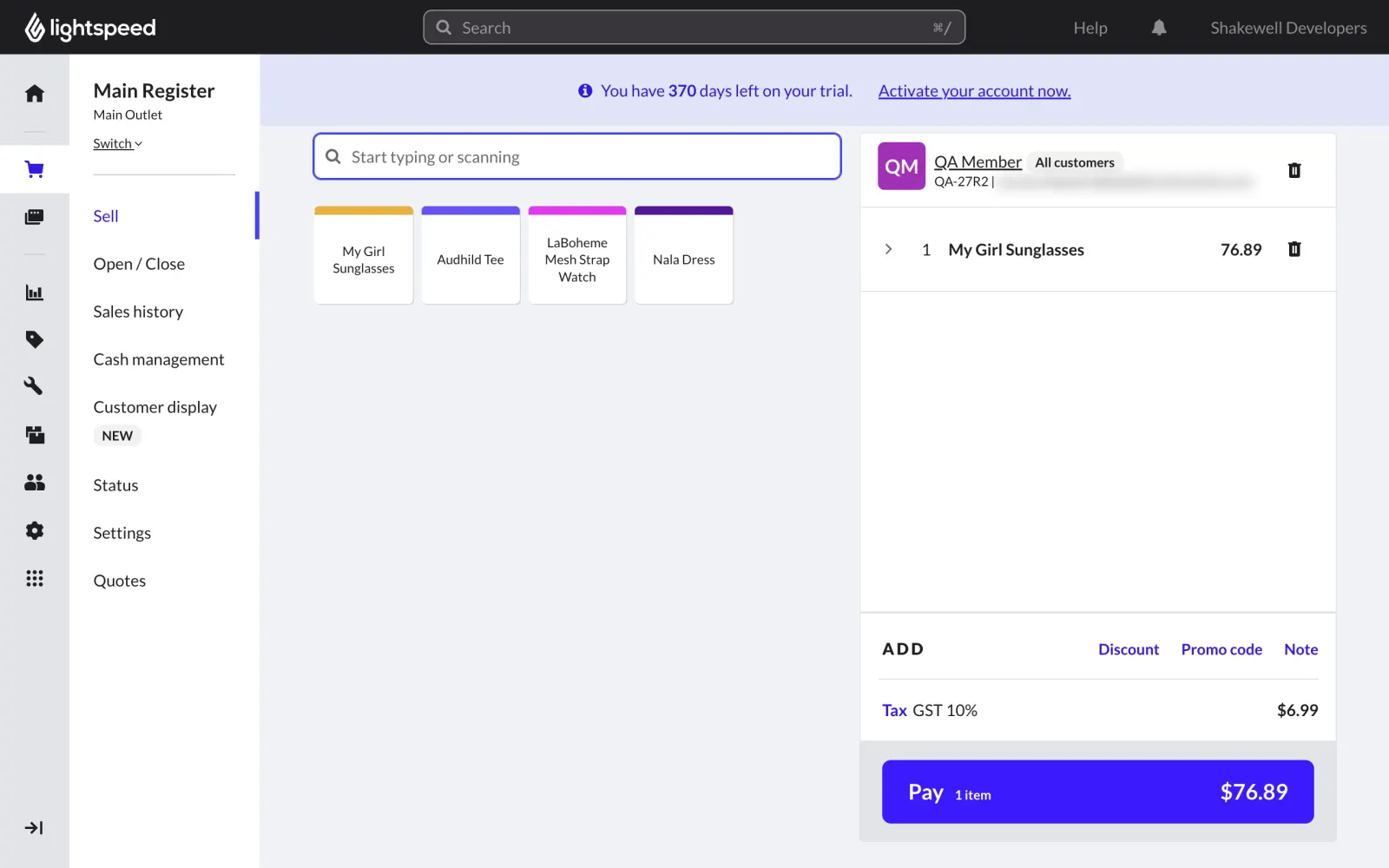
Step 3. At the till, add the customer to the sale.
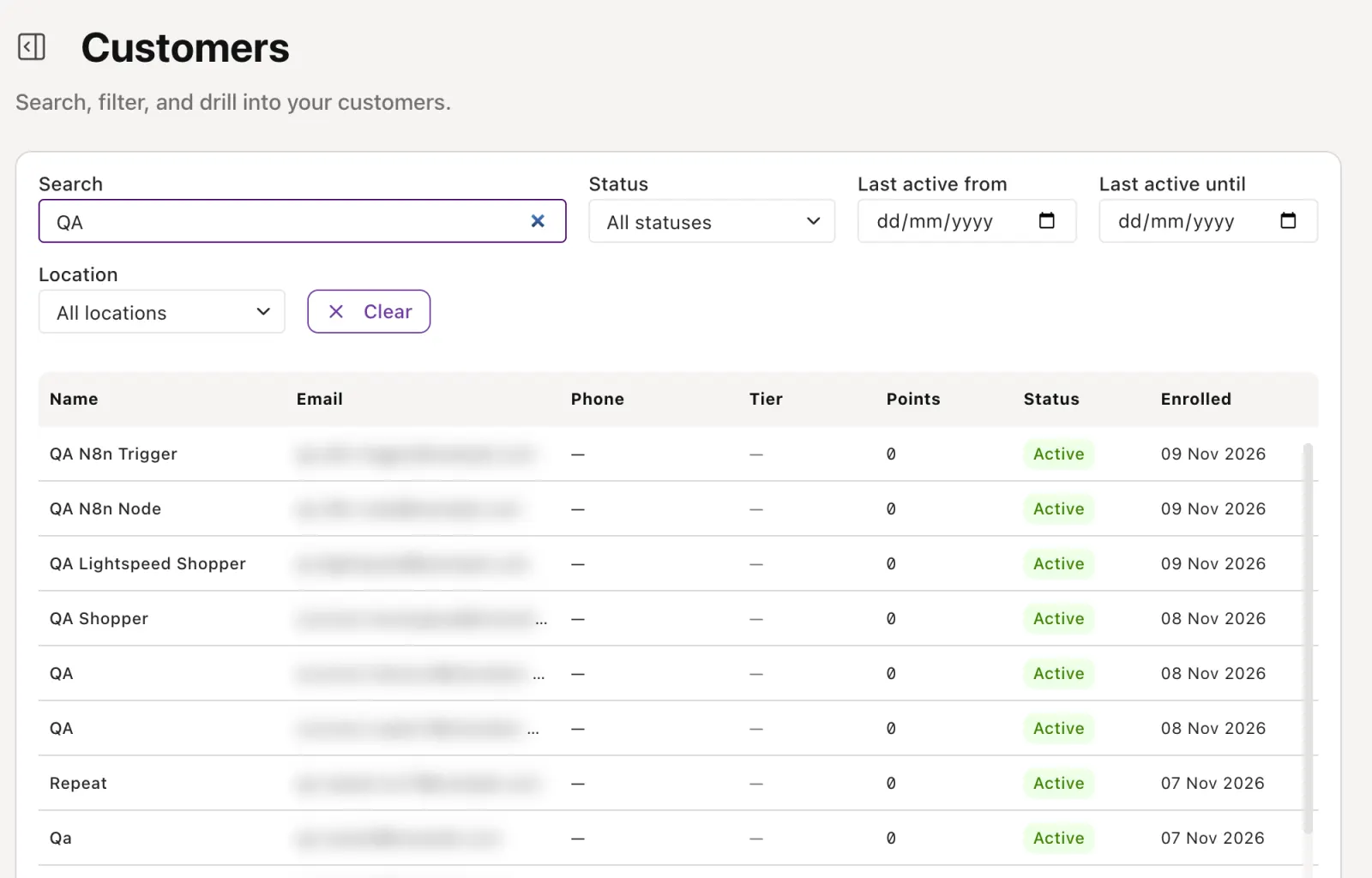
Step 4. In Shakewell open Customers and search for them. A customer Shakewell matched or enrolled is in the list.
How Shakewell finds the customer
- First, a Lightspeed customer Shakewell has linked before. After the first match, the link is kept.
- Next, the email address on the Lightspeed customer.
- Last, the phone number. Shakewell can use a number that starts with + and a country code, or one that starts with 00. A local number that starts with 0 is read as an Australian number unless we set a different country for your store.
Everything is matched inside your own Shakewell account. A customer in another business is never touched.
When automatic enrolment is on
- A Lightspeed customer with an email address who matches nobody becomes a Shakewell customer. This happens when you save the customer in Lightspeed, and when they are added to a sale.
- A customer with only a phone number cannot be enrolled, because a Shakewell customer needs an email address.
- The new customer still needs to add the card to their phone. Points from sales before that wait for about 90 days.
- Shakewell only fills in blanks. It never changes a name or phone number the customer already has in Shakewell.
- If you delete a customer in Lightspeed, their Shakewell record is kept.
What staff need to do
- Add the customer to the sale at the till. A sale with no customer earns nothing.
- Check the customer has an email address in Lightspeed. A customer with only a phone number is found, but cannot earn unless they already have a Shakewell record.
Next: give stamps for Lightspeed products.
Back to the complete Lightspeed guide, or start your free trial. No card is needed.