
How-to guides / At the counter
How to undo a stamp given by mistake
Take back a stamp you gave to the wrong person, or gave twice.
Takes about 1 minute
Before you start
- You have just given a stamp on the Give stamps page. (See How to give a customer a stamp.)
- Do not leave the page yet. The Undo button is there for you right after.
The steps
Step 1. Look at the customer's card on your phone. Check the number of stamps, for example 2 of 10.
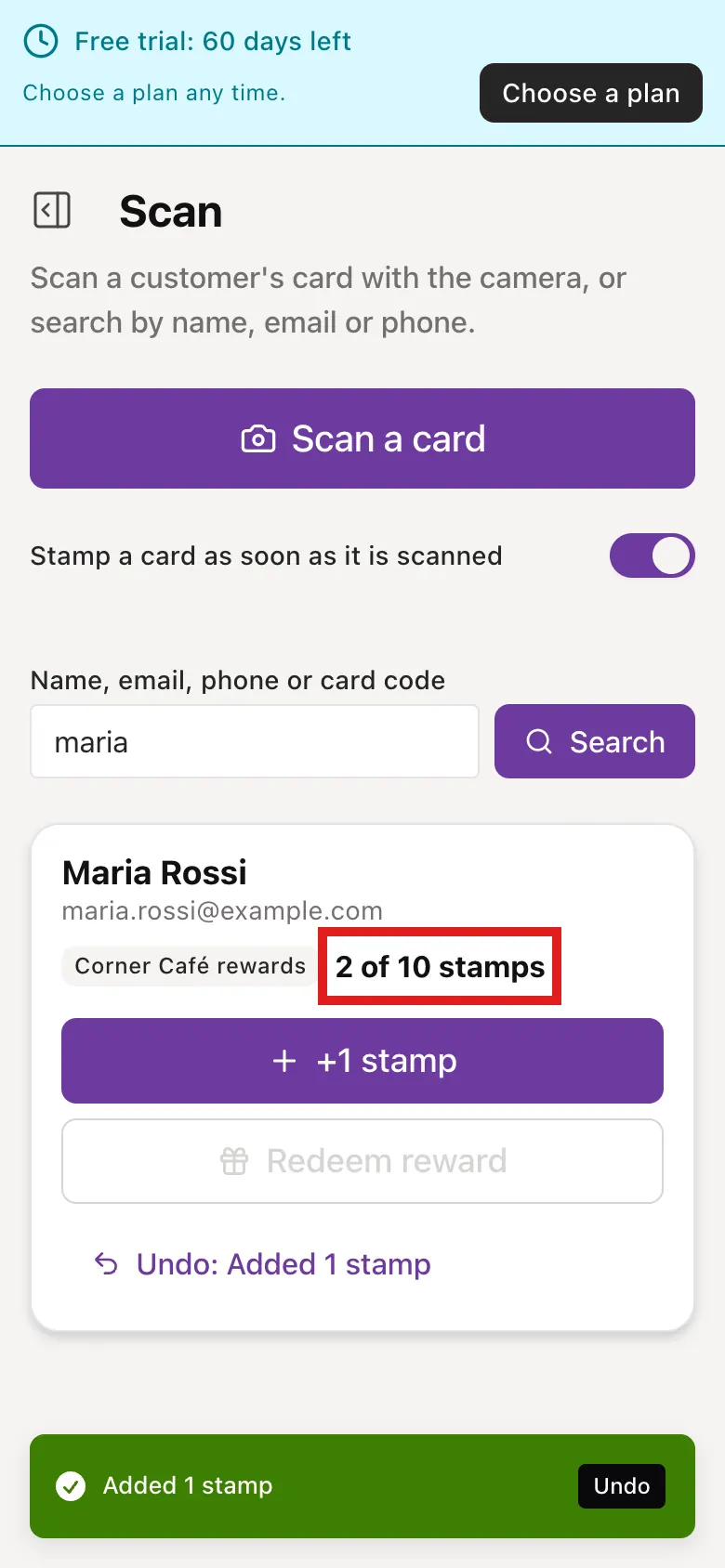
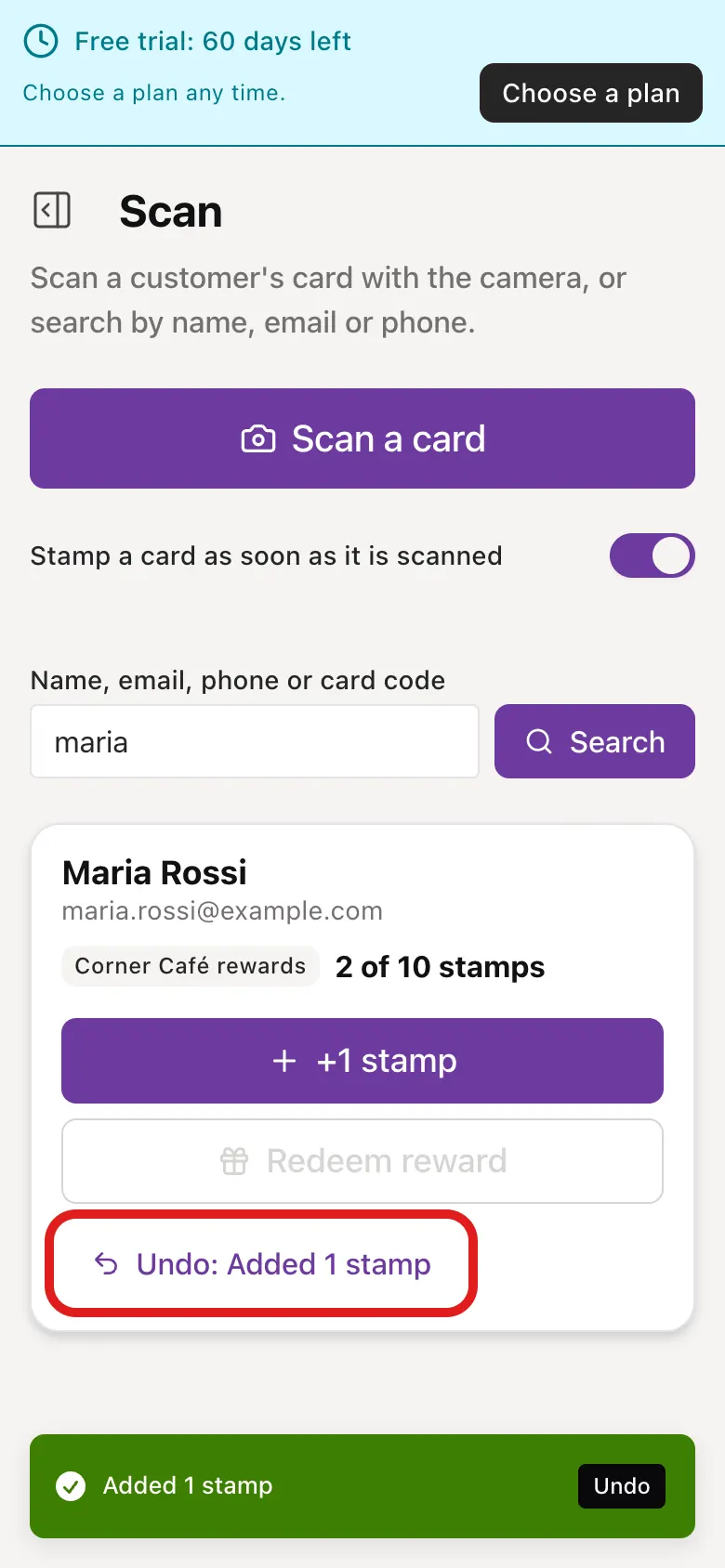
Step 2. Find the button under +1 stamp that says Undo: Added 1 stamp. Tap it.
Wait a moment while it works.
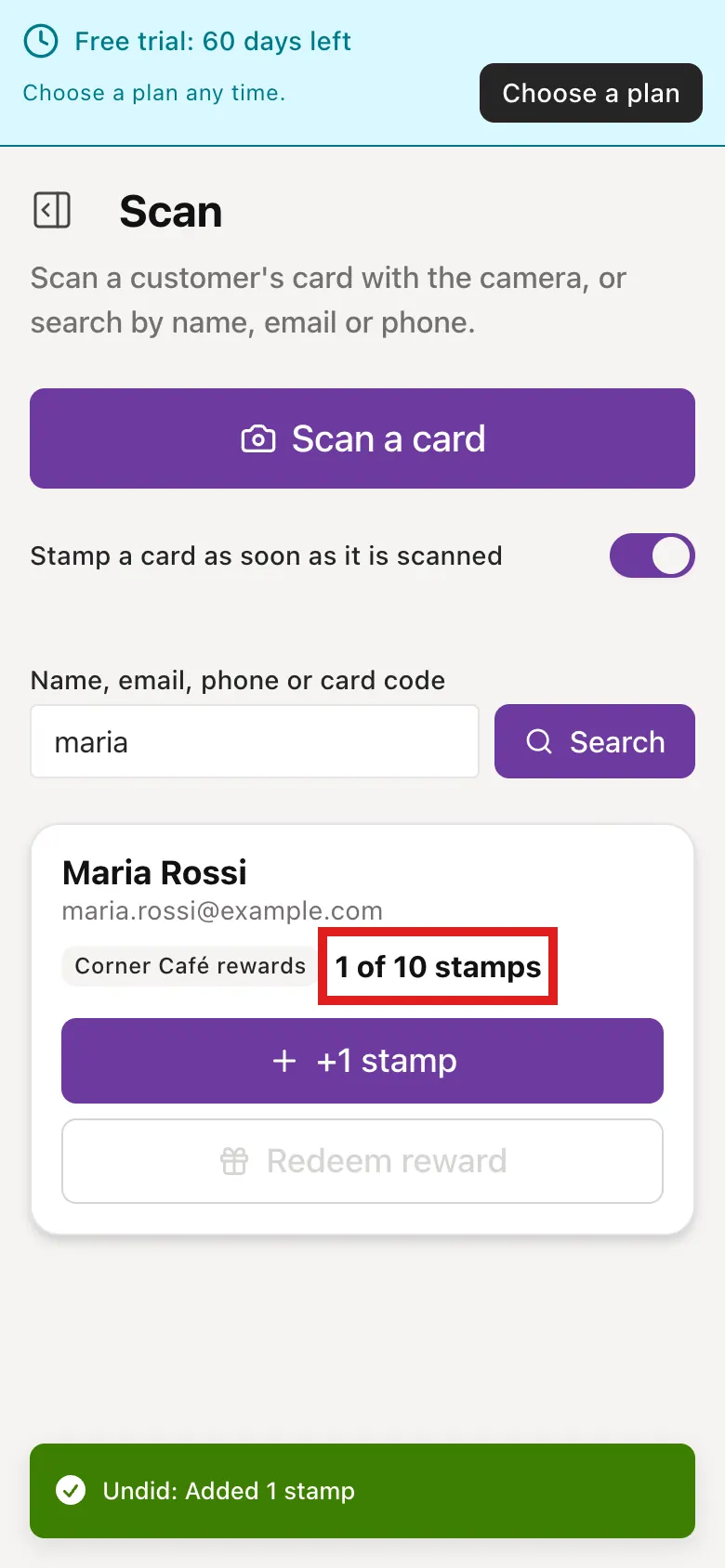
Step 3. Look at the number of stamps again.
It is one lower, for example 1 of 10.
You'll know it worked when
The number of stamps next to the customer's name is one lower than before.
Good to know
- A green box with an Undo button also shows at the bottom of the screen for a few seconds.
- The Undo button takes back what you did last. It also works for Undo: Reward redeemed.
- If the Undo button is gone, find the customer again. Then ask us to fix the number: use the Contact link below.
Stuck?
That is fine. Contact us and we will help you. We reply within one business day.
These guides may help: