
How-to guides / Grow
How to switch off or remove a bonus time
Stop double or triple stamps, for a while or for good.
Takes about 3 minutes
Before you start
- You already have a bonus time on your card. (See How to set bonus times.)
The steps
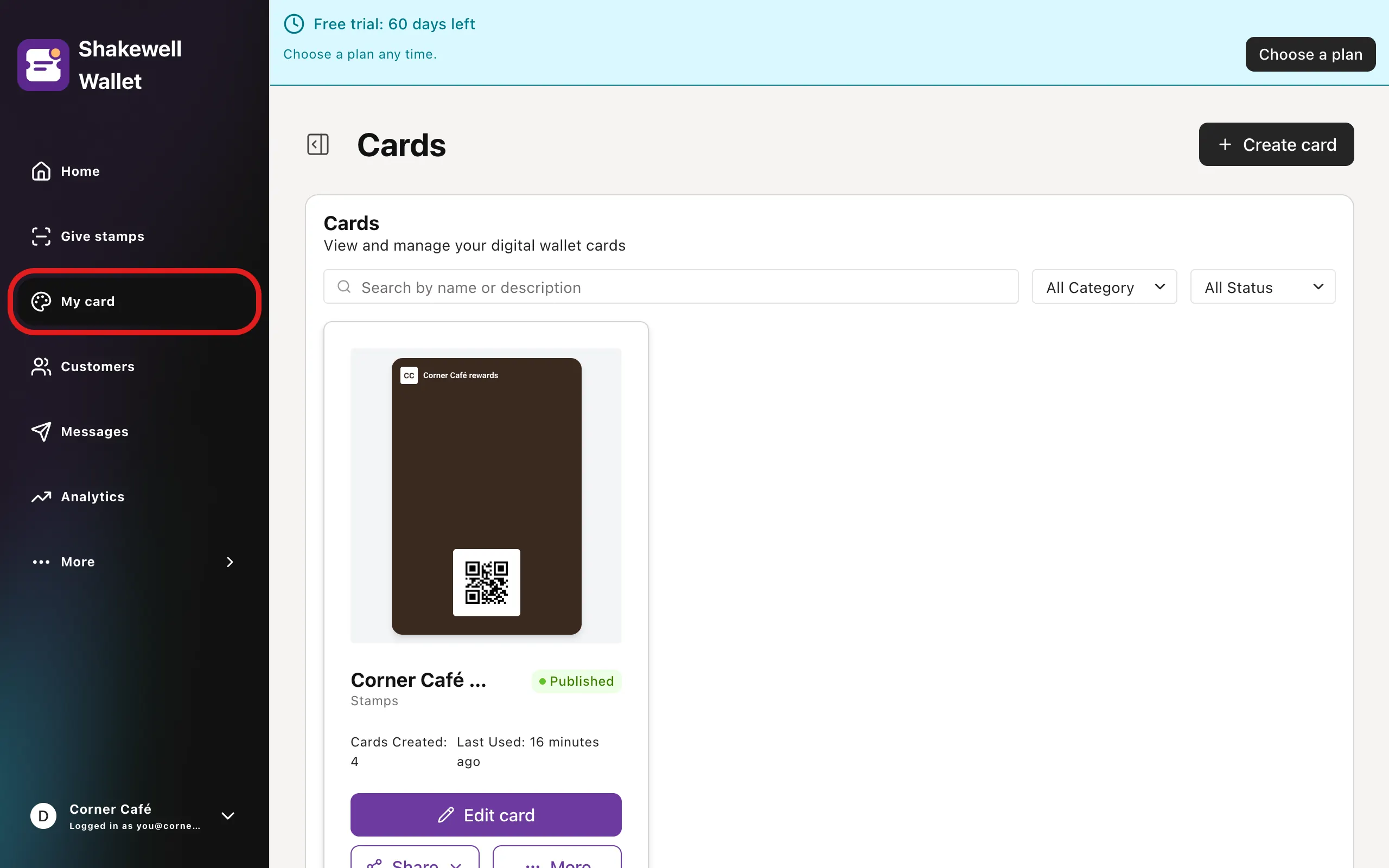
Step 1. In the left menu, click My card.
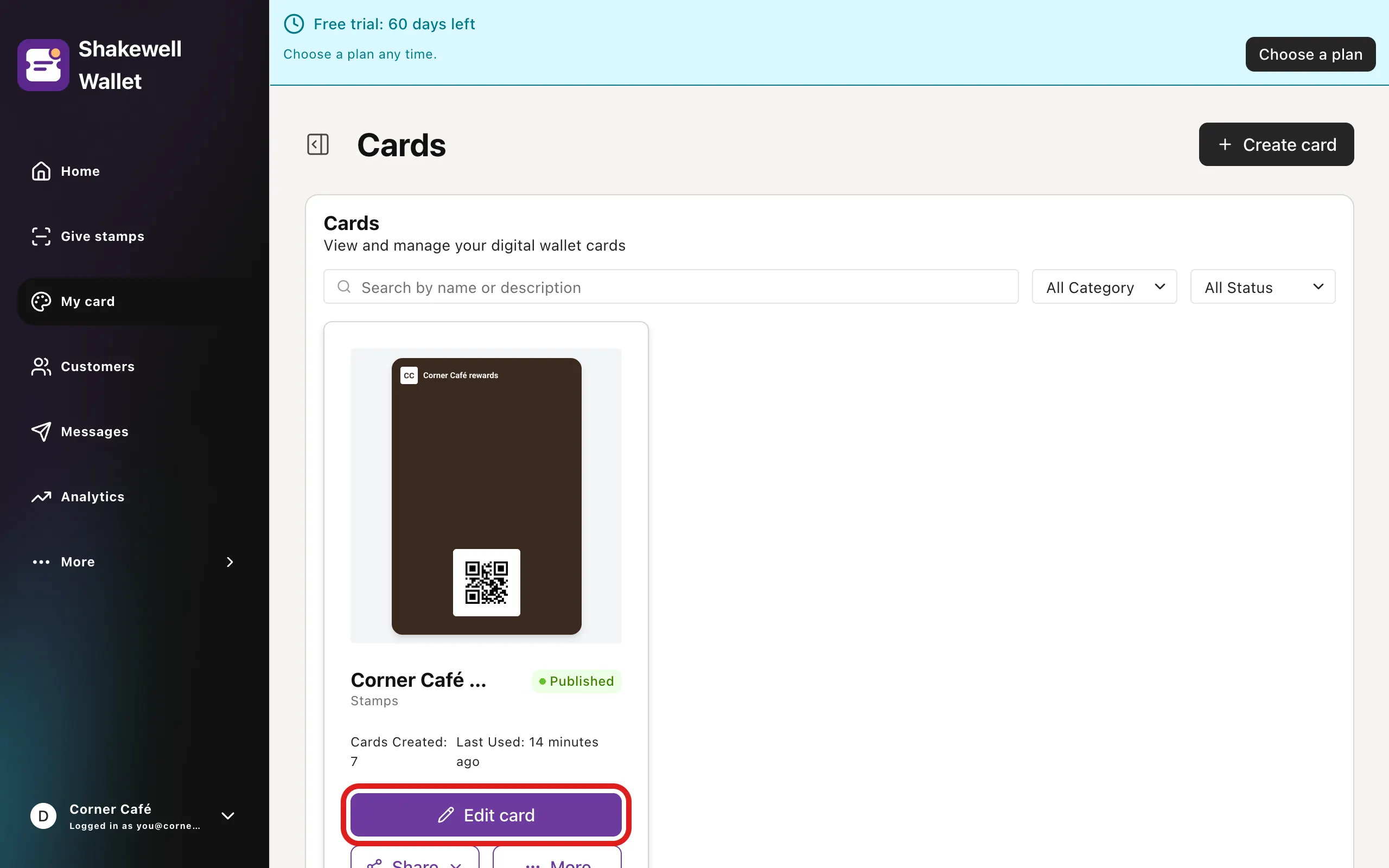
Step 2. Click the purple Edit card button under your card.
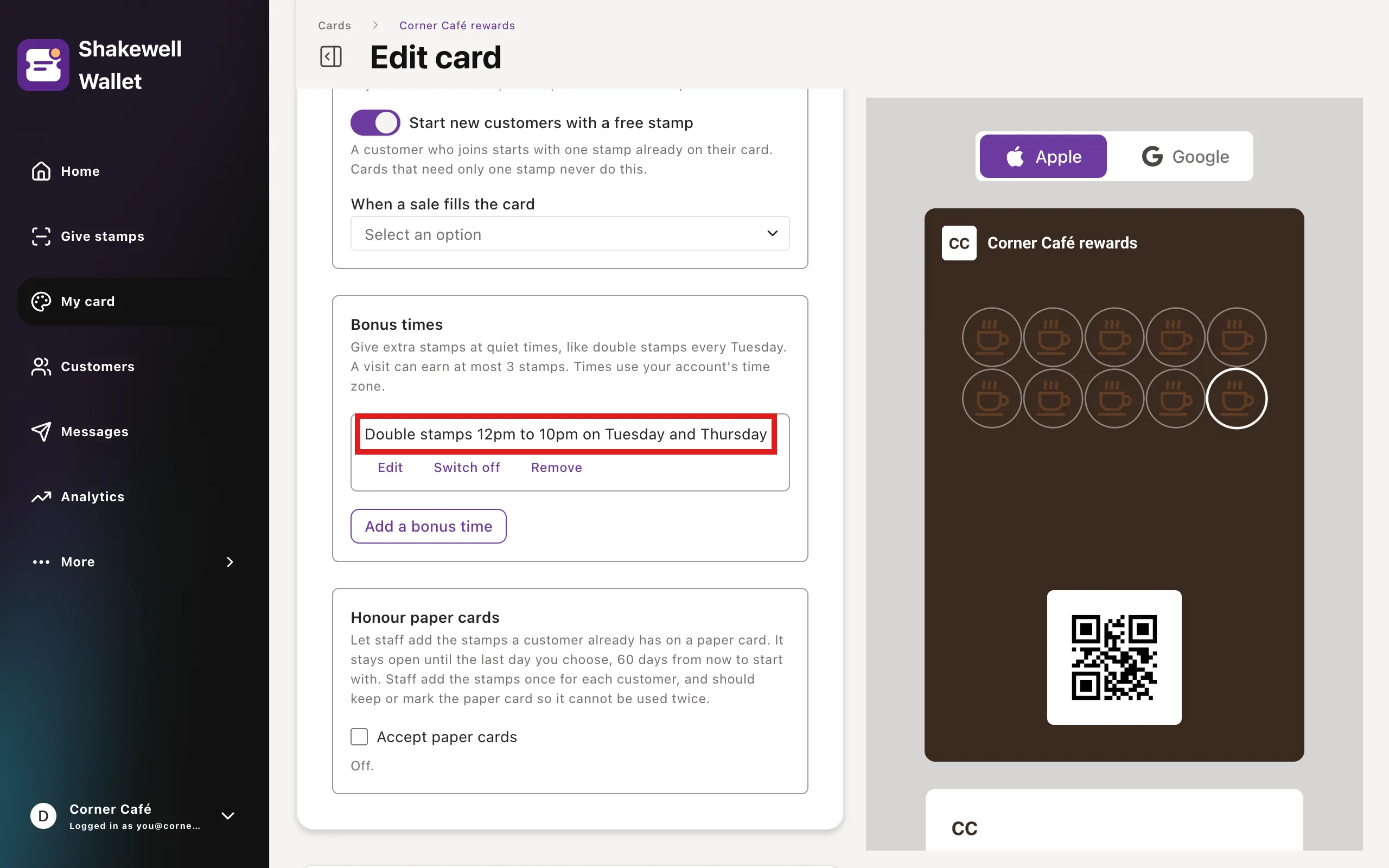
Step 3. Find your bonus time in the box called Bonus times. Scroll down if you cannot see it.
It is written in plain words, like Double stamps 12pm to 10pm on Tuesday and Thursday.
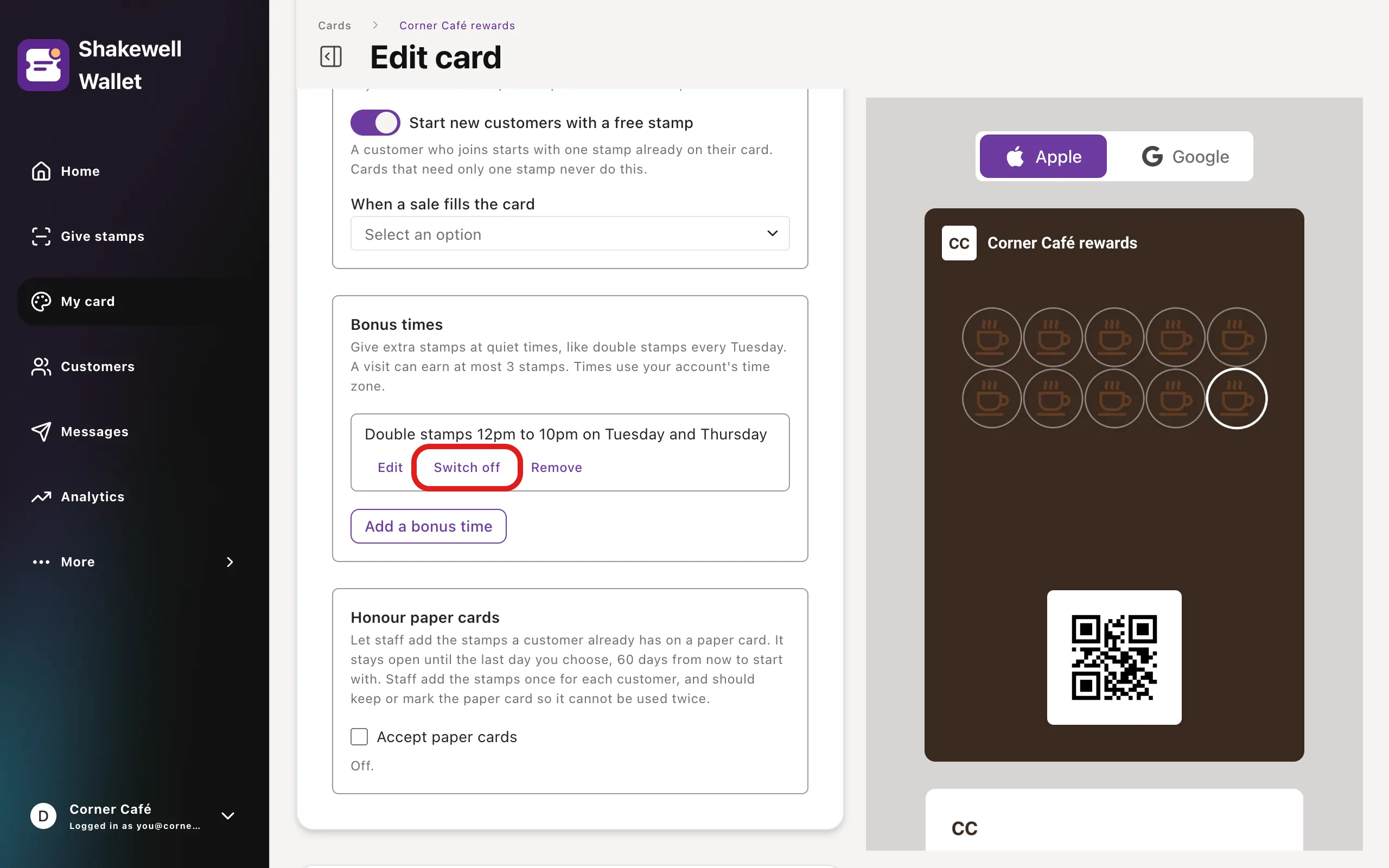
Step 4. To pause it, click Switch off next to it.
Switching off keeps the bonus time, so you can switch it on again later.
Step 5. Look at the line.
It now ends with (off). The button now says Switch on.
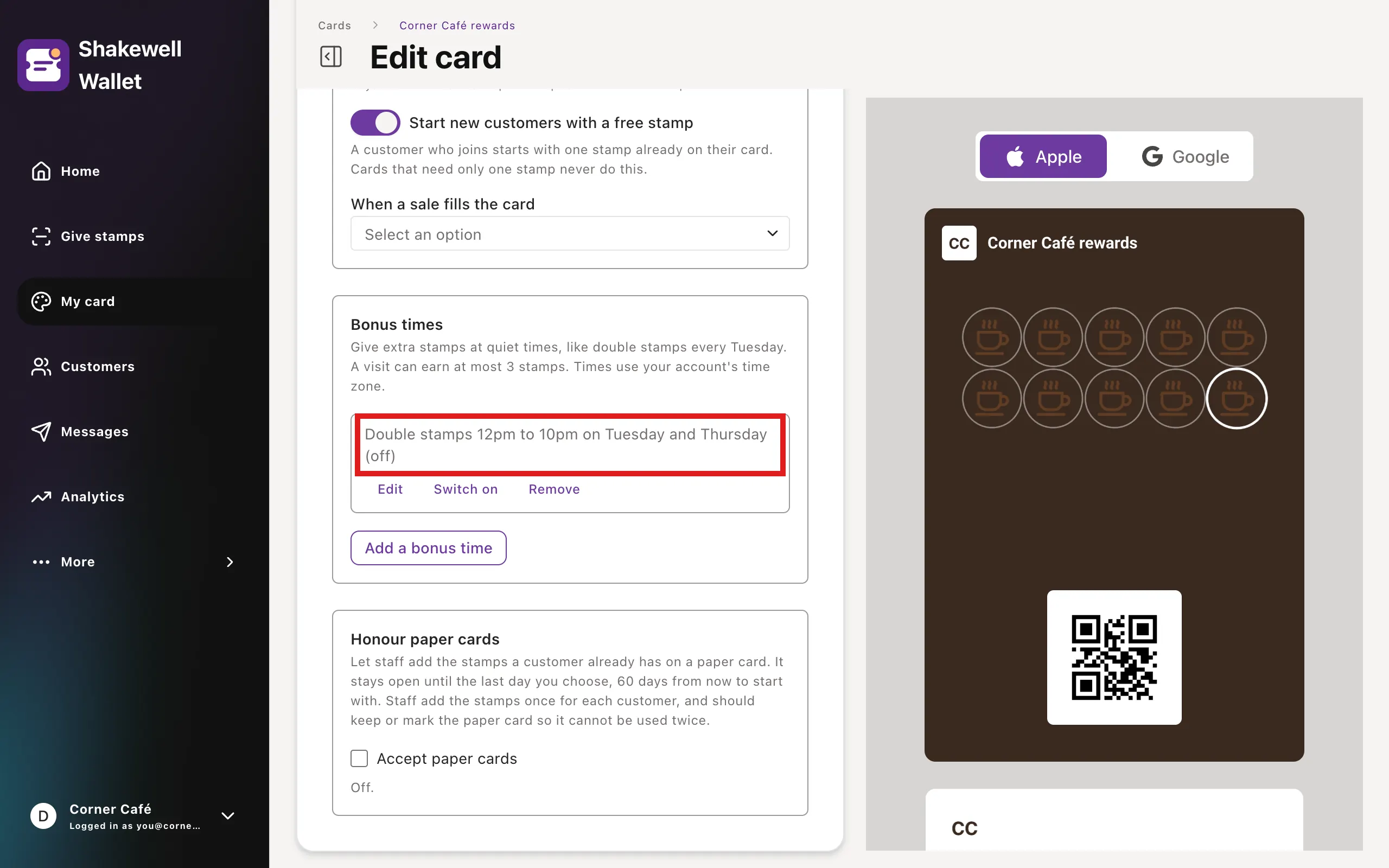
Step 6. To delete it for good, click Remove next to it.
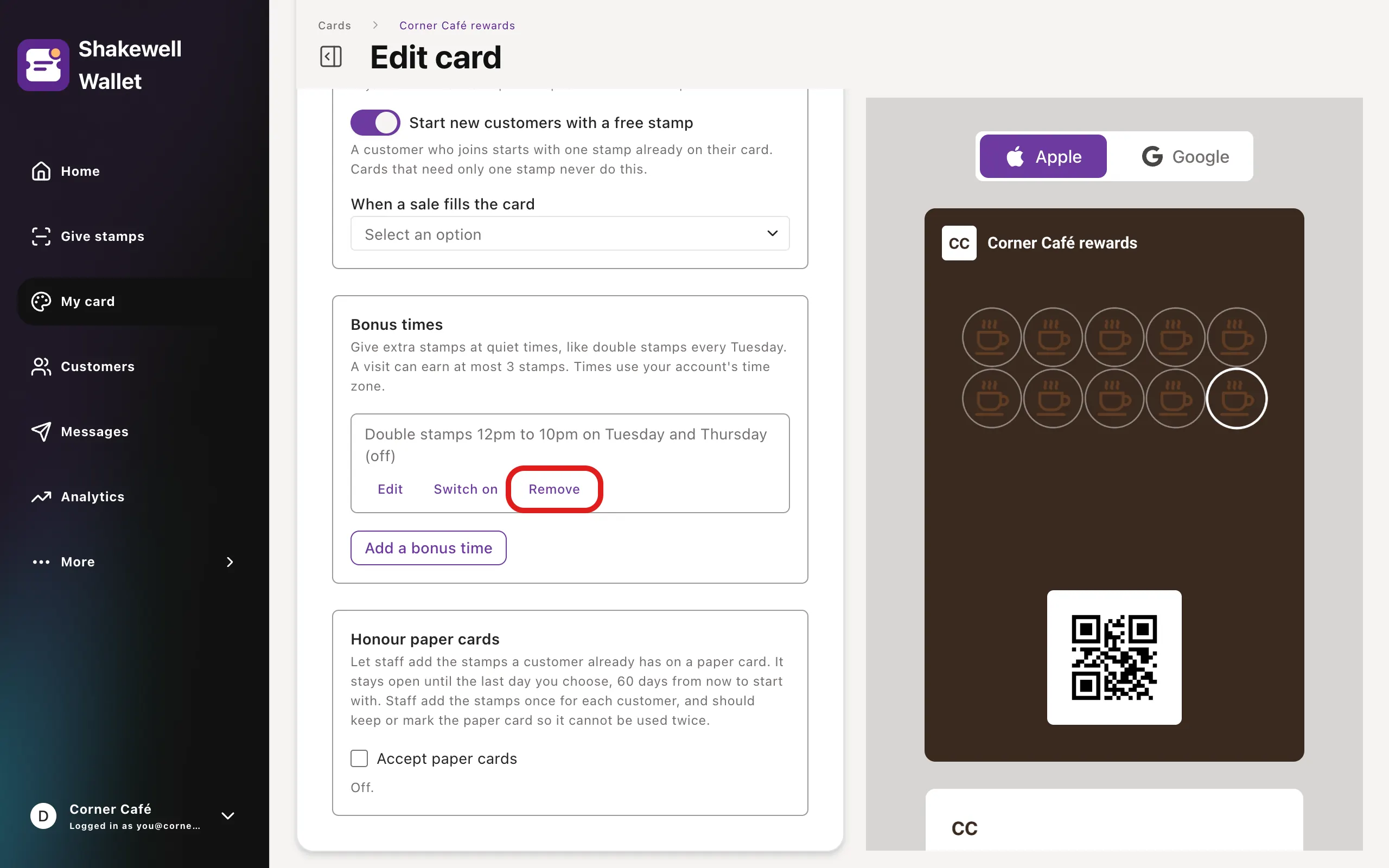
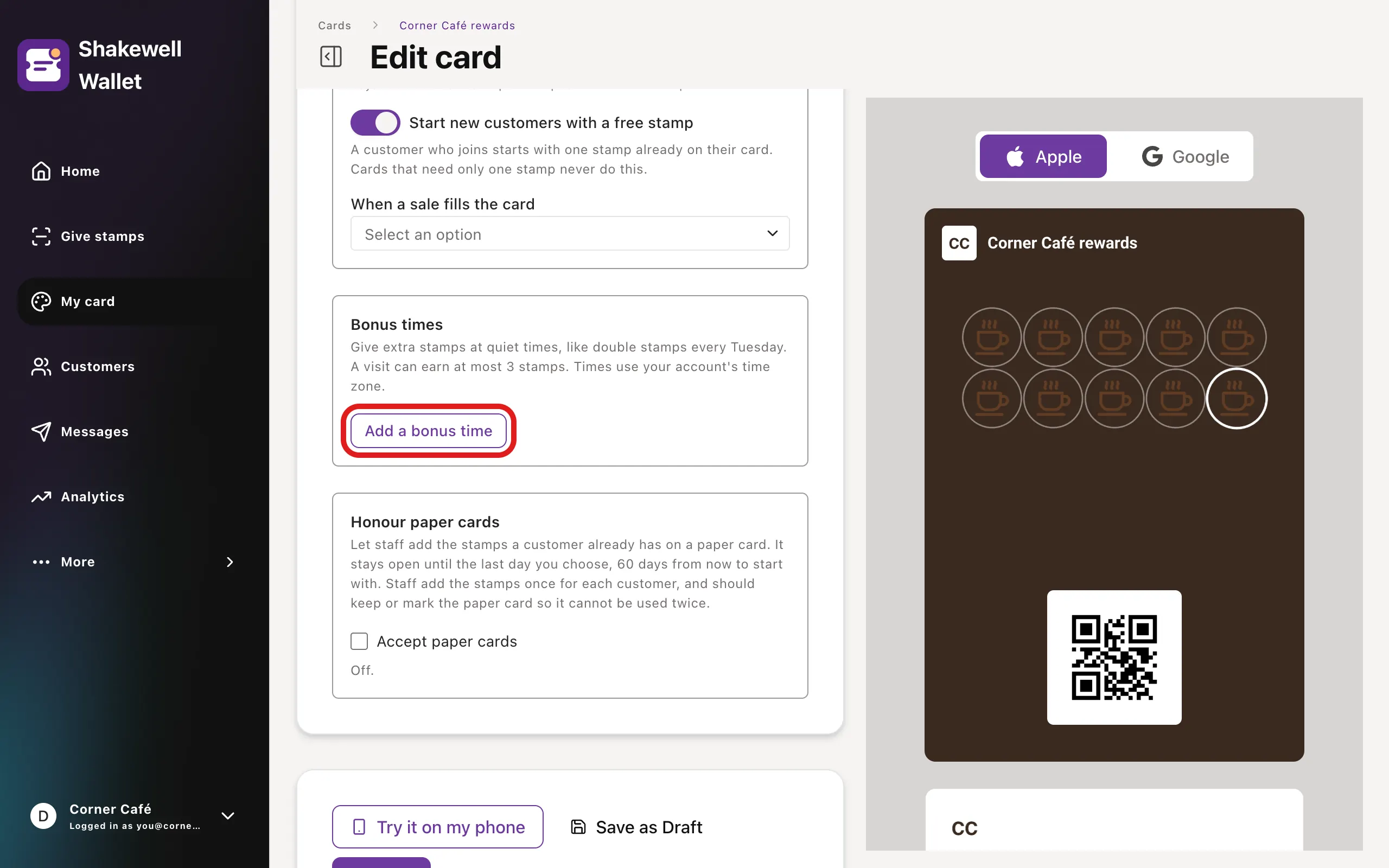
Step 7. Look at the Bonus times box.
The bonus time is gone. Only the Add a bonus time button is left.
Step 8. Click Next three times. You are now on the last step, called Review.
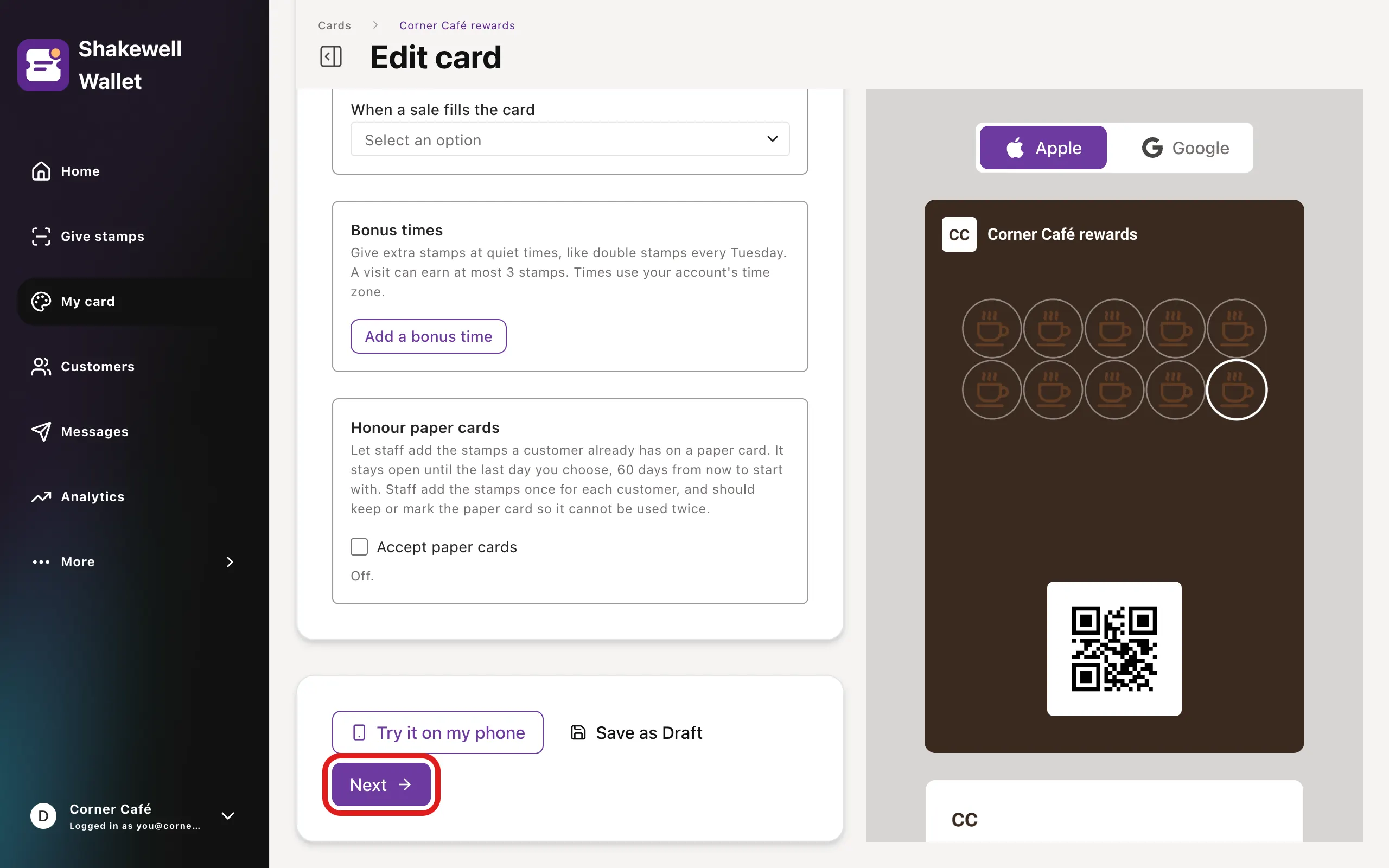
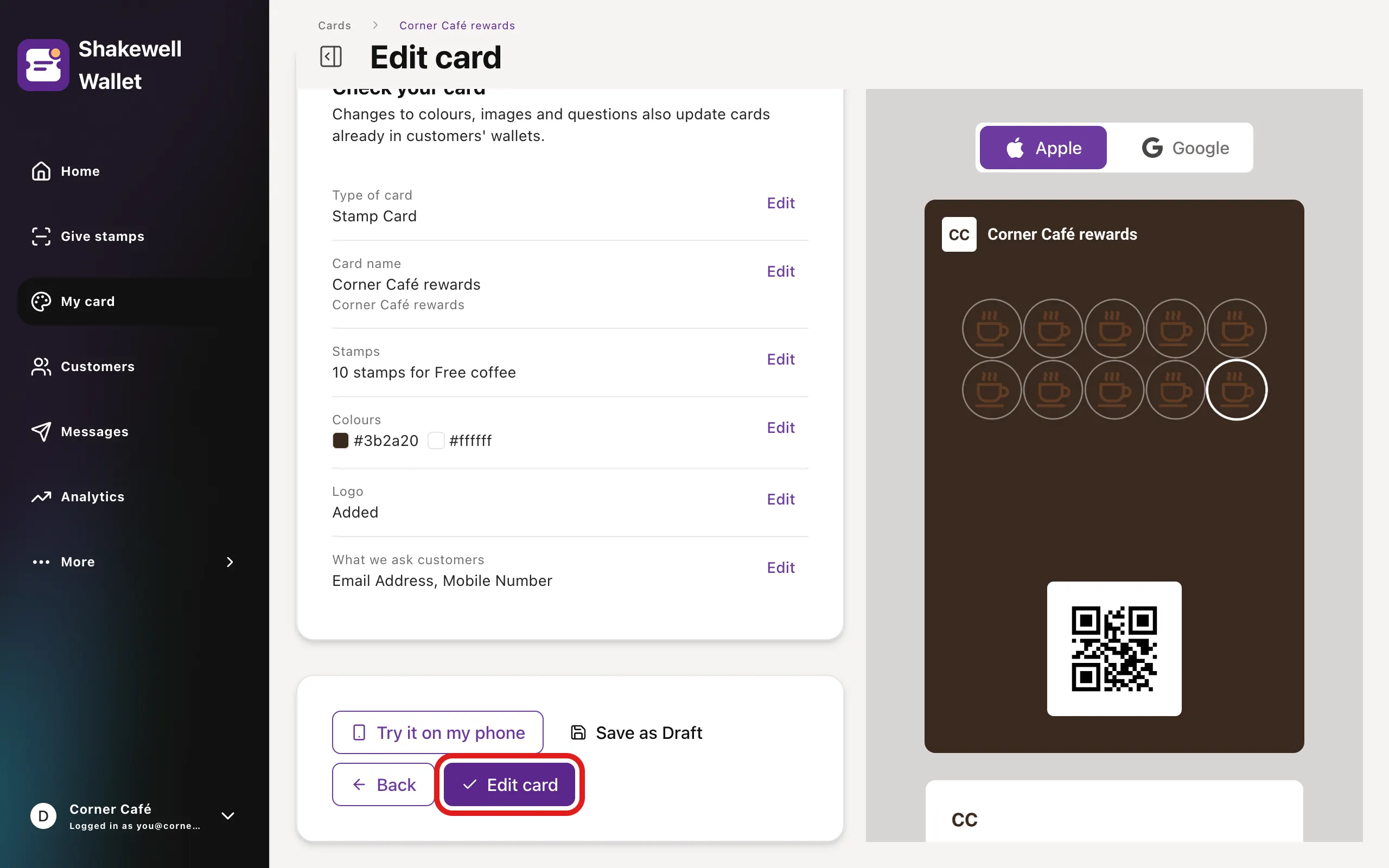
Step 9. Click the Edit card button at the bottom. It is the button that saves your changes.
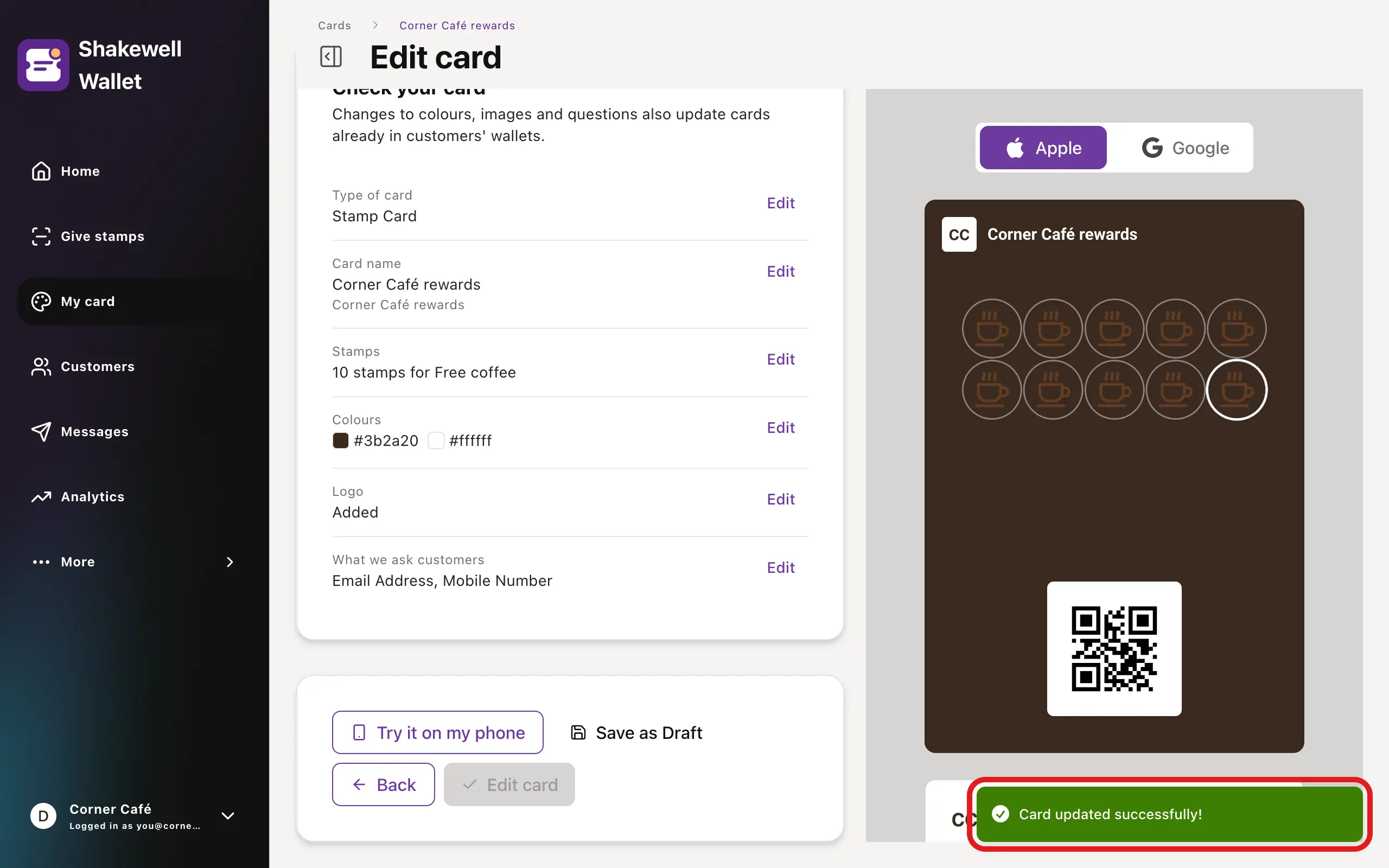
Step 10. Look at the bottom right of the screen.
A green message says Card updated successfully!
You'll know it worked when
A green message says Card updated successfully! At the counter, a stamp adds 1 stamp again.
Good to know
- Switching off or removing only counts once you save the card.
- Switch off is best for a bonus you will use again, like a school holiday special.
Stuck?
That is fine. Contact us and we will help you. We reply within one business day.
These guides may help: