
How-to guides / Connect your till or shop
How to connect Lightspeed
Link your Lightspeed shop (the till you sell on) to your card.
Takes about 6 minutes
Before you start
- You can sign in to your Lightspeed shop and approve apps.
- Your card is live. (See How to sign up and make your first card.)
The steps
Step 1. In the left menu, click More.
A short list opens under it.
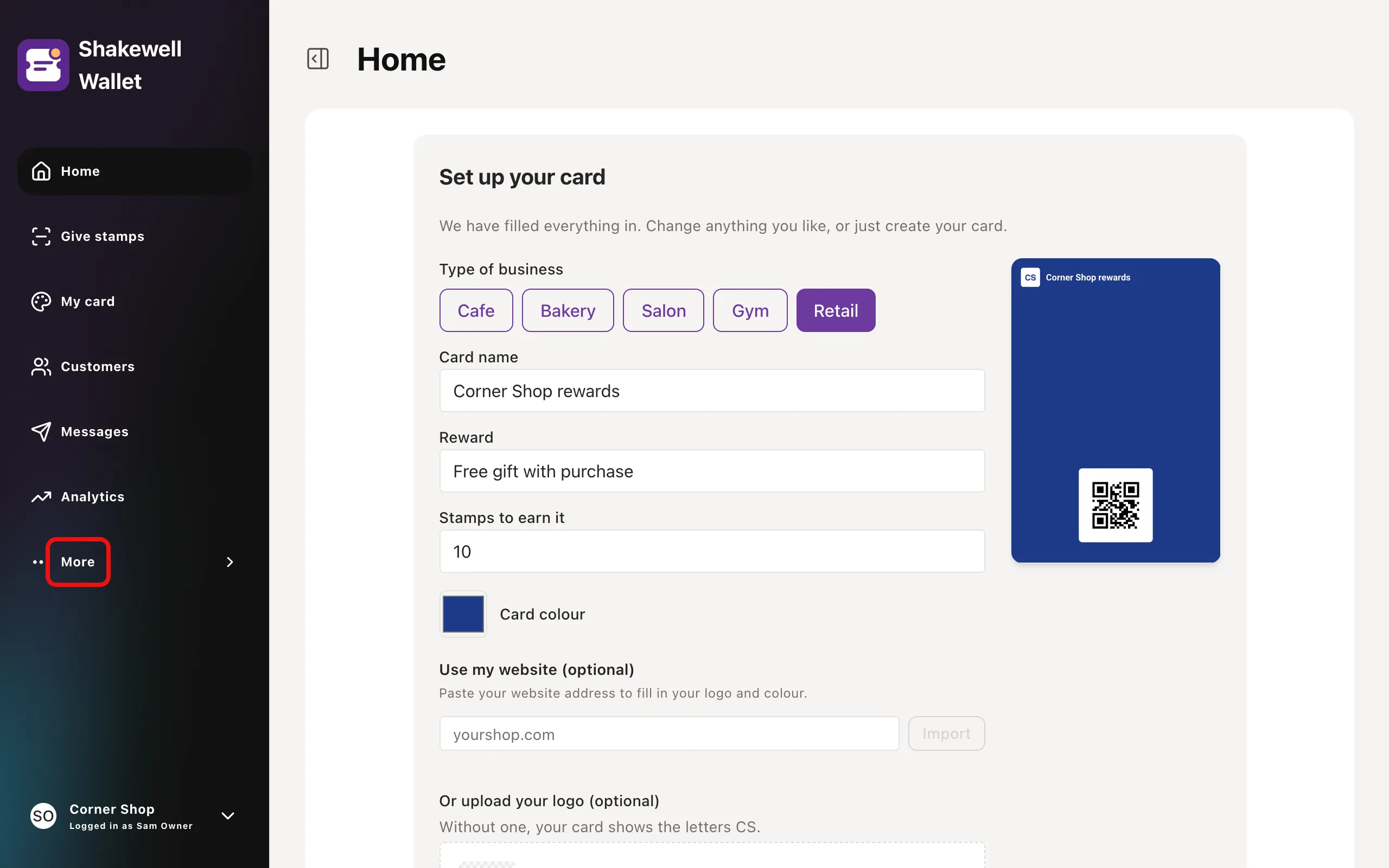
Step 2. Click Integrations.
A page opens with a list of tills, shops and other tools you can connect.
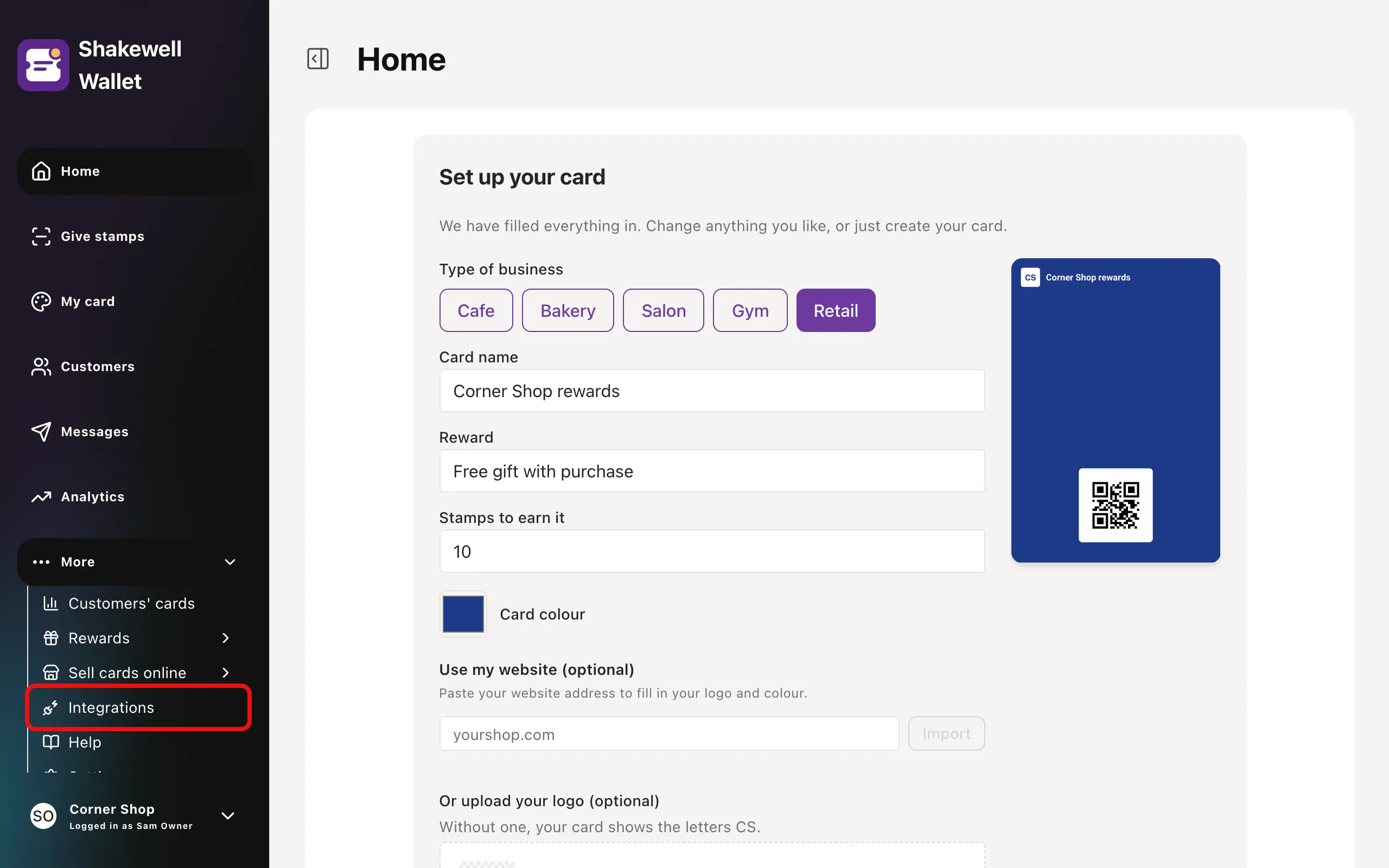
Step 3. Find Lightspeed X-Series in the list. Click the Connect button on its row.
A page called Lightspeed X-Series opens. It says Not connected.
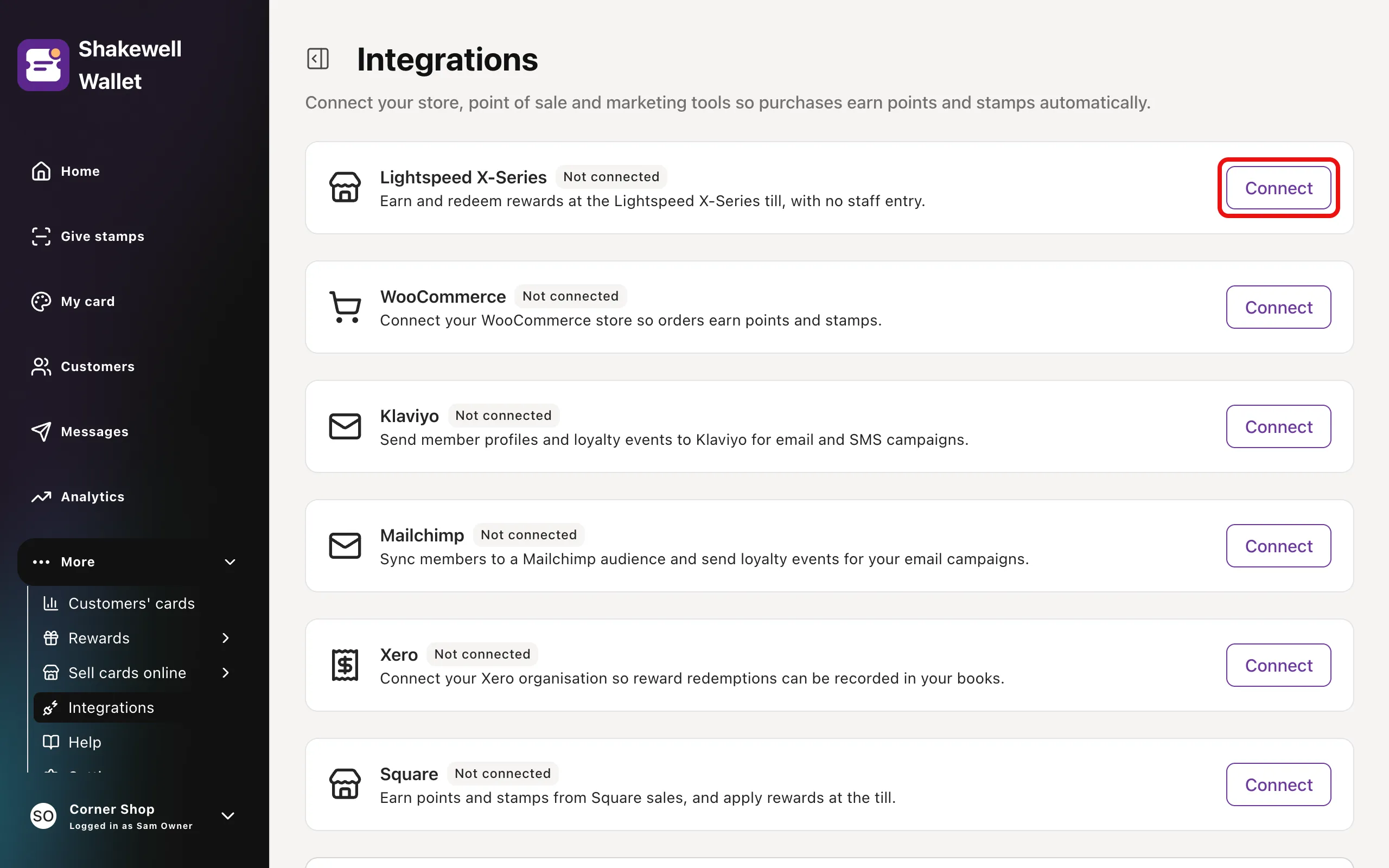
Step 4. Click the Connect Lightspeed button.
Shakewell Wallet takes you to Lightspeed.
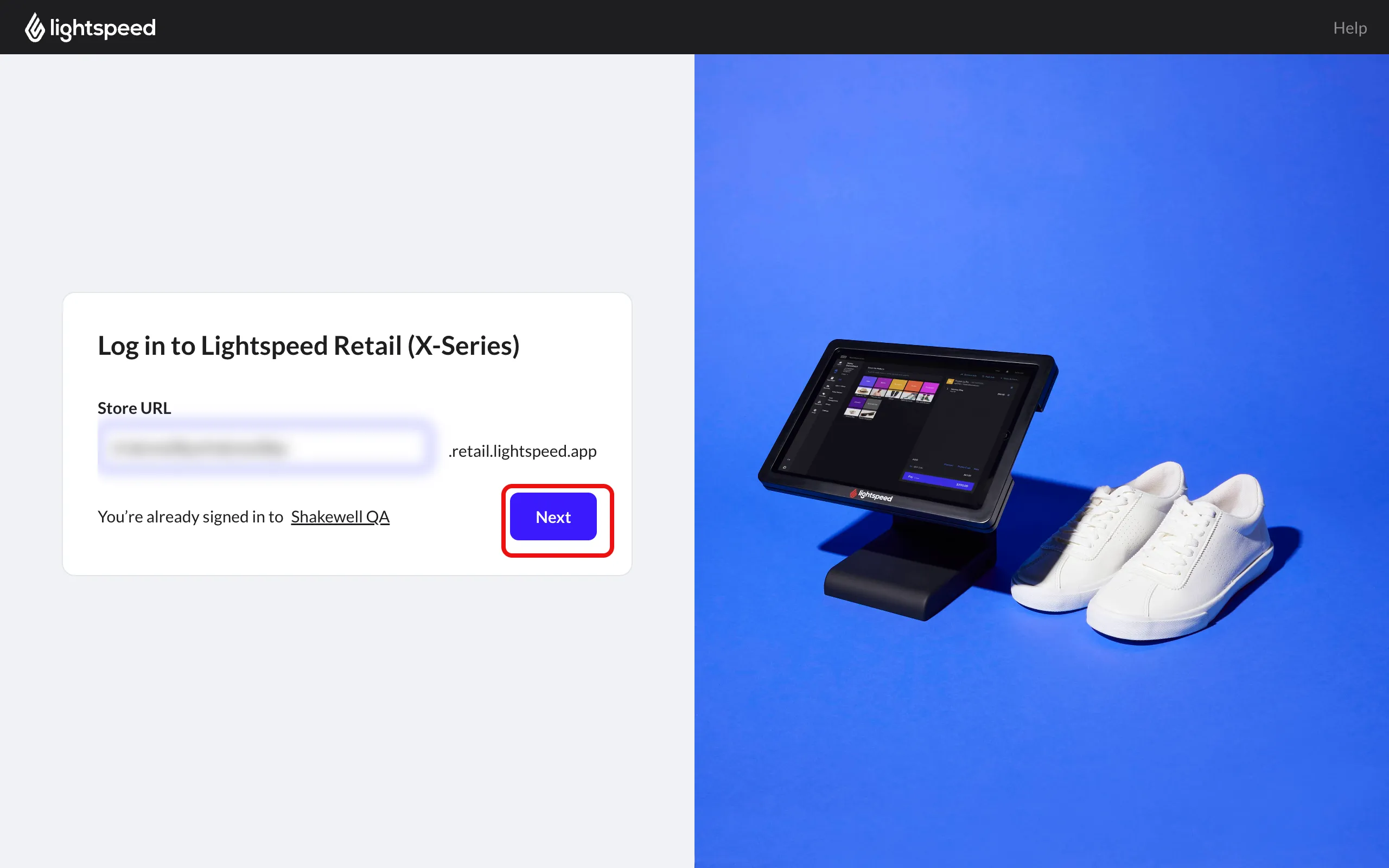
Step 5. Check the store address is yours. Click Next.
If Lightspeed asks you to sign in, sign in. Then Lightspeed shows what Shakewell Wallet wants to do.
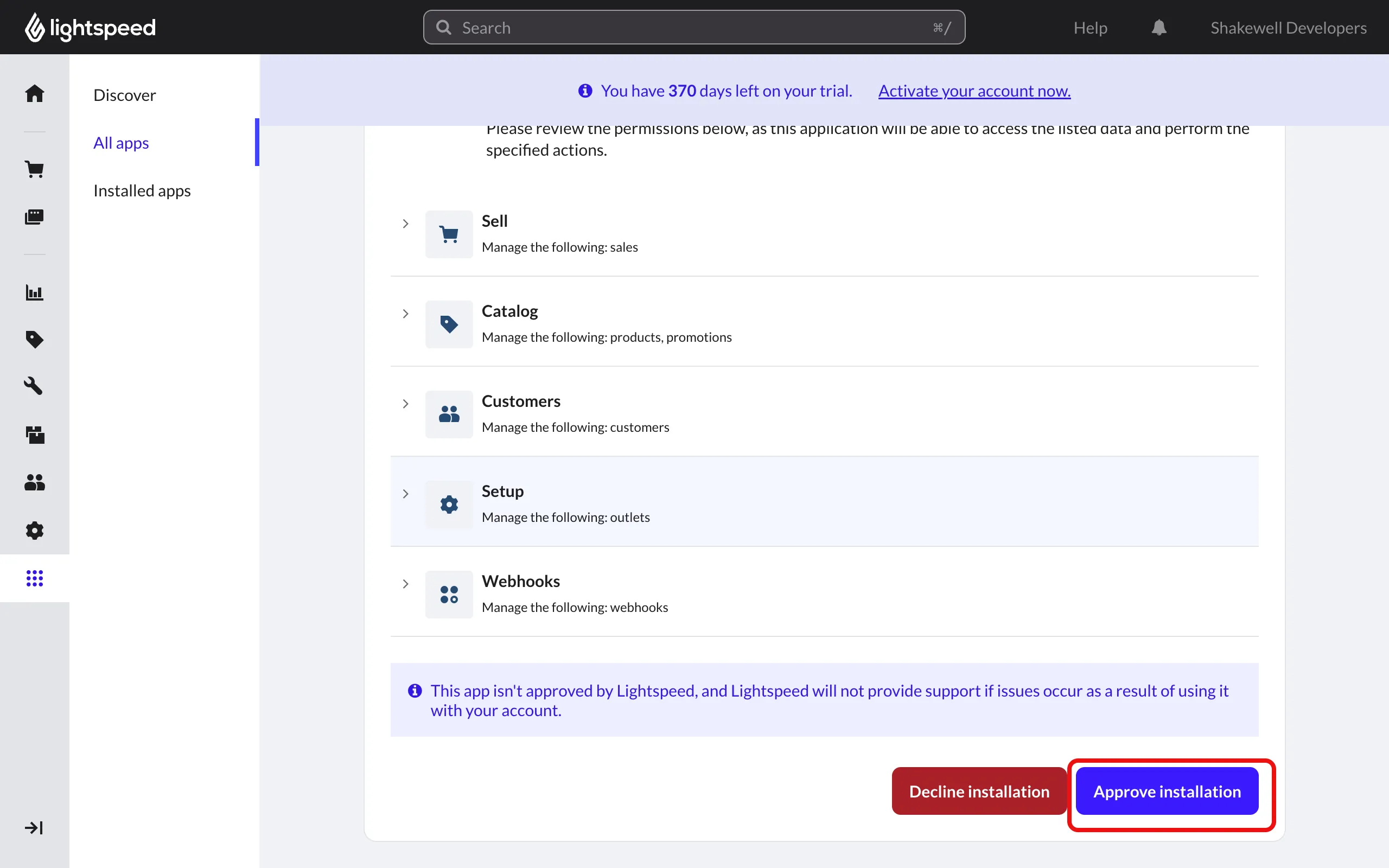
Step 6. Read what Lightspeed says Shakewell Wallet may do. Click Approve installation.
Lightspeed sends you back to Shakewell Wallet.
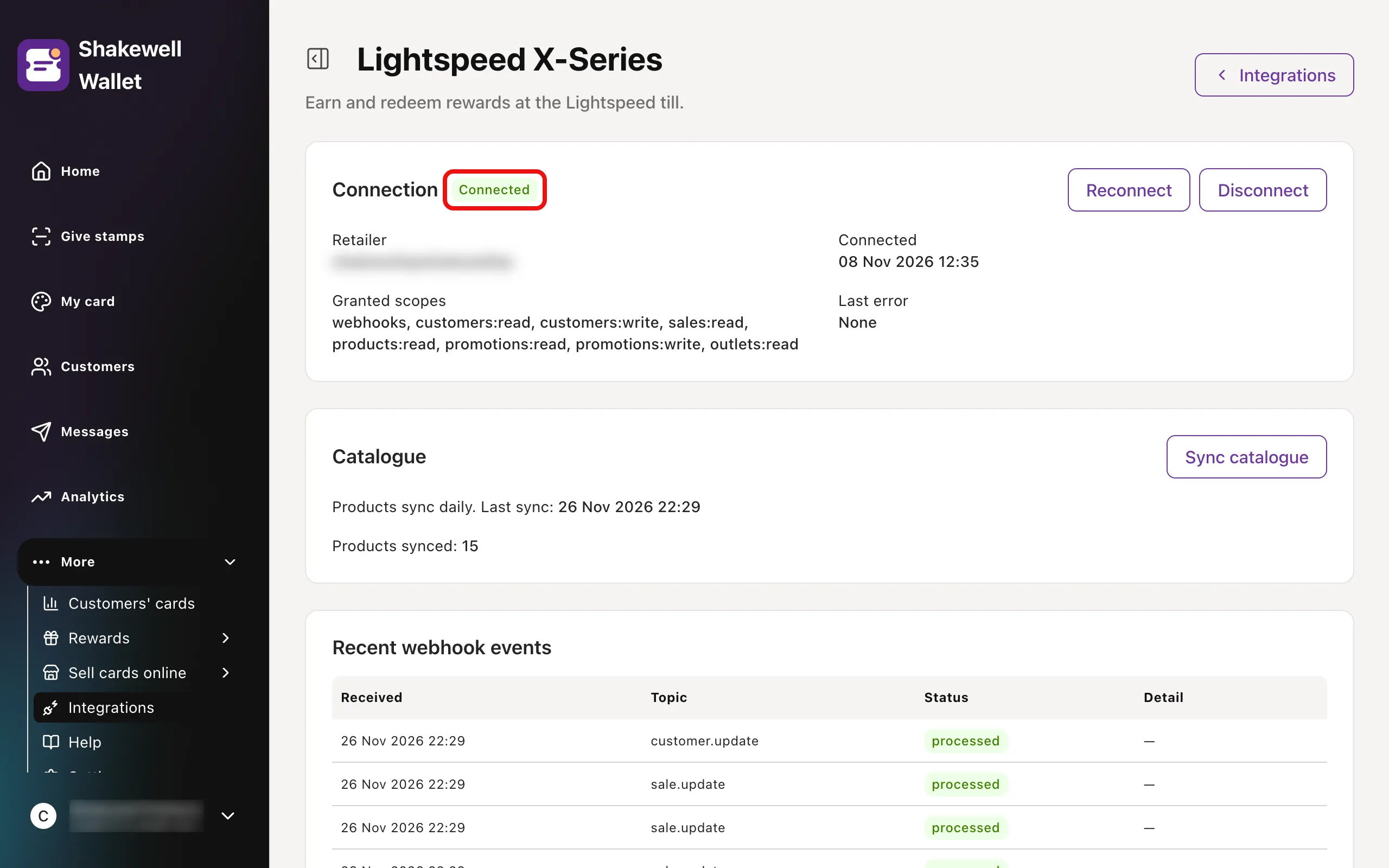
Step 7. Look for the green Connected badge.
Your Lightspeed shop is linked. Sales you close can now earn on your card.
You'll know it worked when
The Lightspeed X-Series page in Shakewell Wallet shows a green Connected badge.
Good to know
- Lightspeed may say the app is not approved by Lightspeed. That is normal for now. You can still approve it.
- Connecting is the first step. The full Lightspeed guide shows how sales earn points and stamps, step by step.
Stuck?
That is fine. Contact us and we will help you. We reply within one business day.
These guides may help: