
How-to guides / Grow
How to change your plan
Pick a different plan for your account, monthly or yearly.
Takes about 3 minutes
Before you start
- You are the account owner, or you are allowed to manage billing.
- A payment card, if you pick a paid plan. A new account has a 60-day free trial and does not need one to start.
The steps
Step 1. In the left menu, click More.
A short list opens under it.
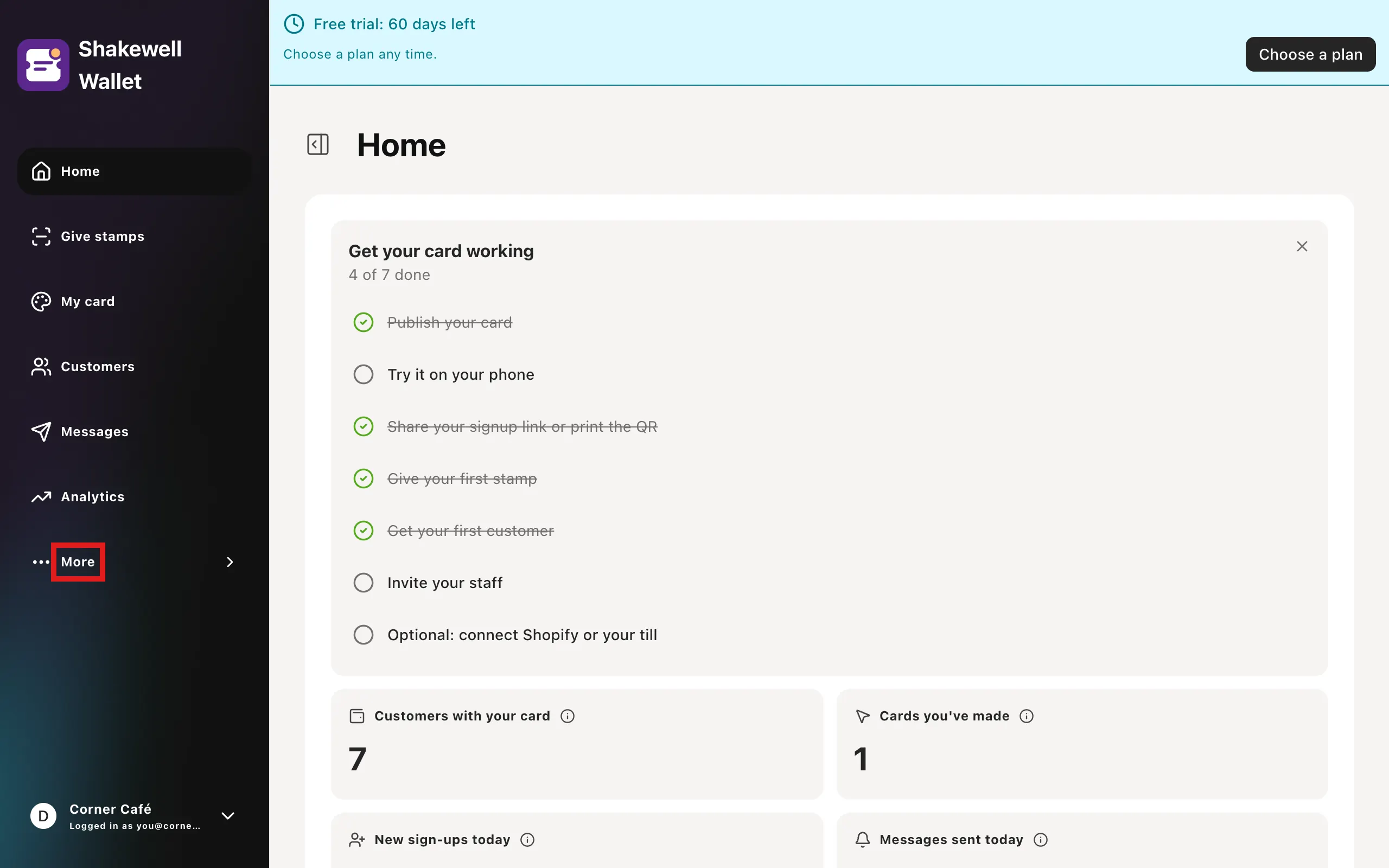
Step 2. Click Settings.
A page called Settings opens.
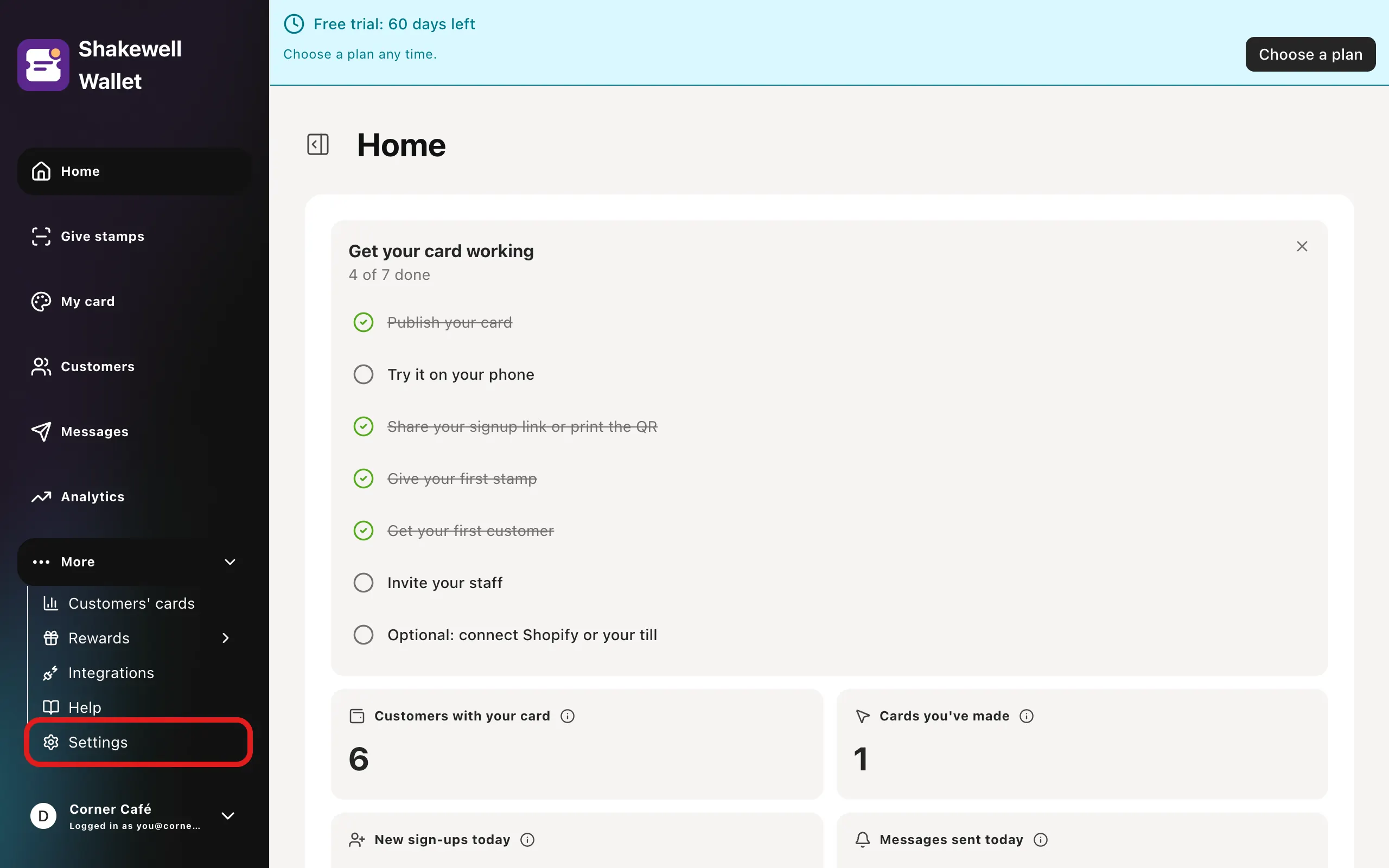
Step 3. Near the top, click Plan & billing.
You see your plan, your trial or payment details, and what your plan includes.
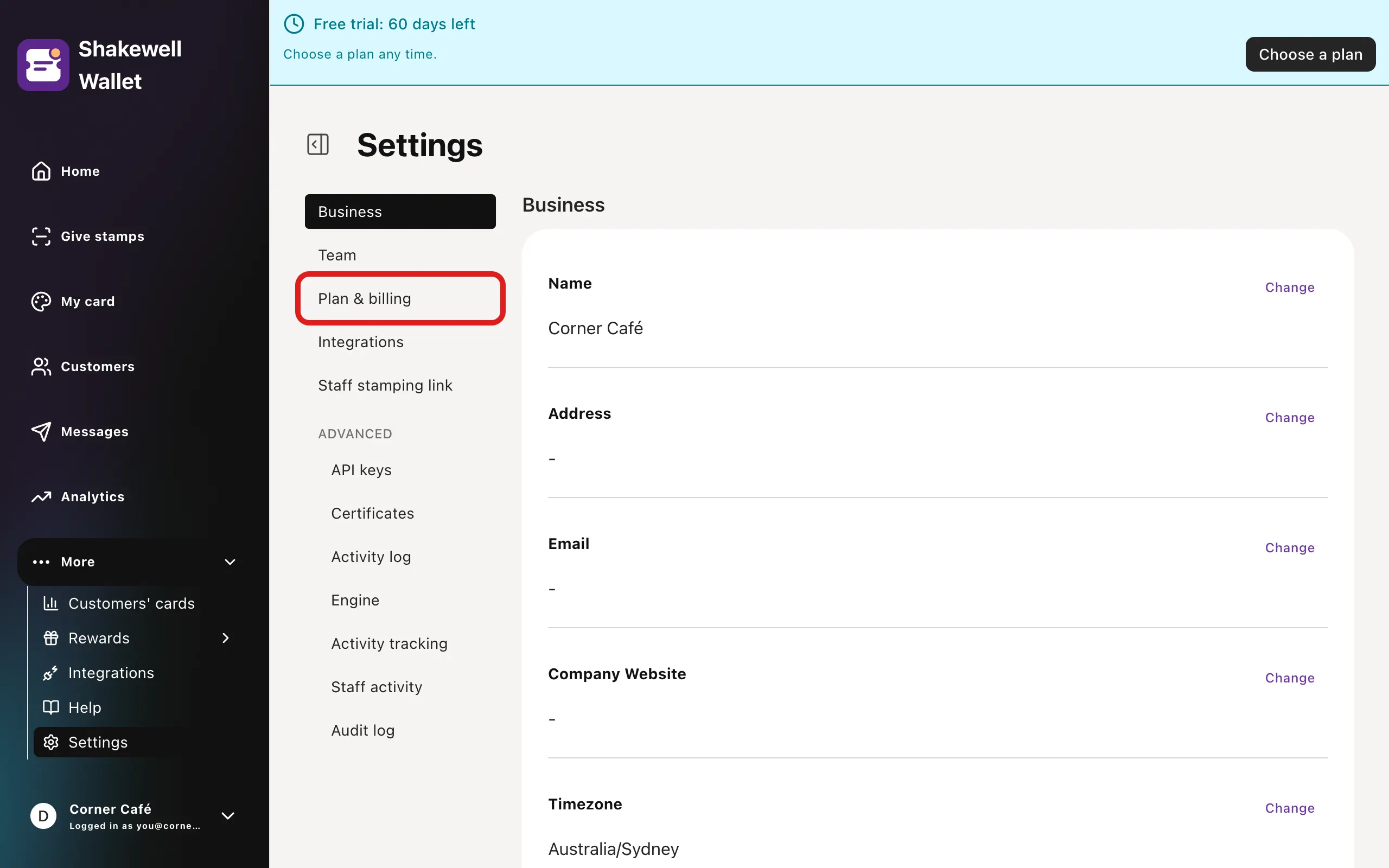
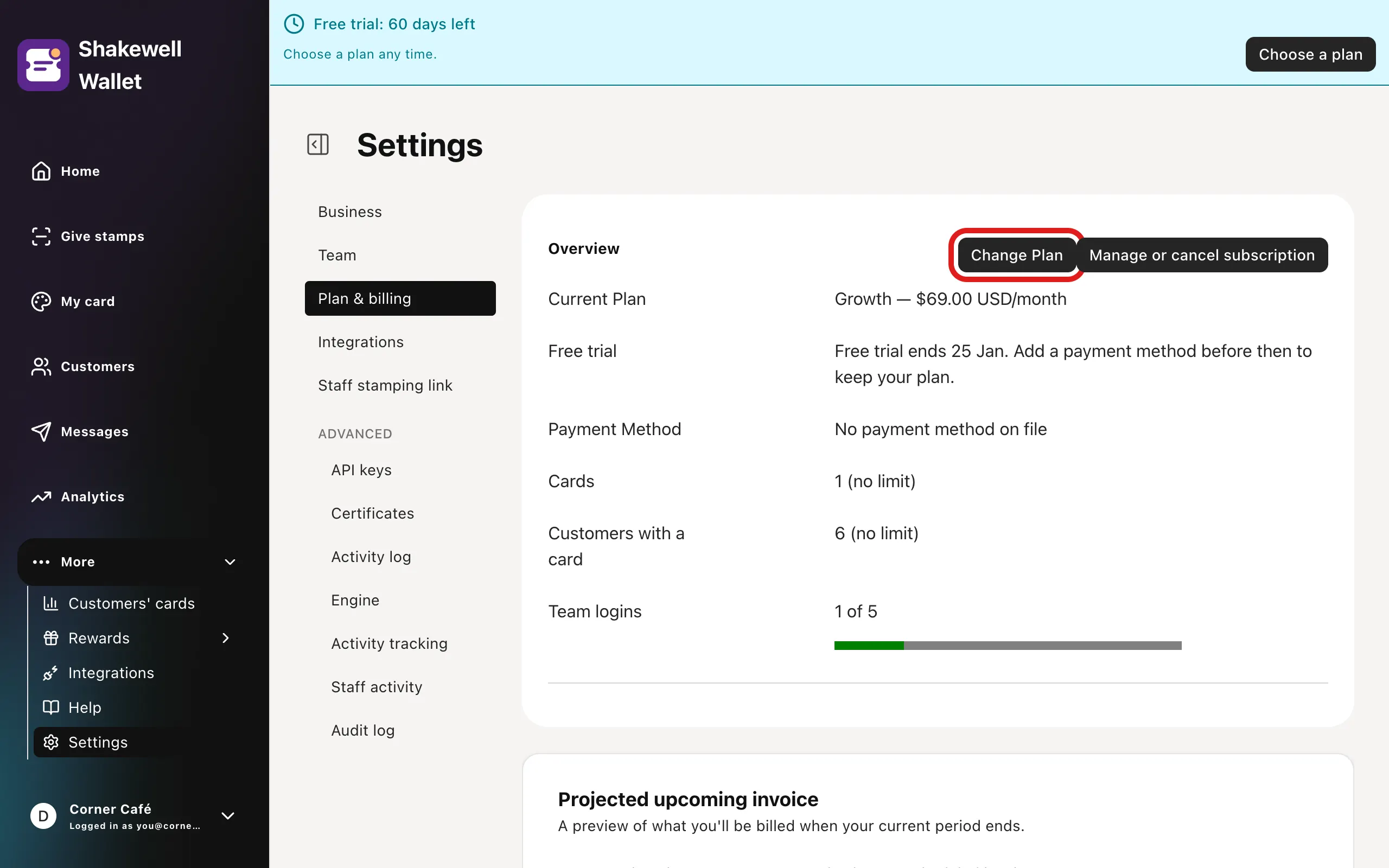
Step 4. Click Change Plan.
A page called Plans opens. It shows each plan side by side.
Step 5. Choose Monthly or Yearly at the top of the page.
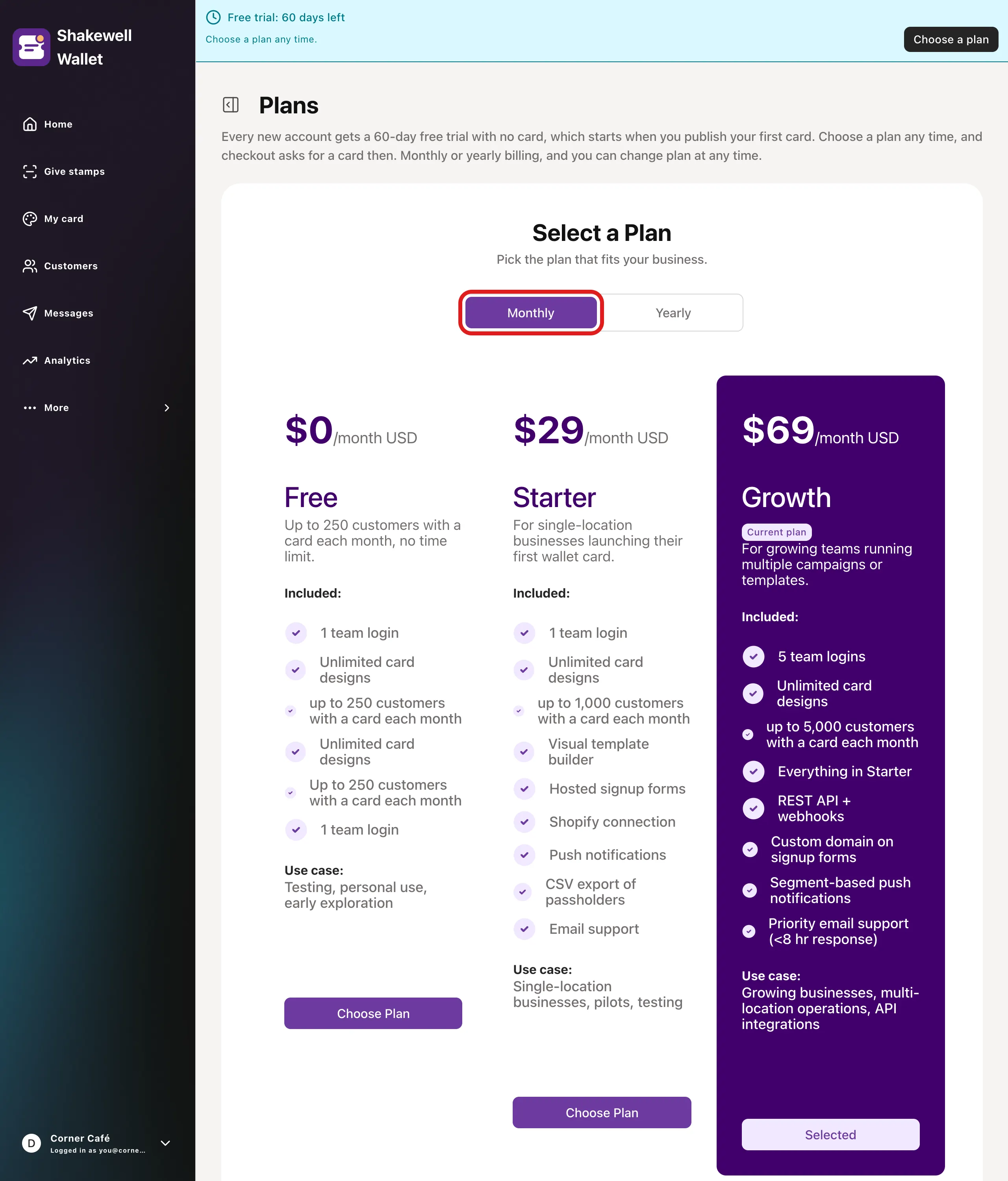
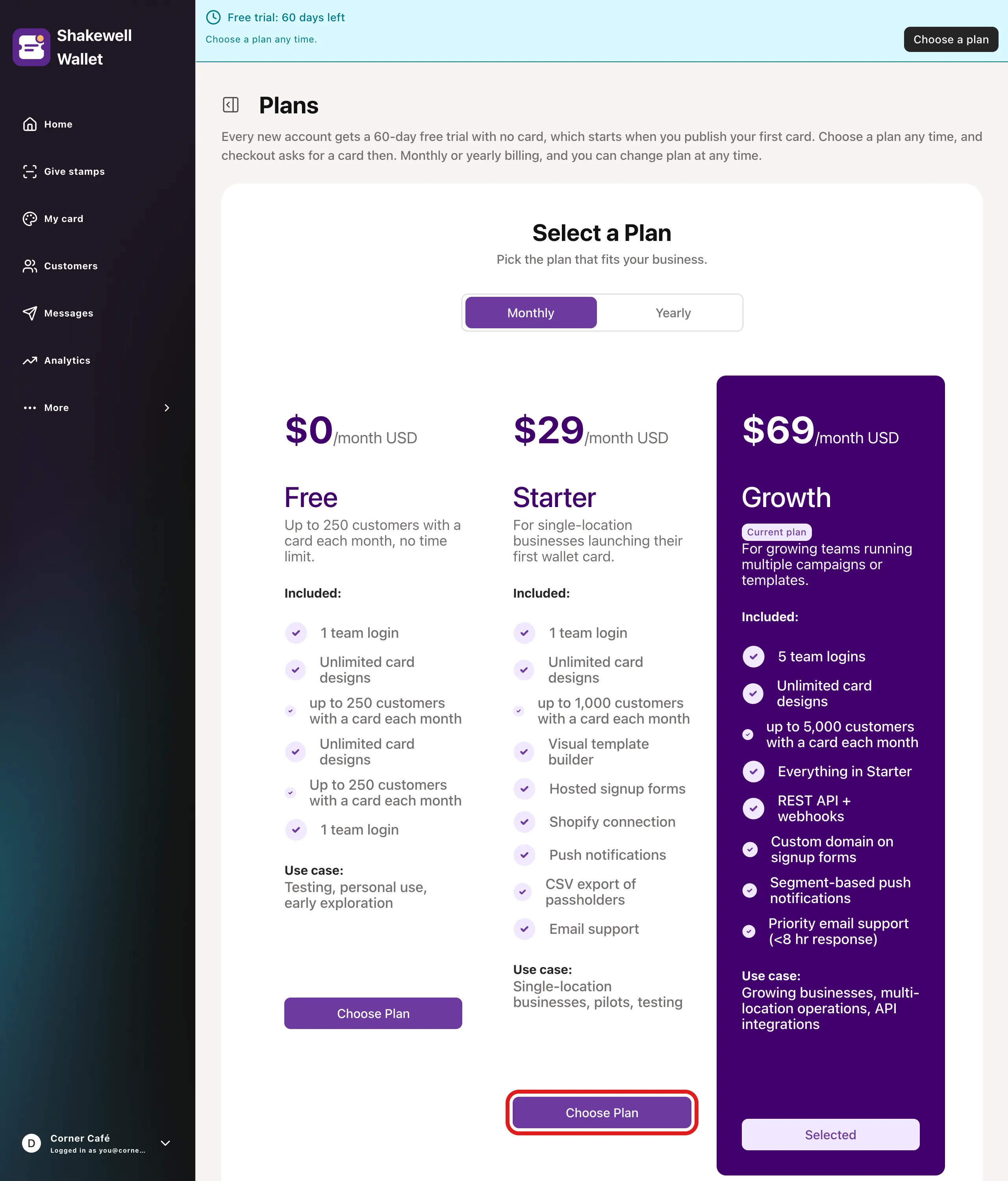
Step 6. Find the plan you want. Click the Choose Plan button under it.
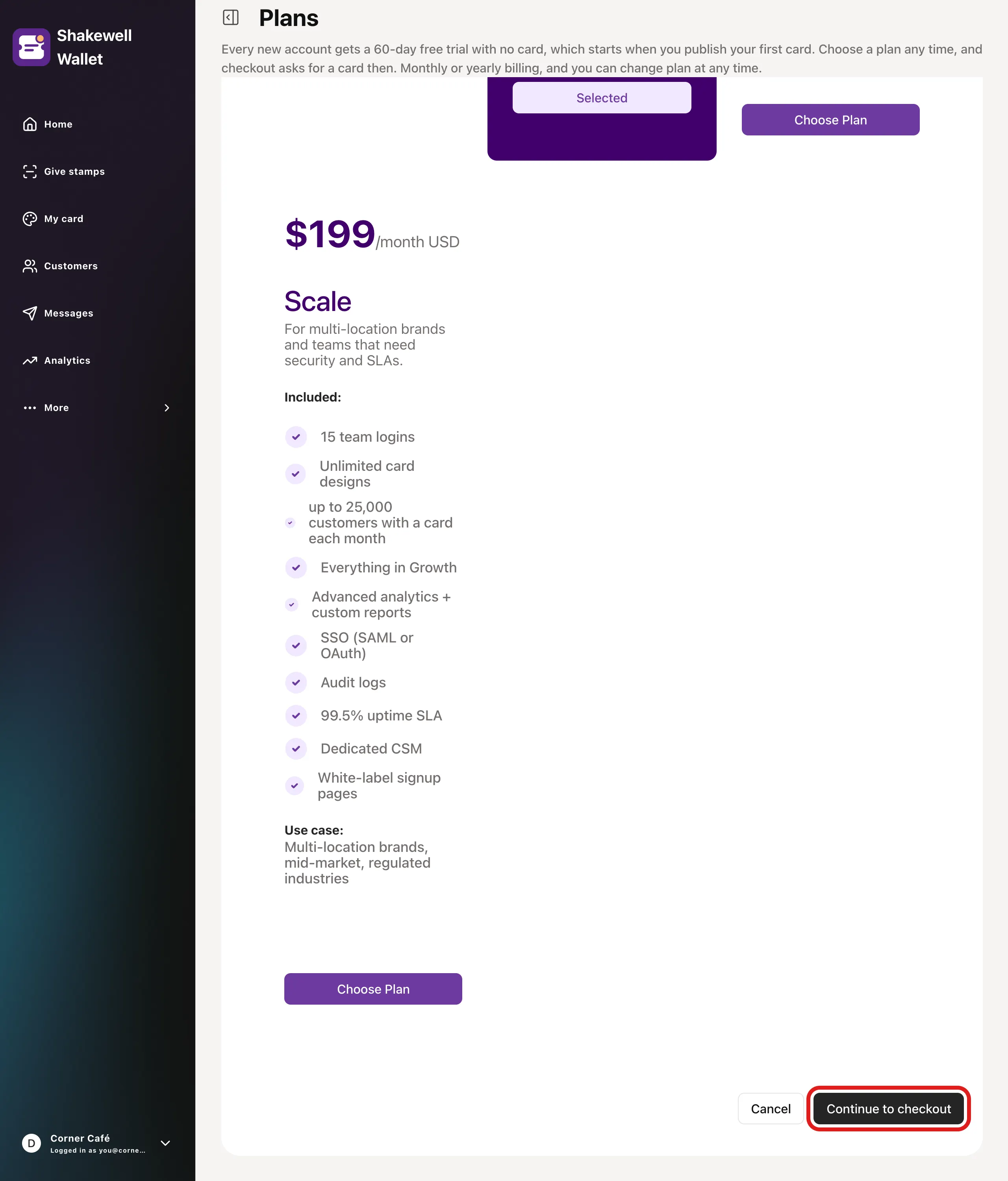
The plan you chose shows Selected. Two buttons appear at the bottom right.
Step 7. Click Continue to checkout.
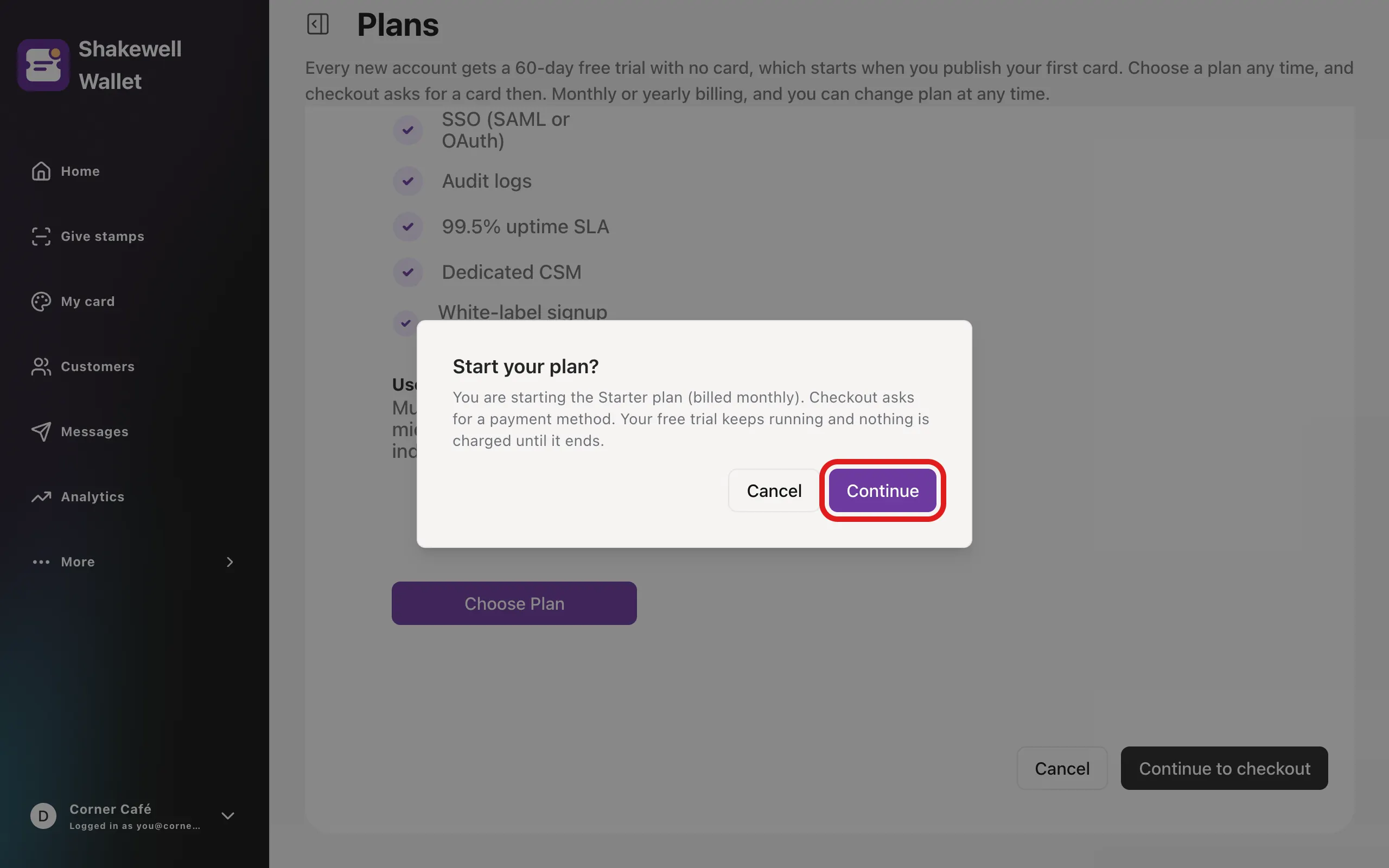
A box opens called Start your plan?
Step 8. Read the box called Start your plan? Click Continue.
The box tells you when you will be charged.
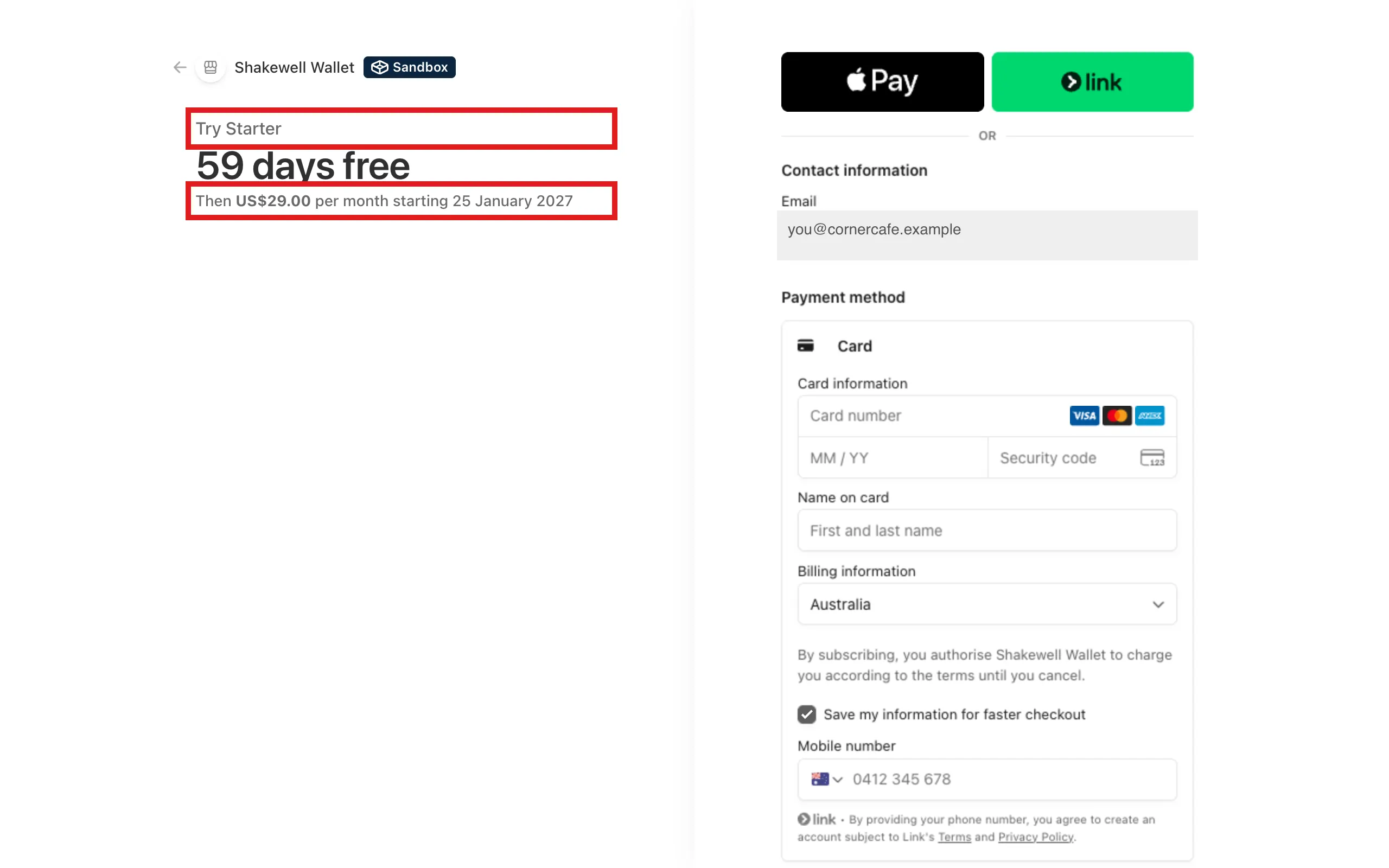
Step 9. Look at the checkout page. It shows your plan, how many days are free, and boxes for your payment card.
The page tells you when you will be charged.
You'll know it worked when
Your new plan shows under Current Plan on the Plan & billing page after you finish checkout.
Good to know
- Changed your mind? Press Cancel next to Continue to checkout. Nothing changes.
- Already on a paid plan? The button at the bottom says Change Plan, not Continue to checkout. A box called Change your plan? opens. Click Confirm change. The change happens straight away, and what you pay is prorated (worked out for the days left). There is no checkout page, unless you have no payment card saved yet.
- You can change your plan again at any time.
Stuck?
That is fine. Contact us and we will help you. We reply within one business day.
These guides may help: