
How-to guides / Set up
How to change how many stamps earn a reward
Make your card need more or fewer stamps, or change what the reward is.
Takes about 3 minutes
Before you start
- Your card is made. (See How to sign up and make your first card.)
- The number of stamps you want, for example 8.
- Not sure what happens to customers who already have stamps? Ask us first. Use the Contact link below.
The steps
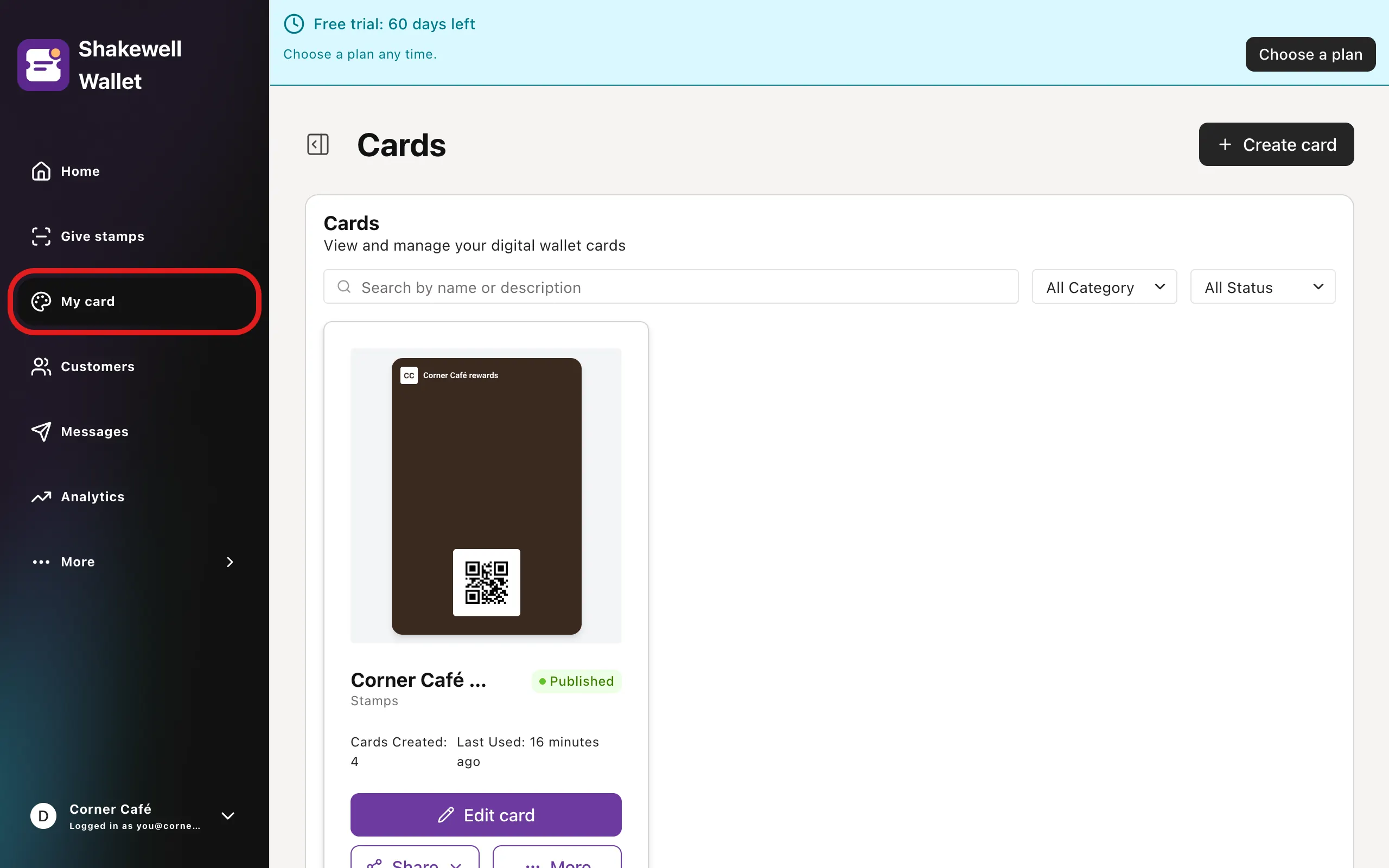
Step 1. In the left menu, click My card.
You see your card in a list.
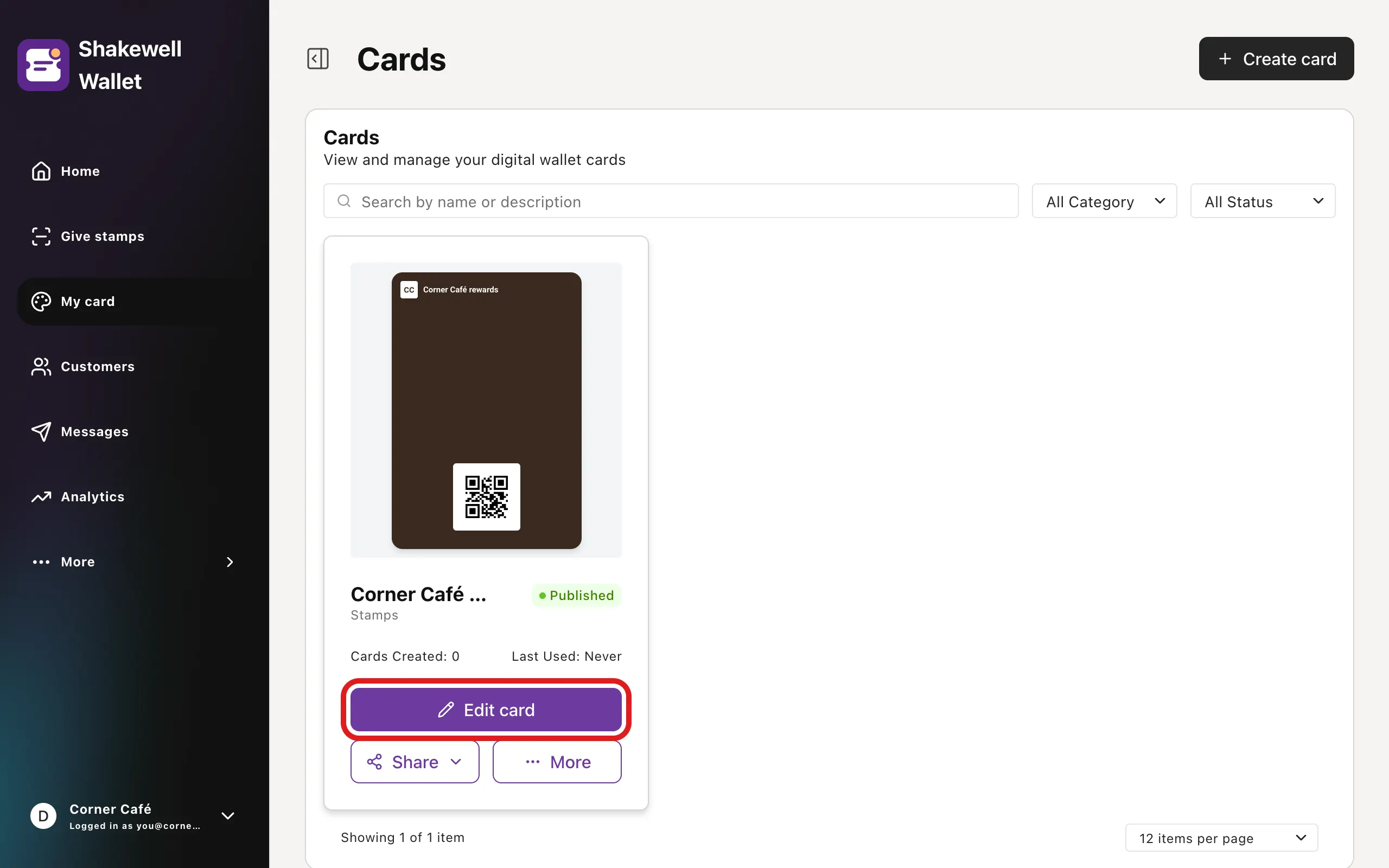
Step 2. Click the purple Edit card button under your card.
A page opens called Edit card. You start on step 1, Basics.
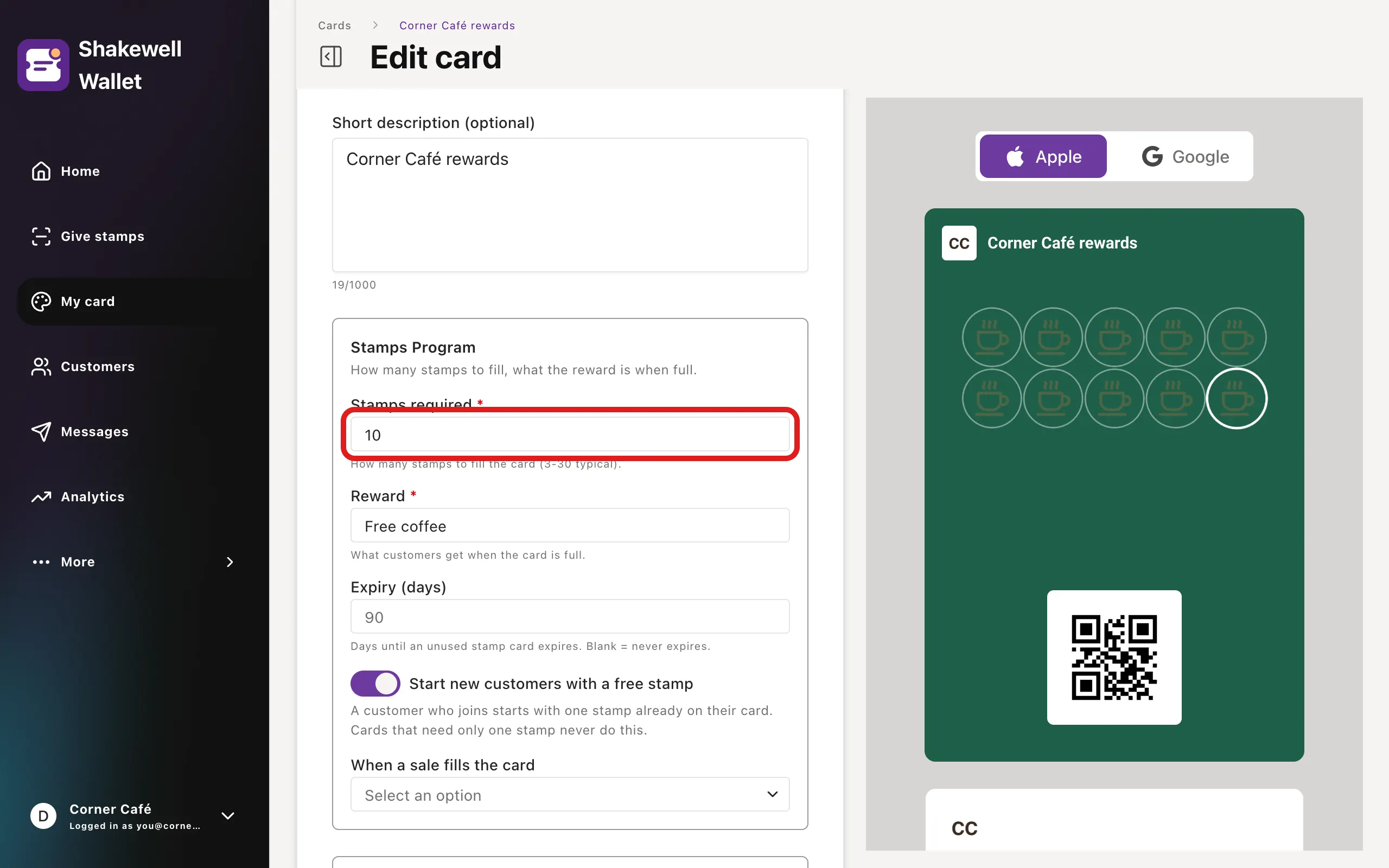
Step 3. Find the box called Stamps required. It is under the heading Stamps Program.
It shows the number you have now, for example 10.
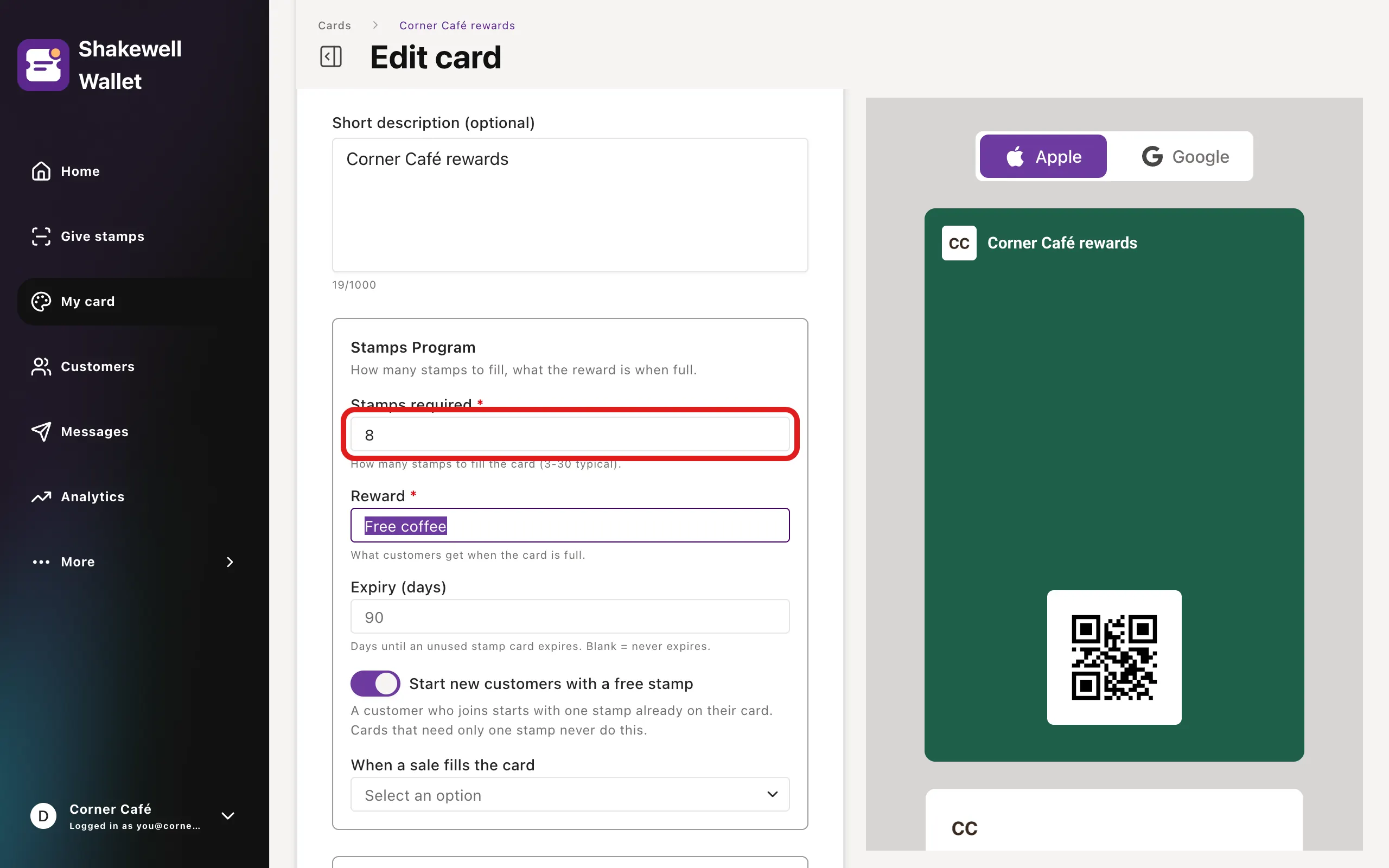
Step 4. Click in the box. Replace the number with your new number, for example 8.
To change the reward, use the Reward box just below. For example, Free coffee.
Step 5. Click anywhere else on the page.
To change the reward, use the Reward box just below. For example, Free coffee.
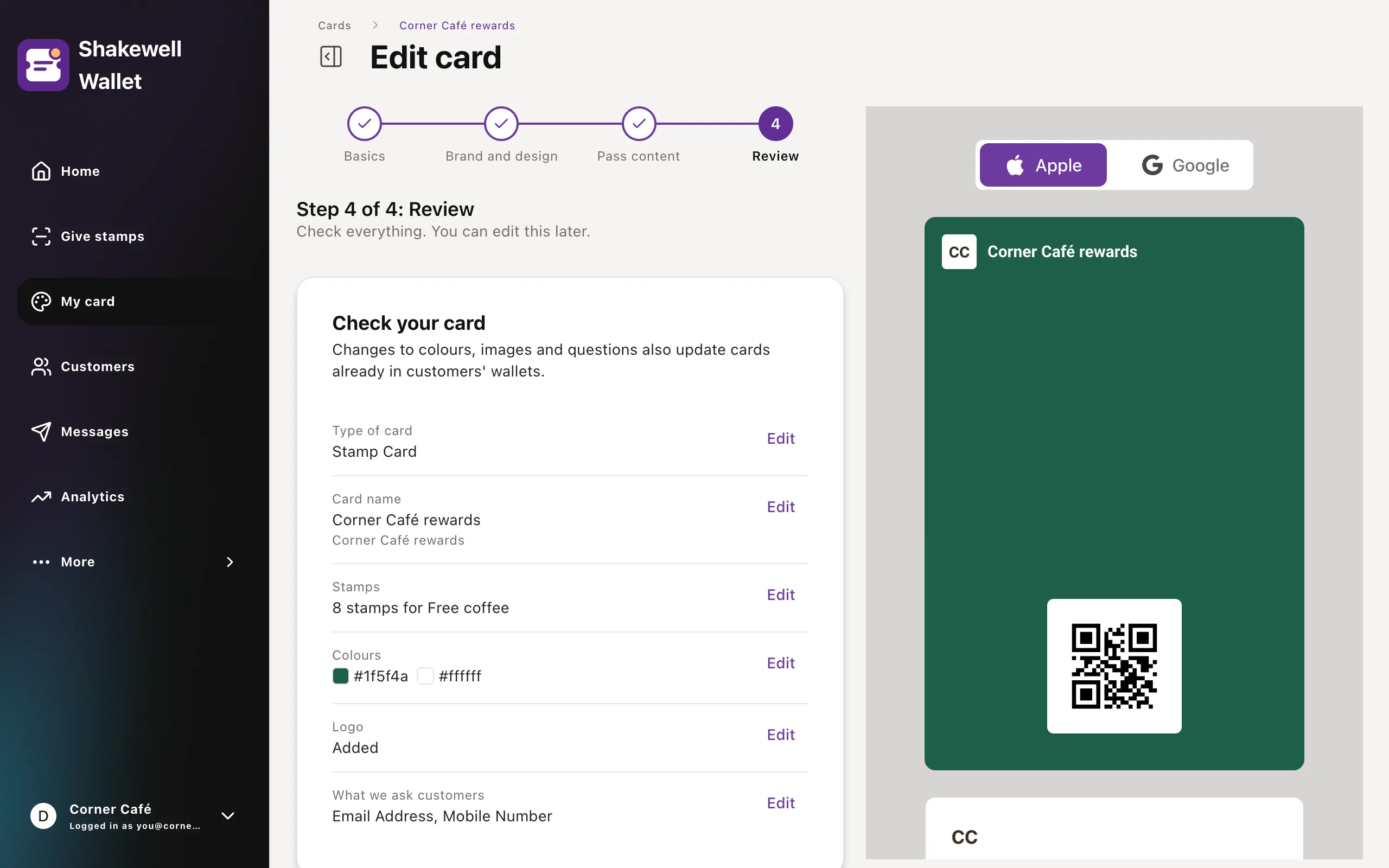
Step 6. Click the Next button three times. You are now on the last step, called Review.
Under Stamps it now says 8 stamps for Free coffee.
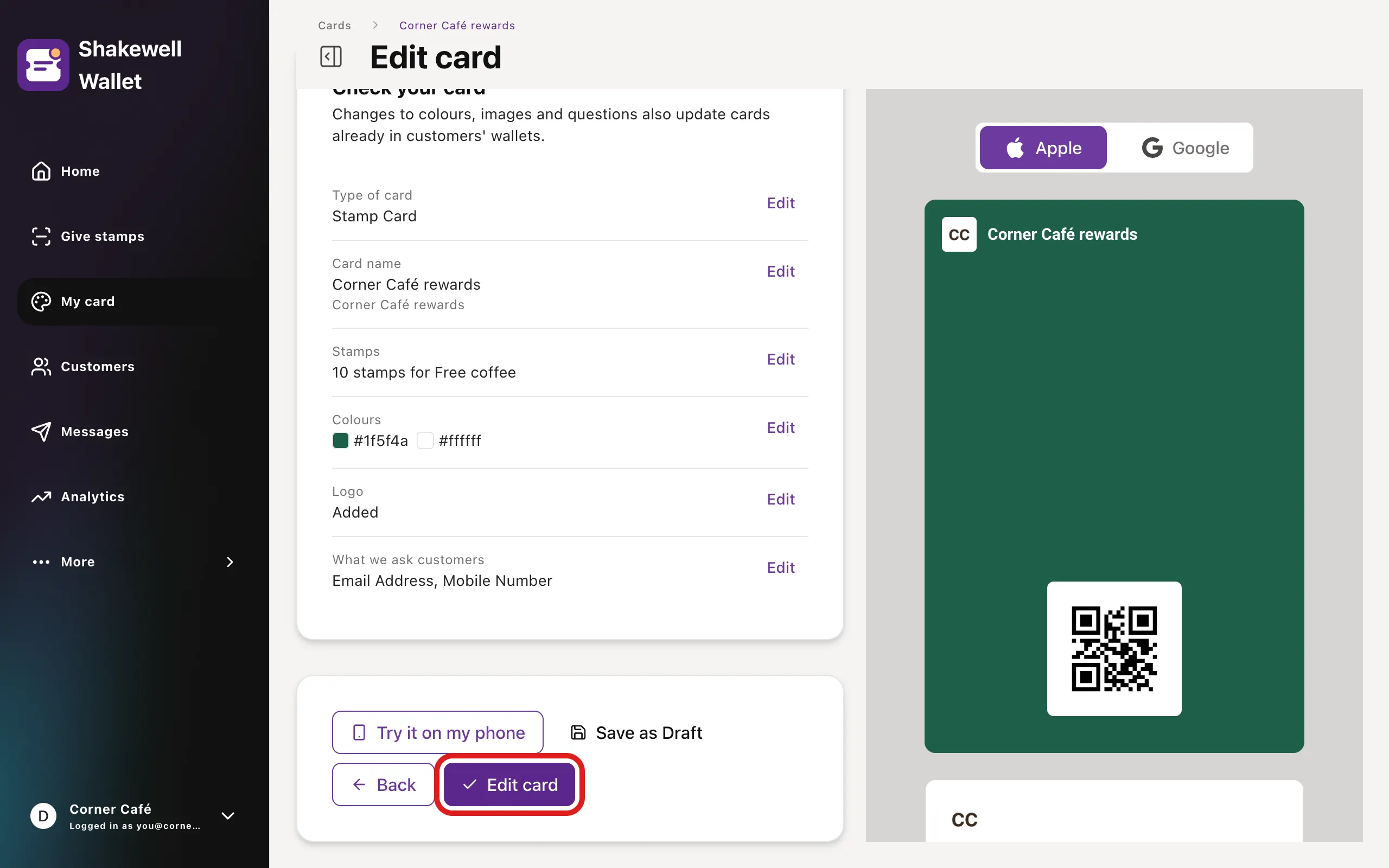
Step 7. Click the Edit card button at the bottom. It is the button that saves your changes.
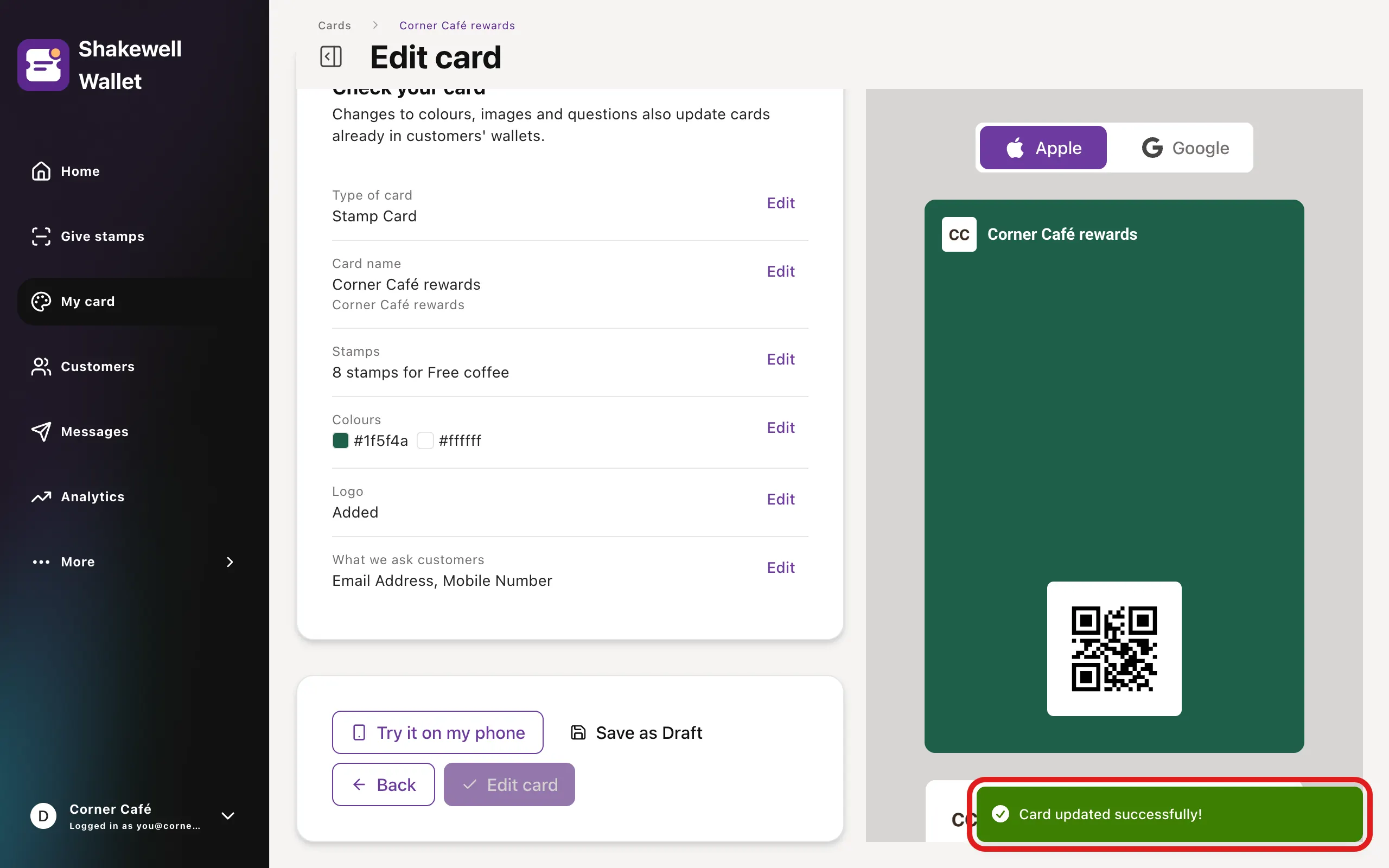
Step 8. Look at the bottom right of the screen.
A green message says Card updated successfully!
You'll know it worked when
A green message says Card updated successfully! and the Review page shows your new number of stamps.
Good to know
- The Edit card button is grey until you change something.
- Fewer stamps means customers get their reward sooner. Most cards use between 3 and 30.
Stuck?
That is fine. Contact us and we will help you. We reply within one business day.
These guides may help: