
Shopify
How do customers earn points from Shopify orders?
Last updated 2026-11-26
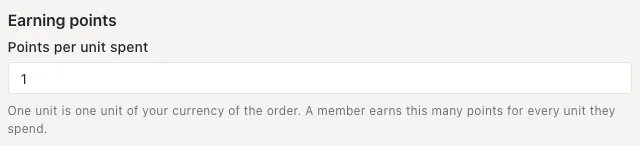
Set Points per unit spent under Rewards, then Points program. When a Shopify order is paid, Shakewell adds the points to the customer's card.
Points are added when an order is paid in Shopify. An order rung up at your Shopify POS till is paid at the till, so it earns straight away. An online order earns as soon as the customer's payment goes through.
Before you start
- Your Shopify store is connected. See how to connect Shopify.
- You have a published points card (a Loyalty Card).
- Points are on the Growth plan and above. Stamp cards earn on every plan.
Steps
- Publish a points card. In the left menu choose My card, then create a card with the type Loyalty Card.
- Open More, then Rewards, then Points program.
- Enter how many Points per unit spent a customer earns. One unit is one dollar, pound or euro of the order.
- Choose Save points program.
- Place a test order in Shopify for a customer who holds the card, and pay for it.
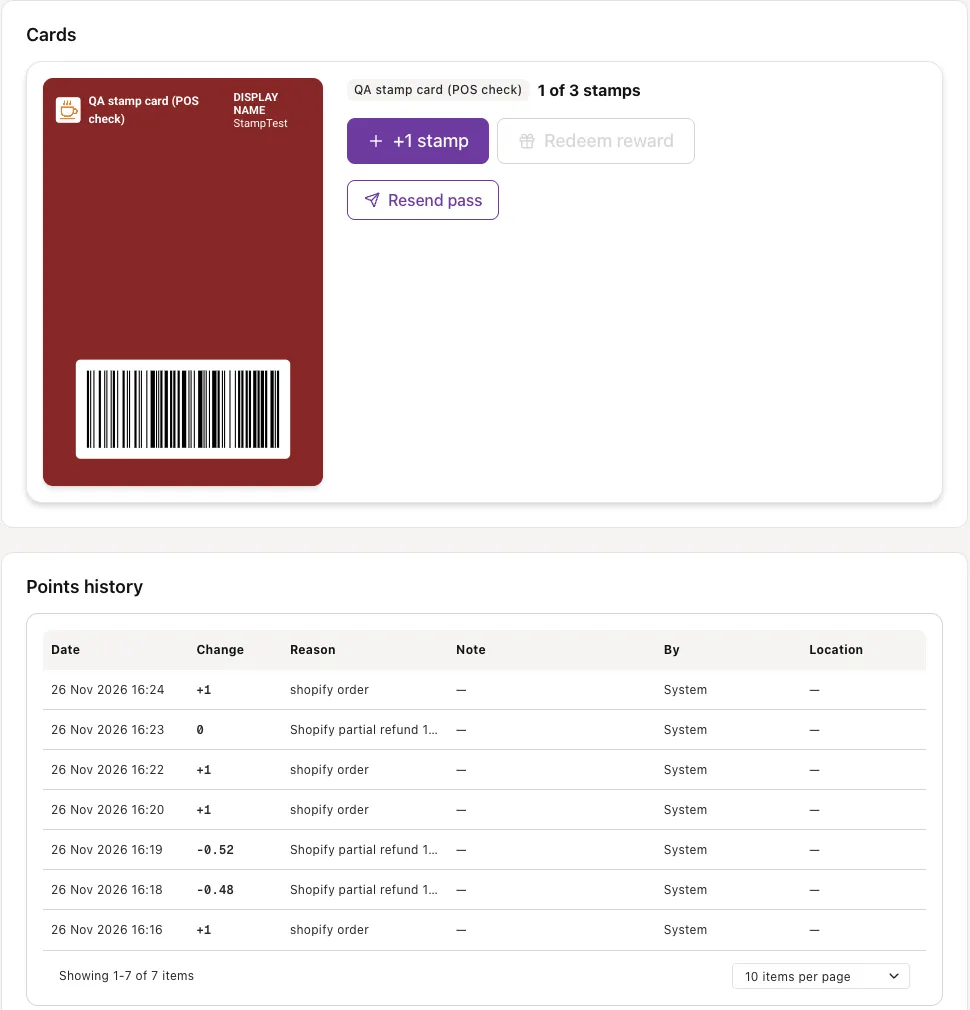
- In Shakewell, open Customers and choose the customer. Their Points history shows the order.
What earns
- Points follow the order total and your rate. For more control, open Rewards, then Earning Rules and create a rule.
- A stamp card earns one stamp for each qualifying order. For stamps by product, see give stamps for Shopify products.
- Orders with a total of zero, and orders that are already refunded, earn nothing.
How Shakewell finds the customer
Shakewell looks for the Shopify customer first, then the email address on the order, then the phone number. It only looks inside your own account.
- An order with no customer attached earns nothing.
- A customer who is in Shakewell but has not added their card yet still earns. The points wait and are added when they add the card.
- A customer who is not in Shakewell at all earns nothing. Customers created in your Shopify store are added to Shakewell, and you can also give a card automatically when an order is paid.
Orders from before you connected
Open your store under Integrations and find Credit past orders. Choose how many days to look back, from 1 to 60, and choose Credit past orders. You can do this once for a store. It credits customers who already have a card.
If the points do not show up
- Check the order is paid in Shopify.
- Check the order had a customer, and that their email address or phone number matches Shakewell.
- Check the store page in Shakewell says Store connected and the order updates are healthy.
Next: enrol customers from Shopify.