
Lightspeed
How do rewards work at the Lightspeed till?
Last updated 2026-11-26
A ready reward comes off the sale by itself when staff add the customer. Shakewell uses a Lightspeed customer group and a promotion made for that reward.
Once a reward is switched on, staff do not type in codes or look for the right discount. They add the customer to the sale and Lightspeed does the rest.
Before you start
- Lightspeed is connected. See how to connect Lightspeed.
- Lightspeed's own loyalty is switched off, so the two do not stack.
- Rewards are on the Growth plan and above, and the free trial includes them.
What the reward looks like in Shakewell
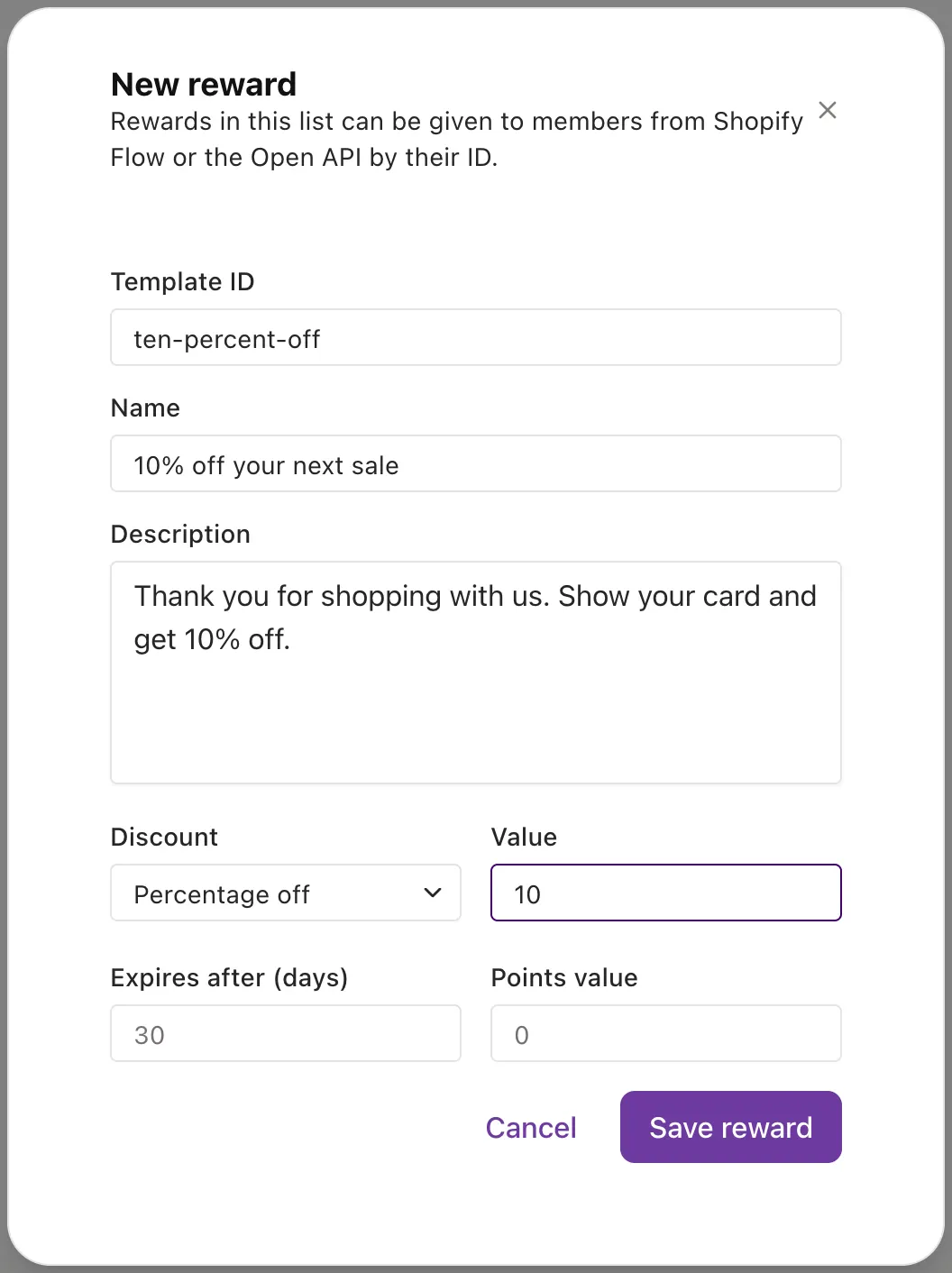
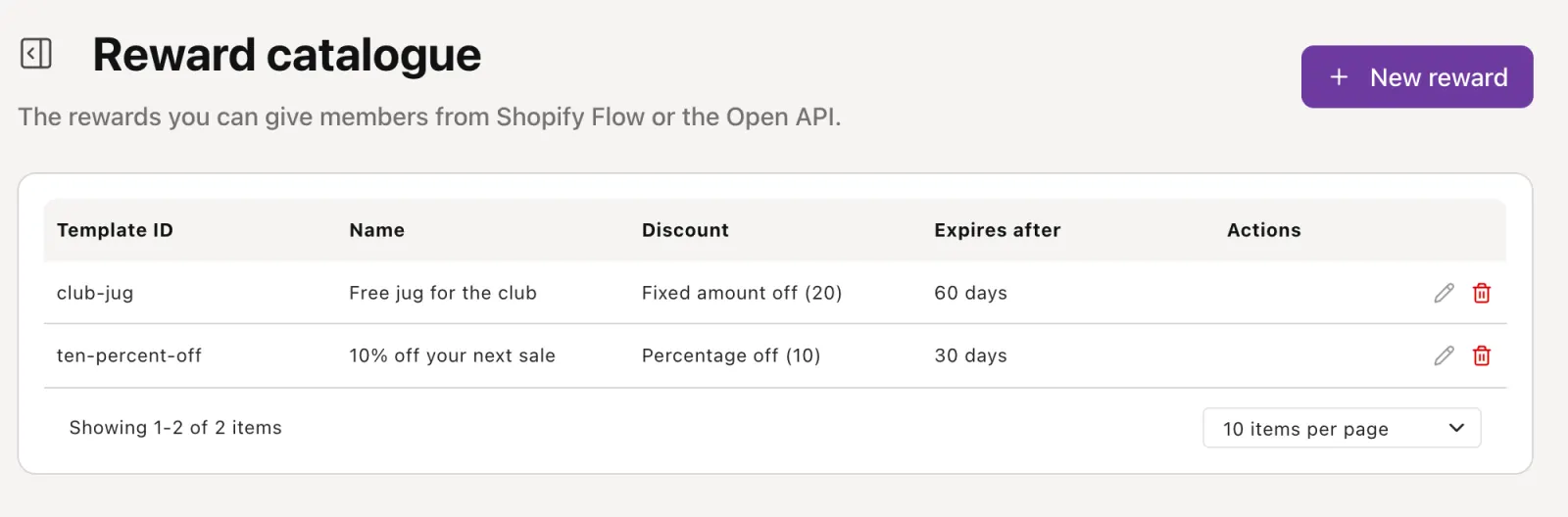
Each reward in the Reward catalogue has an ID, a name and a discount. The ID is a short code that never changes.
Steps
Step 1. In Shakewell open More, then Rewards, then Reward Catalogue. Check the reward and its discount.
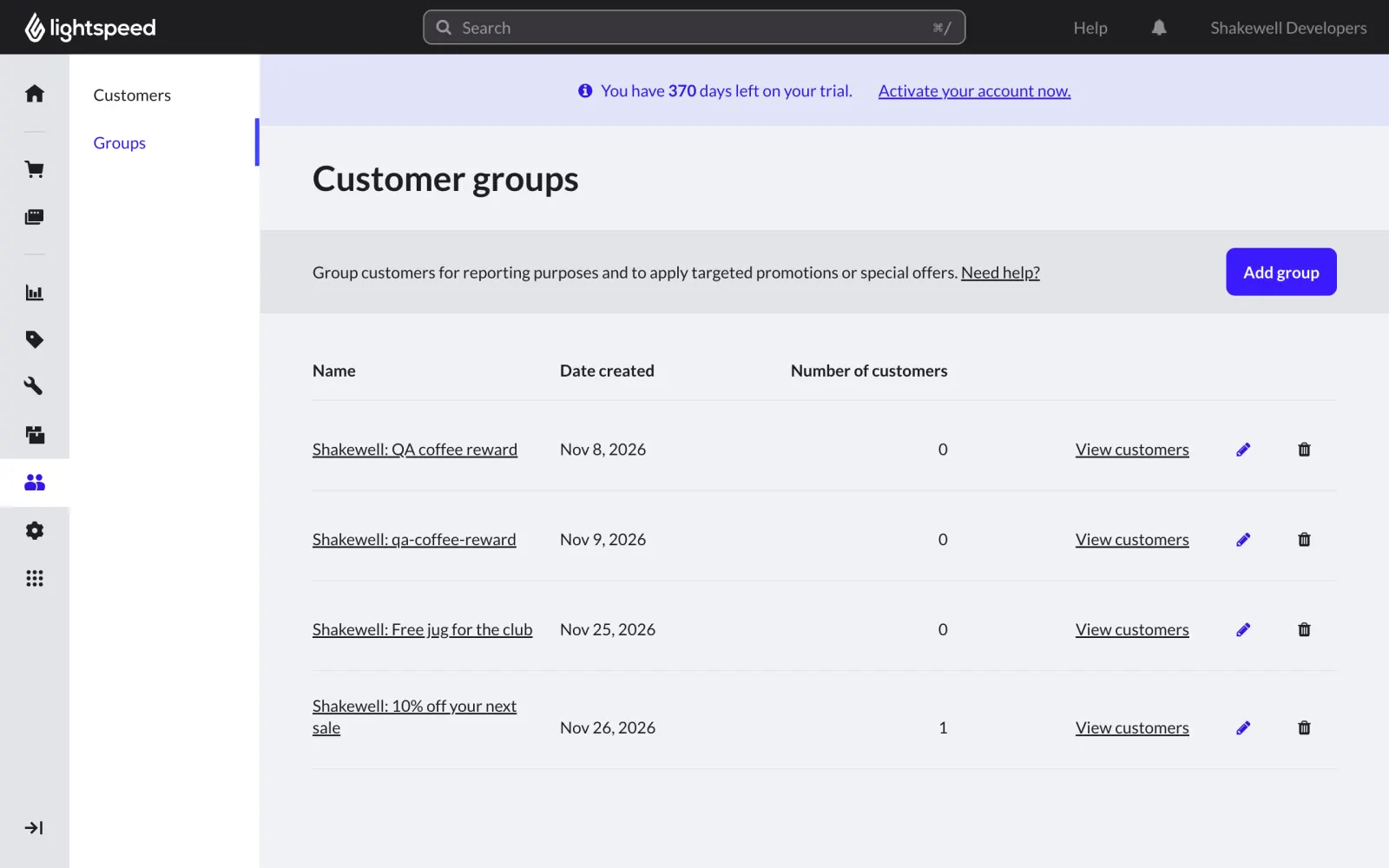
Step 2. In Lightspeed open Customers, then Groups. Shakewell has made a group whose name starts with Shakewell: for the reward.
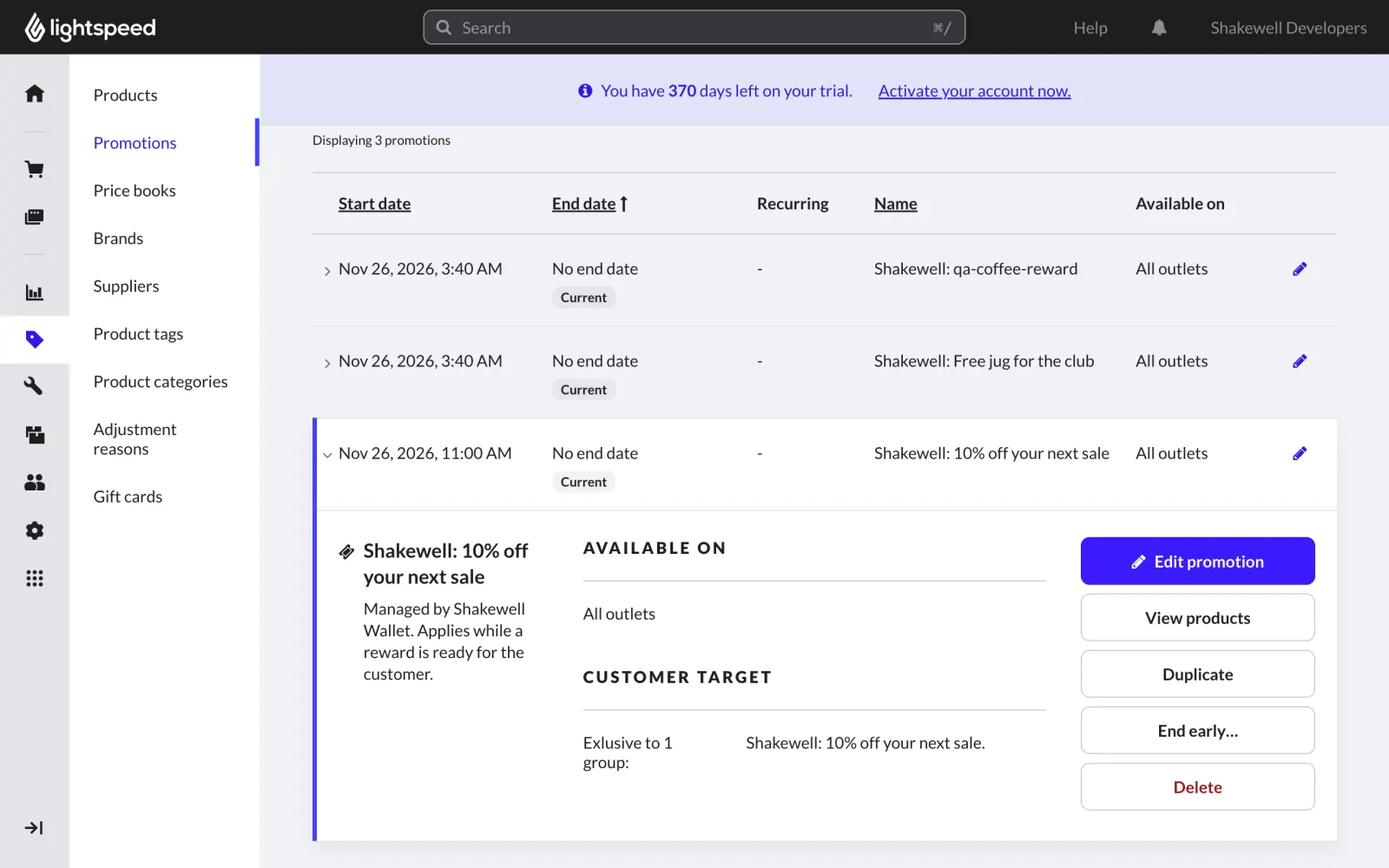
Step 3. In Lightspeed open Catalog, then Promotions. Open the matching promotion. It says Managed by Shakewell Wallet and is only for that group.
Step 4. When a customer has a reward ready, Shakewell puts them in that group. In Customers their group shows beside their name.
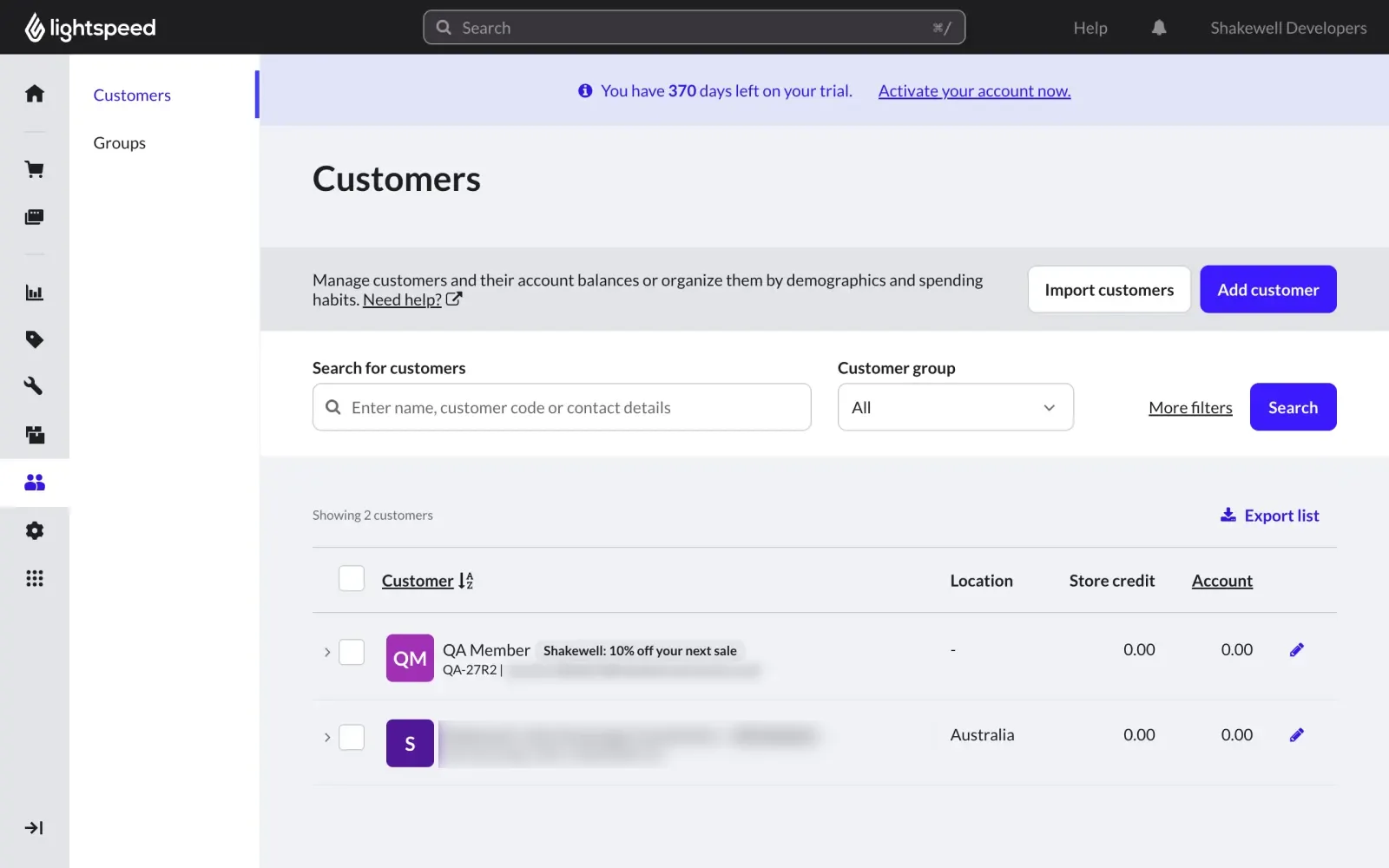
Step 5. At the till, add the customer to the sale. Lightspeed takes the discount off by itself.
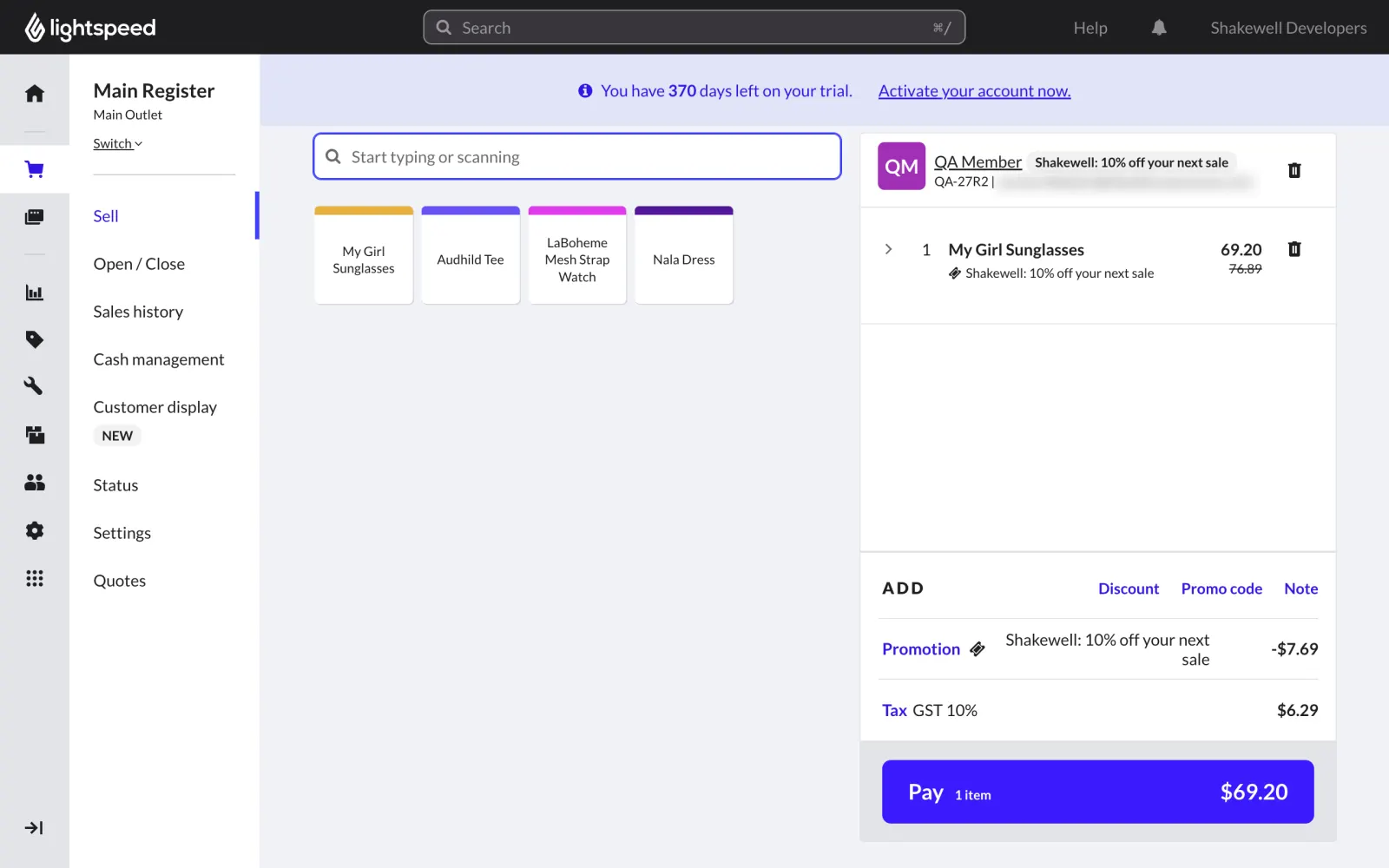
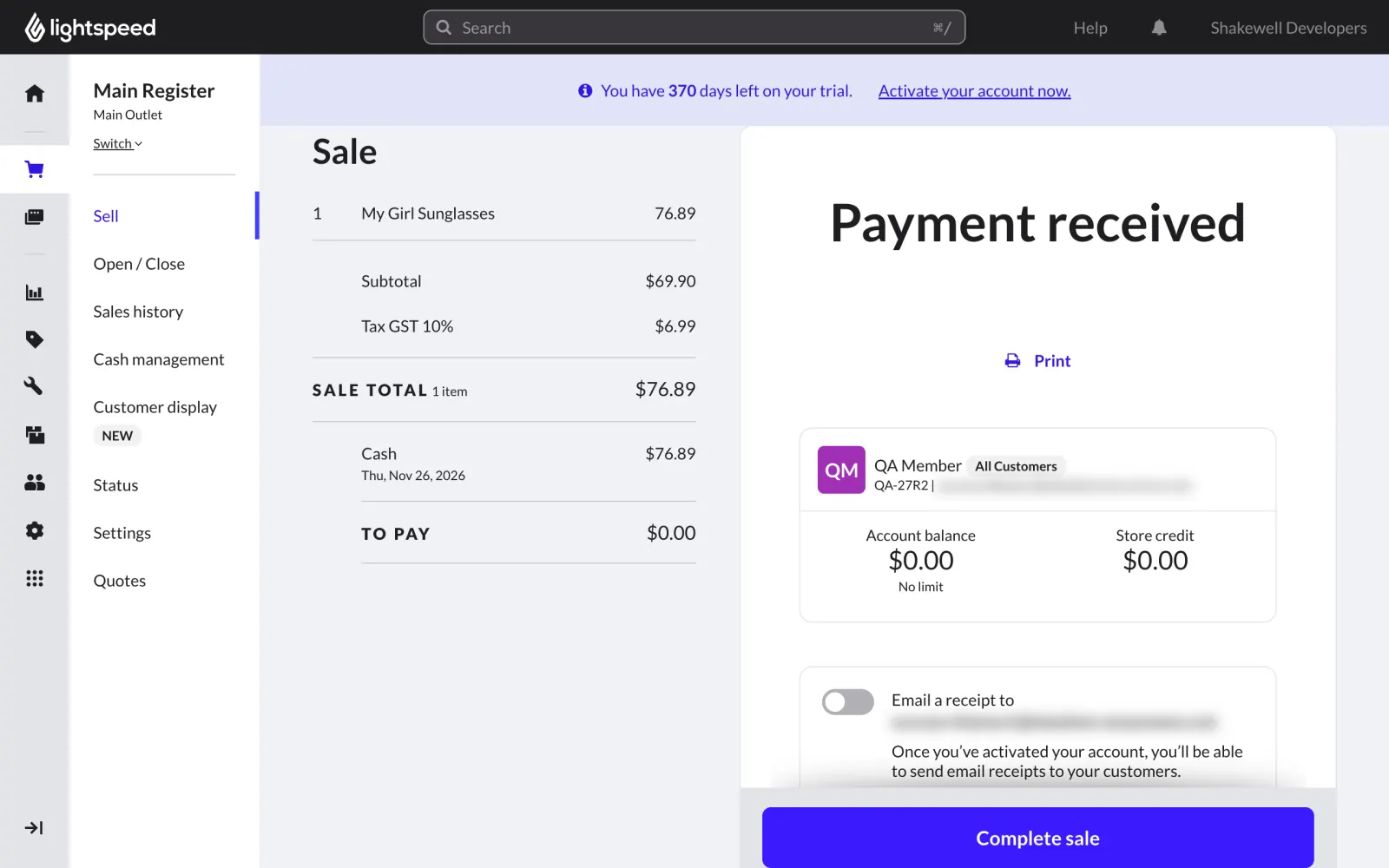
Step 6. Take payment and complete the sale as usual.
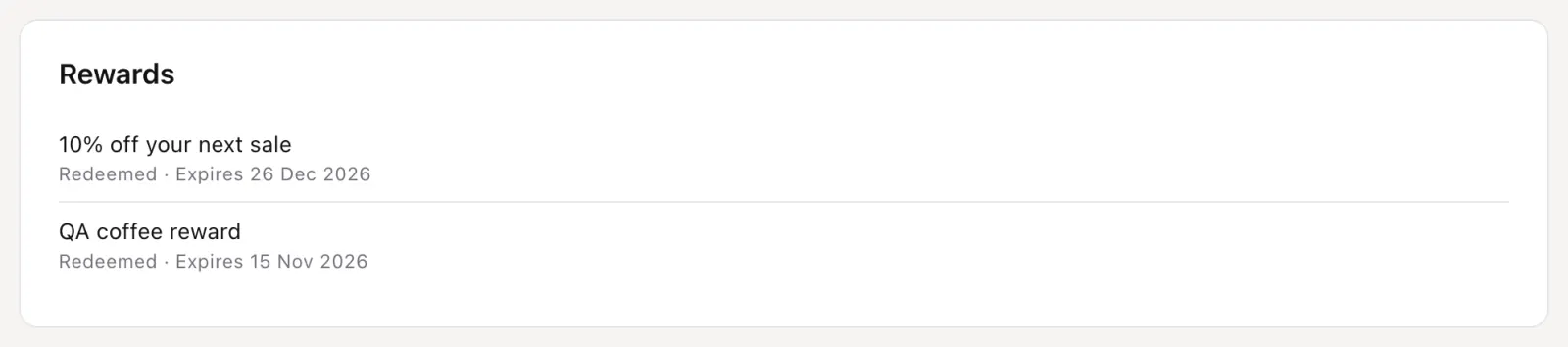
Step 7. In Shakewell open Customers and choose the customer. In the Rewards box the reward is marked Redeemed.
Which rewards work
- A percentage off, for example 10 percent off.
- A fixed amount off, for example 5 dollars off.
- A free product. If the reward names products, the discount applies to those products.
- Free shipping and other kinds do not apply at the till.
The promotion is made for the Register, with no end date, and Lightspeed decides how it takes the discount off the items in the sale.
A customer in a reward group
Lightspeed lets each customer be in one customer group only. The group usually sets their prices. When a customer has a reward ready, Shakewell moves them out of their usual group and into the reward group. When the reward is used, or goes away, Shakewell puts them back.
- While a customer is in the reward group, their usual group prices do not apply. Check this before you switch rewards on if you have groups with special prices, such as trade customers.
- A customer uses one reward at a time. If they have another ready, it waits for a later sale.
- Shakewell checks again every night. If someone moved the customer to another group by hand, Shakewell sees it and puts things right.
- If you turn off a promotion or take the discount off in Lightspeed, the reward is not used, and stays ready.
Good to know
- The customer must be added to the sale. Without them, no discount applies.
- The customer needs to be in Lightspeed with an email address Shakewell can match.
- After the sale is closed, Shakewell checks which promotions applied. It marks the reward Redeemed only when its own promotion applied.
- A reward is not given back when you return the sale. See refunds and returns.
- If you disconnect Lightspeed, Shakewell puts customers back in their own groups and archives its promotions. Balances stay.
Next: refunds and returns.
Back to the complete Lightspeed guide, or start your free trial. No card is needed.