
Shopify
How do rewards and discount codes work with Shopify?
Last updated 2026-11-26
When a customer redeems a reward, Shakewell creates a one-use discount code in your Shopify store. At the till, staff apply it with one tap.
Staff do not make up discounts. When a customer redeems a reward, Shakewell creates the discount in your Shopify store for them.
What happens
- A customer earns a reward: a full stamp card, or enough points.
- Staff open the Shakewell tile in Shopify POS, find the customer and choose Redeem next to the reward.
- Shakewell creates a discount code in your Shopify store and applies it to the sale.
- Staff take payment as usual.
What the discount allows
- It can be an amount off, a percentage off, a free product or free shipping.
- It can be used once, by one customer.
- It has an end date, so an unused code does not stay valid for ever.
See the codes in Shopify
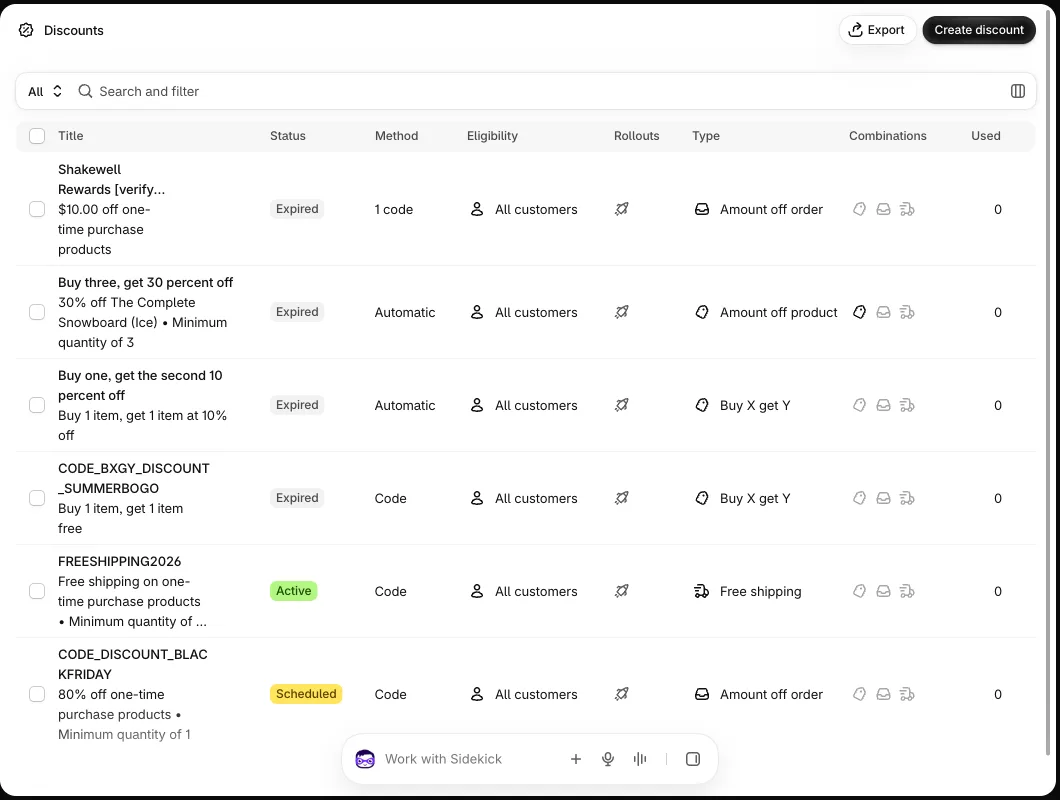
In your Shopify admin, open Discounts. Shakewell's codes are titled Shakewell Rewards. Expired and used codes stay in the list.
Give a reward from Shopify Flow or the API
You can also give a reward automatically. Open Rewards, then Reward Catalogue, and create a reward. Shopify Flow and the Open API can then give it to a member.
If something goes wrong
- Redeem is greyed out: the customer does not have enough points for that reward.
- You applied a reward by mistake: choose Remove reward. If you do not see it, ask a manager, because your account may limit that to managers.
- Shopify POS says This card has been replaced or voided: ask the customer to use their new card.
Next: set up Shopify POS.